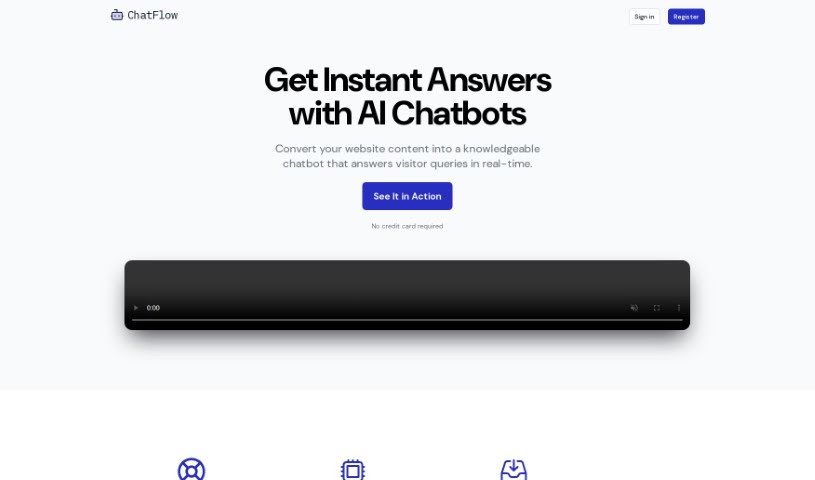
Screenshot of Chatflow

Chatflow

Discover what Chatflow is and how to use it effectively in 2025. We'll explore its features and see how it stacks up against other chatbots.

Screenshot

What is Chatflow?

ChatFlow is an AI chatbot builder that essentially uses your website’s content as its brain. This allows it to give smart, real-time answers to questions your customers might have. The platform works by using special crawlers that regularly scan your website for any new information. It can also pull in details from documents you upload, like PDFs or Word files, to make its knowledge base even richer. Plus, you can add specific notes directly to give it even more context. What’s great is that you can really make it your own – adjusting its tone, style, colors, and even the messages it sends to perfectly match your brand. To get it onto your website, you just add a small piece of HTML code. This code loads a chatbot widget, which then talks to ChatFlow’s servers to fetch the right answers. It’s designed to handle pretty complex customer questions, and you can try it out for free for 14 days with full access to everything, no credit card needed to sign up.

Who created Chatflow?

ChatFlow was actually started by the same team behind a popular AI chatbot builder. Their goal is to help websites give customers instant, intelligent answers. The company offers chatbots that you can completely customize, so they fit your brand’s voice, style, colors, and messaging perfectly. ChatFlow integrates with your website using a simple HTML code snippet. This snippet helps deliver those real-time answers to your visitors. They also offer a 14-day free trial, letting you explore all the features without needing to provide your credit card details upfront.

What is Chatflow used for?

  • It automatically answers visitor questions by drawing from your website’s content.
  • It’s great at handling those trickier, more complex customer queries.
  • You can easily customize the chatbot’s tone, style, colors, and messages to fit your brand perfectly.
  • It uses special crawlers to keep its knowledge base updated with new and changed information on your website.
  • You can add text-based files like PDFs, Word documents, or even HTML pages to make the chatbot’s knowledge base more detailed.
  • You can also add specific textual notes directly into the knowledge base.
  • It integrates with your website by using a small HTML code snippet that loads the chatbot widget.
  • It provides real-time answers to visitors by communicating with ChatFlow’s servers.
  • If you upgrade to a higher plan, you can remove the “Powered by ChatFlow” branding.
  • It offers a 14-day free trial that gives you full access to all its features.

Who is Chatflow for?

  • People working in customer service
  • Sales Representatives
  • Marketing professionals
  • HR personnel
  • Business owners

How to use Chatflow?

To get the most out of ChatFlow, here’s a simple breakdown:

  1. Get to Know ChatFlow: First off, remember that ChatFlow is an AI chatbot builder. It uses your website’s content to give customers answers right when they ask.
  2. Chatbot Basics: Think of chatbots as AI helpers that chat with users. The crawlers are key here; they constantly scan your website to keep the chatbot’s knowledge up-to-date.
  3. Boost the Knowledge Base: Don’t stop at just your website content! You can upload text files and add your own notes to give the chatbot even more information to work with.
  4. Make it Yours: Personalize the chatbot’s look and feel. You can tweak its style, colors, and the messages it uses so it really feels like part of your brand.
  5. Connect it to Your Site: Integrating ChatFlow is straightforward. You’ll use an HTML code snippet. This snippet adds the chatbot widget to your website and lets it talk to ChatFlow’s servers for instant responses.
  6. Handling Questions: ChatFlow is built to handle complex questions, drawing on all the information you provide. Keeping the content updated really helps it perform better over time.
  7. Branding Options: The basic plan includes “Powered by ChatFlow” branding. If you prefer a cleaner look, you can remove this by upgrading to a higher-tier plan.
  8. Try it Free: Definitely take advantage of the 14-day free trial. You don’t need a credit card to sign up, so you can start building your chatbot right away and explore all its features.

Ready to get started? Just head over to their website, sign up for the free trial, and follow the easy steps to build and customize your AI chatbot. It’s a great way to ensure smooth customer interactions.

Related AI Tools

Discover more tools in similar categories that might interest you

Stay Updated with AI Tools

Get weekly updates on the latest AI tools, trends, and insights delivered to your inbox

Join 25,000+ AI enthusiasts. No spam, unsubscribe anytime.