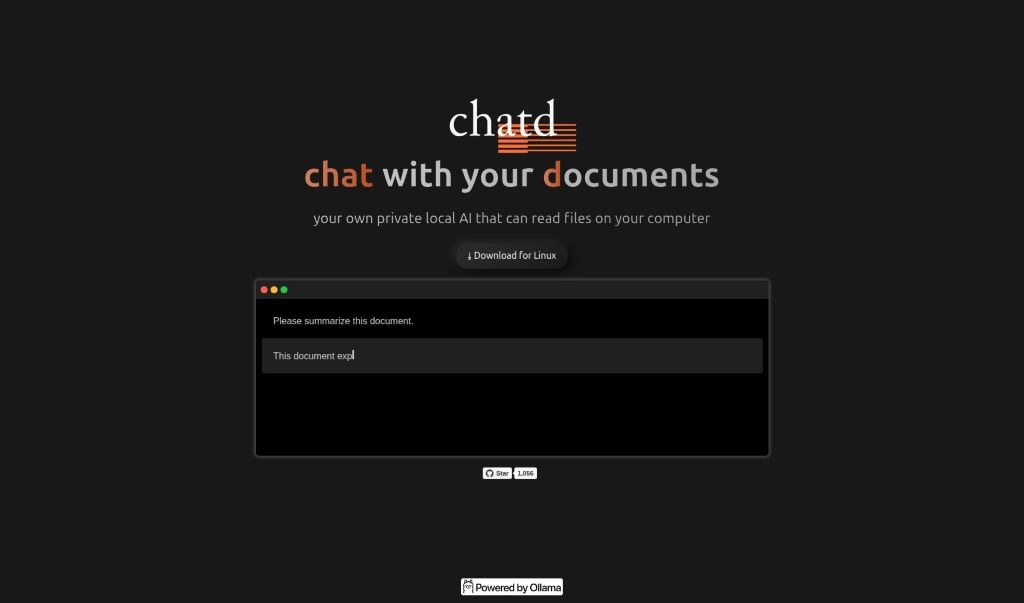
Screenshot of Chatd.ai

Chatd.ai

Discover what Chatd.ai is and how to use it effectively in 2025. We'll explore its features and see how it stacks up against other PDF chat tools.

Screenshot

What is Chatd.ai?

Chatd.ai is a neat AI tool that lets you chat privately with documents stored right on your computer. It is your own personal AI assistant for your files. It really focuses on privacy and keeping everything local, so your conversations about your documents are secure. This tool cleverly combines chatting with reading your files, making it super easy to interact with them conversationally. The best part? You don’t need any external servers or cloud services. Plus, it works great on Linux!

It offers a straightforward way to quickly summarize your documents, all powered by ollama, a well-known AI technology provider.

Who created Chatd.ai?

Chatd.ai was actually created by ollama and first came out on November 3, 2023. ollama, the company behind it, developed Chatd.ai as a special AI tool. It’s designed specifically for private, local chats with your documents. The main idea here is privacy and processing everything on your own computer, which means your conversations and interactions with files stay secure and personal. You can easily talk to your files without needing to send them anywhere else, making it a really reliable and efficient way to handle your private documents.

What is Chatd.ai used for?

  • You can chat with any files you have saved on your computer.
  • It gives you direct access to your files without needing external servers or cloud services.
  • It offers a private way to chat with your documents, keeping everything local.
  • You can get quick, effective summaries of your documents.
  • It boosts your document handling by adding chat capabilities.
  • It ensures your conversations and document interactions are secure and private, staying on your computer.
  • It’s compatible and easy to use for anyone on Linux.
  • It brings together AI for document processing and chat features.
  • You can engage with your documents in a more natural, conversational way.
  • It uses your computer’s local processing power for reliable and efficient document interactions.
  • It provides a private, local chat experience with your own documents.
  • You can easily have conversations with files stored right on your computer.
  • It lets you interact with files by chatting with them.
  • The tool emphasizes privacy and local processing for secure chats and document interactions.
  • You get direct access to files without needing external servers or cloud services.
  • It’s perfect for getting quick overviews by summarizing documents.
  • It merges document processing with chat functionality.
  • Users can interact with files naturally and conversationally.
  • It’s a reliable and efficient solution for private document engagement.
  • You can seamlessly chat with files stored on your computer.
  • It allows you to interact with files through conversation.
  • It guarantees privacy and local processing for your chats and document interactions.
  • It’s an efficient way to summarize documents.
  • It combines document processing abilities with chat functionality.
  • You can engage with documents privately by using your computer’s local processing power.

Who is Chatd.ai for?

  • People who need to summarize documents.
  • Linux users.

How to use Chatd.ai?

Getting started with Chatd.ai is pretty straightforward. Here’s how:

  1. First, download Chatd.ai for your Linux system from the link we’ve provided.
  2. Next, go ahead and install Chatd.ai on your Linux operating system.
  3. Once it’s installed, open up Chatd.ai. You’ll see its chat feature, which works hand-in-hand with reading your documents.
  4. Now, you can start chatting with Chatd.ai! It lets you have conversations with your files that are stored locally on your computer.
  5. Take advantage of Chatd.ai’s privacy and security features. Everything you do and all the documents it reads stay right there on your personal computer.
  6. Use Chatd.ai’s easy-to-use interface to summarize documents quickly. It’s ideal for getting a fast overview of any written content.
  7. You’ll find Chatd.ai to be a reliable and efficient tool. It combines document processing with chat functionality, making your interactions with files much more conversational.

By following these simple steps, you can easily use Chatd.ai to chat with your documents securely and naturally, all directly on your own computer.

Related AI Tools

Discover more tools in similar categories that might interest you

Academic Help Free Essay Generator

Education Academic Writing
Learn More

Stay Updated with AI Tools

Get weekly updates on the latest AI tools, trends, and insights delivered to your inbox

Join 25,000+ AI enthusiasts. No spam, unsubscribe anytime.