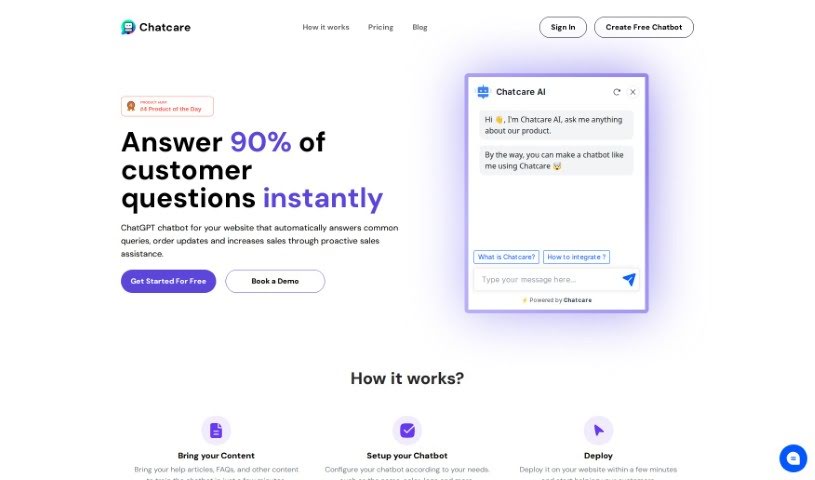
Screenshot of Chatcare

Chatcare

Discover what Chatcare is and how to use it effectively in 2025. We'll explore its features and see how it stacks up against other customer service tools.

Screenshot

What is Chatcare?

Chatcare is a product you might have seen on Product Hunt. It’s basically a chatbot service powered by ChatGPT. Its main job is to answer customer questions right away, give updates on orders, and even help boost sales by proactively assisting customers. You can customize your chatbot by feeding it your existing help articles, FAQs, and other content. Then, you can tweak its settings to fit your needs and get it running on your website in just a few minutes. Chatcare’s goal is to save your support team time by handling those repetitive questions in a friendly, conversational way. This not only makes customers happier but also helps drive more sales.

They offer pricing that grows with your business, with different plans that include things like customization options, chat history, messaging limits, and analytics for tracking performance.

Essentially, Chatcare is presented as an AI tool that provides cost-effective, efficient, and really great customer service experiences.

Who created Chatcare?

Chatcare was started by a team that’s really focused on building ChatGPT-powered chatbots. They aim to create tools that deliver effective and exceptional customer experiences. This chatbot is designed to save businesses time by answering customer inquiries quickly and helping out with sales, all while working 24/7 without getting tired. The company offers pricing plans that can scale to fit businesses of any size. These plans include features like basic customizations, more advanced analytics, and unlimited chat history. With Chatcare, businesses can easily improve their customer service and increase sales.

What is Chatcare used for?

  • It can answer about 90% of customer questions instantly.
  • It helps increase sales by offering proactive assistance.
  • You can save time and money by using this ChatGPT chatbot.
  • It’s available to answer questions 24/7.
  • It provides a warm, friendly experience while saving you time.
  • It can boost sales by recommending products.
  • There are scalable pricing plans available.
  • You get basic customizations.
  • Advanced analytics and reporting are included.
  • It aims to provide an efficient and remarkable customer experience.

How to use Chatcare?

To get the most out of Chatcare, here’s a simple breakdown of how to use it:

  1. Bring Your Content: First, you’ll want to give the chatbot your help articles, FAQs, and any other relevant content. This is how it learns to answer common questions effectively.
  2. Setup Your Chatbot: Next, configure the chatbot to match your specific needs. You can customize things like its name, colors, and logo to make sure it fits your brand perfectly.
  3. Deploy on Your Website: You can get the chatbot up and running on your website in just a few minutes. This quick setup means you can start helping your customers right away.
  4. Answer Questions 24/7: The chatbot can handle customer queries all day and all night. This frees up your support team from having to answer the same questions over and over. The bot is designed to have conversations that feel natural and friendly.
  5. Increase Sales: Think of the chatbot as a 24/7 sales assistant that never gets tired. It can suggest products and answer questions, which can lead to more sales opportunities.
  6. Choose a Plan: Pick a plan that best suits your business size and what you need. They offer different options with various features.
  7. Basic Reporting: Some plans give you access to basic reporting and a 30-day history of chats. This data is helpful for tracking interactions and improving how the chatbot performs.
  8. Advanced Analytics: If you opt for higher-tier plans, you’ll get advanced analytics, unlimited chat history, and even more capabilities, like indexing more pages and supporting more messages.
  9. Review and Feedback: It’s helpful to share your experience with Chatcare. Your feedback can help others understand its benefits and where it could be improved, making it easier for them to decide if it’s the right fit.

By following these steps, you can really make Chatcare work for you to improve customer support, boost sales, and make interactions on your website smoother.

Related AI Tools

Discover more tools in similar categories that might interest you

Stay Updated with AI Tools

Get weekly updates on the latest AI tools, trends, and insights delivered to your inbox

Join 25,000+ AI enthusiasts. No spam, unsubscribe anytime.