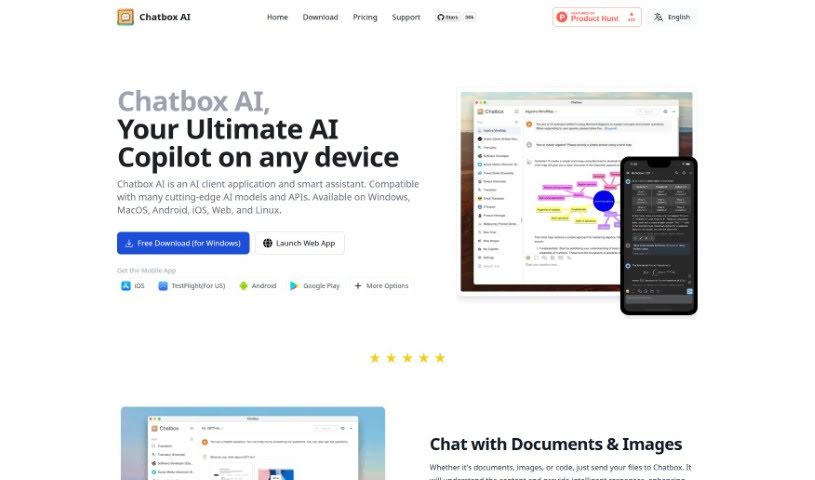
What is Chatbox?
Chatbox is a really user-friendly AI solution designed to help you be more productive, whether you’re working or studying. It is an AI client application and a smart assistant that works with a bunch of the latest AI models and APIs. What makes Chatbox stand out are its powerful prompt abilities, support for multiple AI models, flexible formatting options, and the fact that it stores your data securely, right on your own device. You can start using it for free, and there are also subscription plans available if you need more advanced AI services.
People who’ve used Chatbox often say great things about it, mentioning how useful it is, how easy it is to get started with, and how much it’s helped them get more done.
Who created Chatbox?
Chatbox was actually created by Benn, who is the founder of the company Chatbox AI. This AI client application and smart assistant is quite an innovation, and it’s become really popular, with over 500,000 downloads and a lot of positive feedback from users. Chatbox really focuses on giving you a user-friendly experience. It offers features like storing your data locally and securely, supporting a wide variety of AI models, giving you flexible formatting options, and providing different pricing plans to fit what different users need. Even professional developers have checked it out and given it praise, which really shows it’s a reliable tool for boosting productivity across many different kinds of tasks.
What is Chatbox used for?
- Boost productivity for work and study: Get more done, faster.
- Interact with artificial intelligence: Have conversations and get help from AI.
- Unleash creativity through powerful prompt abilities: Craft detailed requests to get exactly what you need.
- Experience an AI-driven user interaction: Enjoy a smooth and intuitive way to use AI.
- Utilize flexible formatting options: Present your AI outputs just the way you want them.
- Benefit from local and secure data storage: Keep your information safe and private on your own device.
- Enjoy an ergonomic UI design for comfort and functionality: Work comfortably for longer periods.
- Access cost-effective AI services: Get powerful AI capabilities without breaking the bank.
- Support various platforms: Use it on Windows, Mac, Linux, iOS, Android, and the Web.
- Enhance productivity in professional learning and office scenarios: Streamline your daily tasks and learning processes.
Who is Chatbox for?
- Professional developers
- People working in office settings
- Developers (again, highlighting its appeal to tech professionals)
How to use Chatbox?
To really make the most of Chatbox, here’s a simple guide:
- Download and Install: First things first, grab the Chatbox AI software from their official website. Then, just install it on whatever device you prefer – whether that’s Windows, Mac, Linux, iOS, Android, or even through the Web.
- Explore Features: Take a little time to get familiar with everything it offers. Check out the local and secure data storage, the tools for sparking creativity, the AI-driven interactions, the flexible formatting options, and that nice, ergonomic UI design.
- Choose Plan: Think about what you need. There’s a free version with the basics, or you can opt for AI Lite, AI Pro, or AI Pro+ plans if you want more advanced features and higher token usage limits.
- Get Started: Once you’re set up, just start using Chatbox! It’s great for learning new things, handling office tasks, getting creative, or any professional scenario you can think of.
- Enhance Productivity: Really put it to work! Use it for writing, creating AI art, working with images, or even chatting with your documents to seriously boost how much you can get done.
- Stay Updated: Keep an eye out for the latest updates. They’re always adding new features, improvements, and integrating new AI models, so staying current helps you get the most out of the tool.
- Join the Community: Don’t forget to connect with other users. You can share your experiences, join discussions, and learn from others how to best use Chatbox.
By following these steps, you’ll be able to really harness Chatbox’s power to improve your work, your learning, and your creativity in all sorts of situations.