What is Chartpixel?
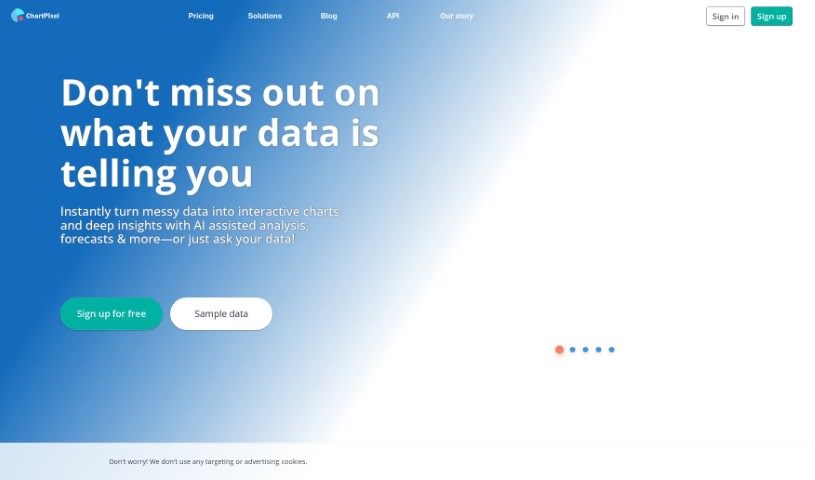
ChartPixel is a really straightforward tool that helps you get a handle on your data and visualize it clearly. It is your go-to for making sense of numbers. It’s packed with features like cleaning up messy data, making your charts look just right, spotting trends, and even giving you insights backed by solid statistics. You can take raw data, spreadsheets, or even tables from websites and turn them into interactive charts and helpful insights. It really simplifies things by automatically picking the best chart types, writing out what the data means, and even offering forecasts. It’s designed to be super easy to use, with a guided way to explore your data and the ability to easily export your charts and insights straight into PowerPoint for your presentations.
Who created Chartpixel?
Chartpixel was actually built by a team who really wanted to make data analysis easier for everyone, no matter their experience level. Their main goal was to make data more approachable and understandable, using tools that are simple to use and features that help you learn. Chartpixel basically empowers you to gather, visualize, and analyze your data without breaking a sweat. It helps you unlock the real power of your data, cutting out all the usual headaches that come with complex data analysis tools.
What is Chartpixel used for?
- ChartPixel is a fantastic way to get students excited about data all over the world. Teachers and lecturers use it as an educational tool, sparking students’ curiosity about what data can do, all without needing to learn coding first.
- It really smooths out the rough edges that often come with data analysis in tools like Excel. You won’t have to stress about picking the right columns, figuring out chart types, or creating pivot tables.
- People who enjoy analyzing data as a hobby love using the platform to make sense of their own datasets, whether it’s sports stats or their personal collections and lists. Just upload a spreadsheet, and you’ll instantly get insightful visualizations that help you track and even predict performance metrics.
- Researchers can explore new angles in their work by using ChartPixel’s strong statistical methods. It provides charts that are grounded in real trends and statistics, which is super valuable for academic research without demanding extensive coding.
- Business owners can use it to gather their own data and insights, cutting out the need for outside consultants or complicated analytical platforms. You get immediate insights to help you make smarter decisions, understand what’s driving your business, and get quick forecasts.
- The tool automates data tasks, making it much simpler for editors and journalists who might not have much data analysis experience to create charts and forecasts, really boosting the quality of their journalistic content.
- It helps students dive into data analysis without needing to code.
- It assists hobby analysts in making sense of sports statistics and their personal data.
- It saves time for data analysts by giving them immediate visual understanding.
- It supports researchers in exploring new dimensions within their work.
- It allows business owners to gather data and insights on their own.
- It automates data tasks for editors and journalists who have limited experience.
- It helps students develop a real passion for data.
- It makes data analysis less complicated for hobby analysts.
- It aids researchers in uncovering new perspectives in their studies.
- It handles data tasks automatically for editors and journalists.
- It supports making everyday decisions.
- It makes data analysis much easier for both students and teachers.
- It can improve customer experience, build loyalty, and boost recommendation rates.
- You can even use the classic Titanic dataset to learn data analysis.
- It helps you track and predict performance metrics.
Who is Chartpixel for?
- Students
- Teachers and lecturers
- Hobby analysts
- Researchers
- Business owners
- Academic Researchers
- Editors and journalists
- Data Analysts
How to use Chartpixel?
Getting started with ChartPixel is pretty straightforward. Just follow these steps:
- Upload Your Data: The first step is to upload your Excel, CSV, JSON, or text files. ChartPixel will then automatically create your charts.
- Use Smart Search or Link a Webpage: You can also use the smart search feature to create charts by just typing in keywords, or you can input a URL to convert tables directly from a webpage.
- Connect to a Database: If your data is stored in a SQL database or a file repository like Google Drive or Microsoft OneDrive, you can connect to it.
- Enter Numerical Data: You can also simply type in numbers, percentages, and other data directly to build your charts.
- Choose a Subscription Plan: ChartPixel offers a few options: a free plan, a Silver plan, and a Gold plan. Each has different features and limits, so you can pick what works best for you.
- Take Advantage of the Features: Make sure to use the AI-assisted data analysis, enjoy unlimited customization options, download your charts, export them to PowerPoint, and make use of the built-in insights and forecasts.
- Visualize Your Data: ChartPixel is smart about this – it automatically picks the best chart types for your data and even gives you AI-powered written insights and descriptions.
- Customize Everything: You can create over twenty different kinds of charts, including smart map charts. Plus, you can filter your data, use AI-generated color themes, and much more.
- Clean Your Data Effortlessly: Save yourself a lot of time because ChartPixel’s algorithms can handle things like missing values, country codes, units, currencies, and more.
- Export and Share with Ease: You can export your charts and insights to PowerPoint with just one click. You can also share your projects easily by sending a link.
- Make Your Presentations Shine: You can even search for data directly on the internet, use AI color themes to make things look great, and enjoy a really intuitive interface that makes data analysis simple.
Basically, ChartPixel is perfect for students, hobby analysts, researchers, business owners, editors, and journalists who need to analyze data without a lot of hassle and want to make better, more informed decisions. It takes complex data processes and makes them easy, so anyone can do data analysis, no matter their skill level.
By following these steps, you’ll be able to use ChartPixel effectively for all your data analysis needs.