Celebrateally AI (Productivity)
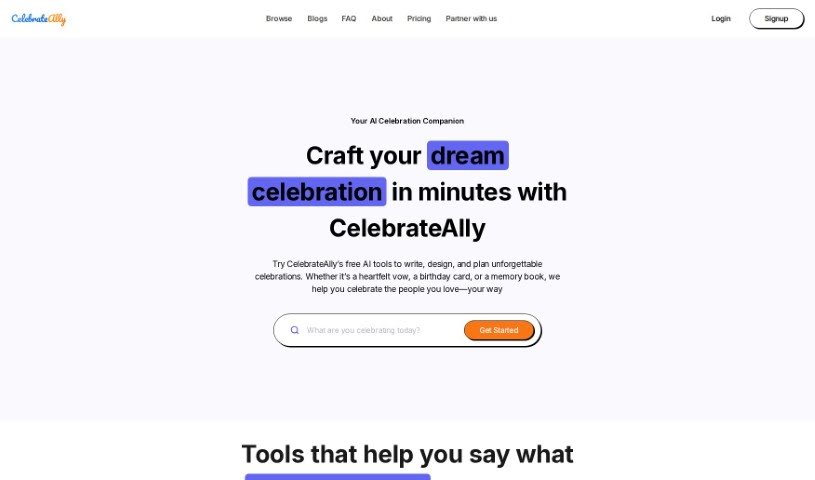
Screenshot of Celebrateally AI

Celebrateally AI

Discover what Celebrateally AI is and how it helps you plan weddings, birthdays, and other events with guest lists, timelines, and personalized ideas.

Screenshot

What is Celebrateally AI?

Celebrateally AI is a platform that uses artificial intelligence to help you plan and organize events. It acts as a personal event assistant, helping you manage guest lists, send invitations, and keep event details in order. It offers personalized suggestions, helps you build a custom event timeline, and simplifies communication with guests, making event planning less stressful.

Who created Celebrateally AI?

Celebrateally AI was founded by Samantha Chan, whose company focuses on AI solutions designed to improve celebrations and help people create special moments.

What is Celebrateally AI used for?

Celebrateally AI supports planning for a range of occasions:

  • Weddings: Custom vows, speeches, venue ideas, and themes.
  • Birthdays: Unique gift ideas, personalized messages, and party planning.
  • Anniversaries: Thoughtful gifts, romantic messages, and date ideas.
  • Baby Showers: Themed party concepts and games.
  • Holidays: Gift ideas, heartfelt greetings, and festive planning tips.
  • Proposals: Personalized ideas, romantic settings, and thoughtful gestures.

Who is Celebrateally AI for?

The tool suits anyone involved in event planning, including event planners, wedding coordinators, corporate event managers, party organizers, conference planners, caterers, venue managers, marketing professionals, nonprofit event organizers, and PR specialists. If you’re organizing an event, it can likely help.

How to use Celebrateally AI?

  1. Sign up or log in to the Celebrateally AI platform.
  2. Explore the dashboard to see the available features and tools.
  3. Upload your content — text, images, or other media you want the tool to work with.
  4. Choose your analysis, such as sentiment checks, trend predictions, or data visualization.
  5. Adjust settings to tailor the analysis to your preferences.
  6. Start the analysis and let the platform process your content.
  7. Review the results for insights and useful information.
  8. Export or share the results with your team or others as needed.
  9. Give feedback on the results to help improve accuracy, and repeat the process to refine your work.

Related

Related AI Tools

Discover more tools in similar categories

New tools, in your inbox.

Weekly picks of the best AI tools we've researched and added — no spam, unsubscribe anytime.

Join 25,000+ AI enthusiasts. No spam, unsubscribe anytime.