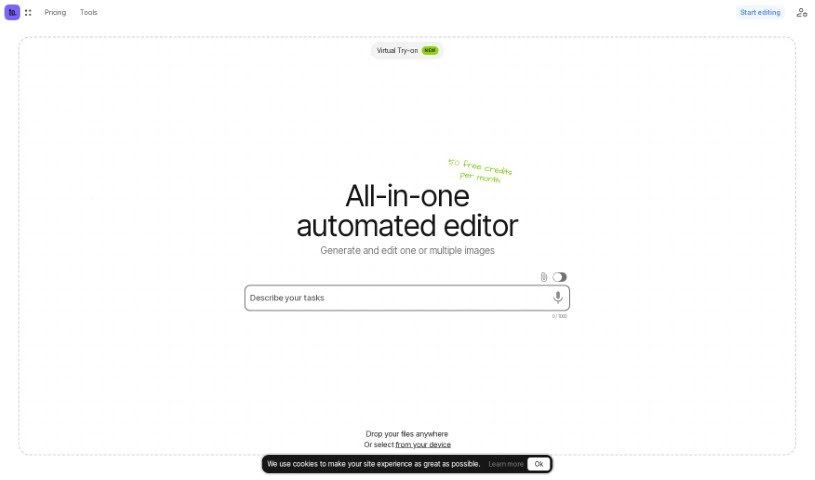
Ceacle Tools is a really handy platform built to help you manage and process lots of files at once. It makes it super easy to handle many files quickly, right from a user-friendly interface, with just a few clicks. You’ll find a bunch of tools for editing images, like changing backgrounds, converting file formats, resizing pictures, compressing them, and a lot more. What’s neat is you can build your own automated workflows by linking different tools together. This really streamlines your editing tasks, boosting both your productivity and how well your team works together. Plus, Ceacle Tools lets you customize these workflows, share them with your colleagues, remove text from images, and even generate icons.
The platform is always getting updated with new tools and features, so you get a really complete set of image editing capabilities.
Ceacle Tools was started by someone who prefers to stay anonymous, and it officially launched on May 19, 2024. The company offers a variety of image editing tools, including background removal, format conversion, and upscaling images, among others. It also gives users the ability to create and automate their editing workflows for more efficient processes.
- Automating your workflow
- Compressing images
- Creating automated workflows
- Editing files in bulk
- Changing image backgrounds
- Converting image formats
- Setting up automated workflows
- Making custom workflows
- Resizing images
- Removing text from images
- Compressing SVGs
- Getting text out of images
- Changing image formats
- Sharing custom workflows
- Choosing your preferred language and currency
- Taking text out of pictures
- Converting images to vector formats
- Creating mockups
- Integrating workflow automation
- Making mockups and scenes
- Converting vector files
- Creators
- Designers
- Graphic designers
- Photographers
- Content creators
- Digital artists
- Marketing professionals
- Video editors
- Image Editors
- Web Developers
Here’s how you can get the most out of Ceacle Tools:
- Handling Files in Bulk: Ceacle Tools is designed to process many files very quickly with just a few clicks, which really helps boost your productivity.
- Automating Your Workflow: You can build automated workflows by linking editing functions together. For instance, you could set up a workflow that first upscales an image, then compresses it, and finally converts it to a different format. These custom workflows can be saved and shared with your team, making repetitive tasks much simpler.
- Changing Backgrounds: Ceacle Tools has features that use AI to both remove backgrounds from images and replace them with new ones.
- Editing Images and Videos: You can use AI-powered tools for upscaling images and videos, removing backgrounds, converting formats, compressing files, and resizing them – all within one platform.
- Subscription Plans: While the website doesn’t go into detail about specific subscription plans, you can manage your account, team, and access tools using different credit options.
- Converting to Vector: Ceacle Tools lets you convert images into vector formats. The website doesn’t offer a lot of detail on exactly how this works, but the capability is there.
- Resizing and Compressing Images: The platform also offers specific tools for resizing and compressing images, adding to its comprehensive set of editing features.
- Sharing Workflows: You can save and share your custom workflows with your team members, which is great for collaborative editing projects.
- Removing Text: There’s a feature specifically for removing text from your images.
- Automation: You can automate your workflows by chaining editing functions together to create efficient sequences for your tasks.
- Mockup Creator: Use the ‘Mockup’ feature to create product mockups and scenes. Again, the site doesn’t detail how it operates, but it’s a feature you can use.
- SVG Compression: Ceacle Tools includes SVG compression as part of its AI-driven image editing tools.
By following these steps, you can really make the most of Ceacle Tools for efficient and streamlined image and video editing.