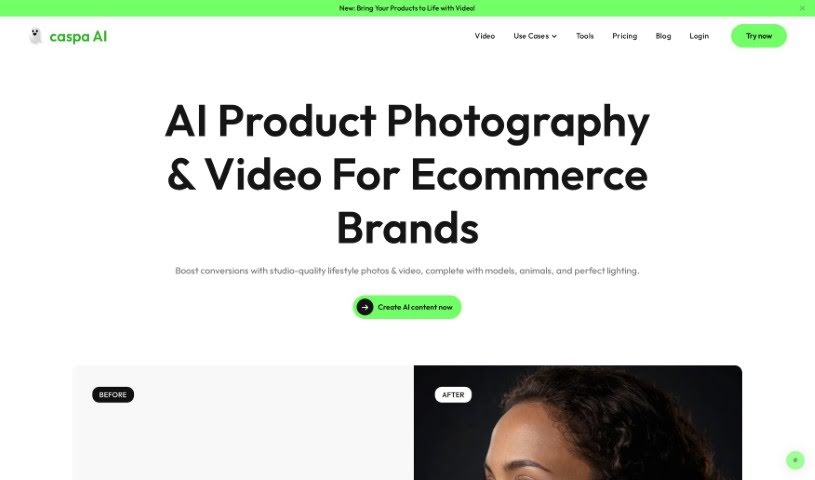
Screenshot of Caspa Ai

Caspa Ai

Discover what Caspa AI is and how to use it effectively in 2025. Explore its features, learn how it compares to other product photo generators, and see how it can boost your e-commerce business.

Screenshot

What is Caspa AI?

Caspa AI is a really user-friendly tool that uses AI to help you create and edit lifestyle photos featuring your products. What makes it special is that it lets you add photorealistic human models, animals, and custom backgrounds to your product shots. You can easily pick your own backgrounds and use the AI editing features to resize images or add text. The main goal here is to help e-commerce businesses stand out by offering unique AI stock photos and various ways to generate specialized product visuals that really fit your brand. It’s super versatile, too – you can use it for infographics, social media posts, and lots more, making it a great way to visually showcase what you offer.

Who created Caspa Ai?

Caspa Ai was actually started by an entrepreneur named Jonathan Long. His company offers this AI-powered tool specifically for creating and editing lifestyle photos that include products. It works by using realistic human models, animals, and custom backgrounds. Caspa Ai also has a studio editor that lets you customize image templates and infographics, plus it gives you access to unique AI stock photos that are easy to work with. The AI technology it uses helps with things like resizing images, adding text, and even getting inspiration from existing stock photos. Because it’s so easy to use and can be applied in so many ways, Caspa Ai is a fantastic choice for e-commerce businesses that want to really improve their visual marketing.

What is Caspa Ai used for?

  • You can create and edit lifestyle photos that feature your products, adding realistic human models and custom backgrounds.
  • It lets you customize image templates and infographics using its handy studio editor.
  • You get access to unique AI stock photos, making it simple to edit and visualize your brand.
  • The AI technology helps with editing, resizing images, adding text, and even finding inspiration from stock photos.
  • It’s great for creating one-of-a-kind AI product photos that are perfect for e-commerce businesses.
  • You can add AI human models to interact with your products, making them look more engaging.
  • It allows you to edit ethnicities using AI, which is helpful for reaching diverse customer groups.
  • You can even A/B test different images to see which ones work best with various target audiences.
  • It’s possible to add AI animal models to place your products alongside animals.
  • This tool can eliminate the need for Photoshop, as it provides all the necessary editing tools right there.

Who is Caspa Ai for?

  • E-commerce businesses
  • Digital & Social Marketers
  • Digital & Social Marketers (Note: This appears to be a duplicate, but I’ve kept it as per instructions)

How to use Caspa Ai?

Caspa AI is a really flexible tool for creating and editing lifestyle photos that feature your products. Here’s a simple, step-by-step guide to get you started:

  1. Sign Up: First, head over to the Caspa AI website and create your account.
  2. Choose a Plan: Next, pick a subscription plan that best suits what you need – they offer Pro, Premium, or Business options.
  3. Access the Studio Editor: Once you’re in, use the studio editor. This is where you can customize your image templates, infographics, and much more.
  4. Add Human Models: Make your product photos more engaging by adding photorealistic human models. It really helps connect with customers.
  5. Select Custom Backgrounds: Choose from a variety of custom backgrounds to create a unique look and feel for your products that matches your brand identity.
  6. Utilize AI Editing: Take advantage of the AI-powered features. You can resize images, add text, and even get inspiration by looking at stock photos.
  7. Create Unique AI Product Photos: Explore all the different ways Caspa AI lets you create special product visuals that truly represent your brand.
  8. Generate Visuals: Now, start creating stunning visuals for your products. This will help attract more customers and boost your brand’s presence.

By following these steps, you can really use Caspa AI to create compelling product visuals that connect with your audience and make your brand look even better.

Related AI Tools

Discover more tools in similar categories that might interest you

Stay Updated with AI Tools

Get weekly updates on the latest AI tools, trends, and insights delivered to your inbox

Join 25,000+ AI enthusiasts. No spam, unsubscribe anytime.