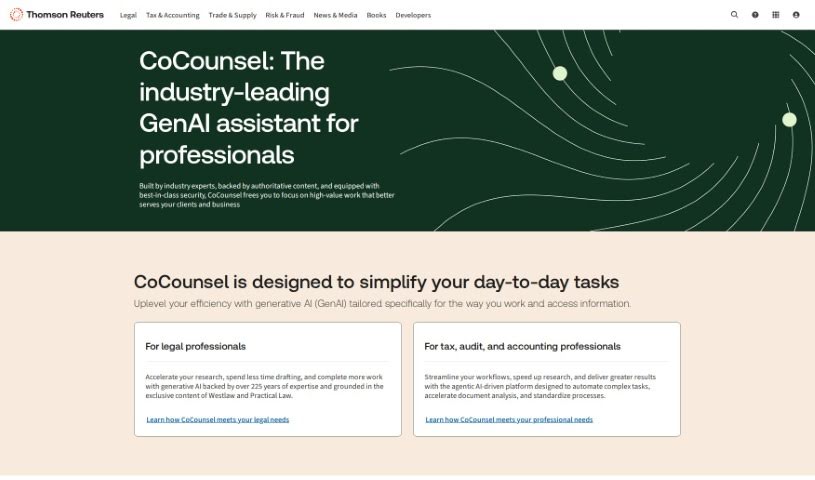
Screenshot of Casetext

Casetext

Discover what Casetext is and how to use it effectively in 2025. We'll explore its features and see how it stacks up against other AI assistants.

Screenshot

What is Casetext?

Casetext is a legal AI company that’s been leading the way with advanced technology for over ten years. Their main product, CoCounsel, is an AI legal assistant. It helps legal professionals access a huge library of legal cases and statutes, making legal research much faster and more efficient. CoCounsel uses natural language processing and machine learning to understand legal texts accurately. Besides offering case summaries and annotations, Casetext also provides tools for legal teams to work together, making research smoother and boosting efficiency. The company’s focus on quality has earned them praise from both legal and AI experts, who see them as a dependable and easy-to-use AI partner for lawyers everywhere.

Who created Casetext?

Casetext was founded by Jacob Heller. This award-winning legal AI company has been developing cutting-edge technology for more than 10 years. Their main product, CoCounsel, was the first AI legal assistant on the market. It offers various AI-powered tools for legal professionals, including contract analysis, litigation analytics, and ways to automate legal research.

What is Casetext used for?

  • Contract analysis
  • Faster, more efficient legal research: You can access a vast database of legal cases and statutes.
  • Document analysis and argument preparation: AI-powered assistance helps you break down legal documents and build your arguments.
  • Accurate interpretation of legal texts: It uses natural language processing and machine learning algorithms.
  • Easier collaboration and insights: Features like case summaries, annotations, and collaborative tools make teamwork and sharing insights simpler.
  • Streamlined research: Save valuable time and resources.
  • Specialized legal tools: Use contract analysis and drafting software, litigation analytics, and legal research automation solutions.
  • Staying ahead in legal AI: Innovate and remain at the forefront of legal AI technology.
  • Industry recognition: Earn accolades in the legal and AI communities for their commitment to excellence and reliable AI tools.
  • Trusted partnership: Become a go-to partner for legal professionals worldwide.
  • Transforming legal departments: Automate routine tasks and increase the value your legal team provides.
  • Legal research
  • Collaborative Tools
  • Case summaries
  • Annotations
  • Litigation analytics
  • Legal research automation
  • Improving legal research efficiency
  • AI-powered legal assistance
  • Streamlining the research process
  • Understanding legal issues: Access materials like cases, statutes, regulations, and legislative documents.
  • Staying current: Get up to speed in new legal areas or revisit familiar ones with encyclopedias, journals, and law reviews.
  • Verifying legal authority: Quickly check if a case, statute, or other legal source is still considered valid using the KeyCite feature.
  • Efficient legal research with CoCounsel: Use Casetext’s AI legal assistant to access a vast database of legal cases and statutes for faster research.
  • AI-assisted legal work: Help legal professionals find relevant cases, analyze documents, and prepare arguments.
  • Teamwork made easy: Features like case summaries, annotations, and collaborative tools help teams work together and share insights.
  • Saving time and resources: Streamline your research process.
  • Developing legal AI tools: Create AI-powered solutions for the legal industry, including contract analysis, litigation analytics, and research automation.
  • Community recognition: Receive recognition in the legal and AI communities for their dedication to providing reliable, efficient, and user-friendly AI tools.
  • Enhancing legal departments with CoCounsel: Use CoCounsel’s capabilities to automate routine tasks and boost the value of your legal department.

Who is Casetext for?

  • Legal professionals
  • Lawyers and legal professionals
  • Law firms
  • In-house legal departments

How to use Casetext?

To get the most out of Casetext, here’s a simple guide:

  1. Start with the Basics: Dive into Casetext’s extensive database, which includes cases, statutes, regulations, and legislative materials, to deepen your legal understanding.
  2. Explore Key Resources: Check out encyclopedias, journals, law reviews, and other analytical titles to stay informed across different legal areas.
  3. Use KeyCite with Confidence: Easily verify the status of cases, statutes, and legal authorities to ensure you’re working with the most current information.
  4. Leverage CoCounsel: Casetext’s main AI legal assistant, CoCounsel, offers a complete platform for legal professionals. It speeds up legal research, document analysis, and argument preparation using natural language processing and machine learning.
  5. Take Advantage of Advanced Features: Make your research and productivity even better with case summaries, annotations, collaborative tools, and other AI-powered features.
  6. Explore Other AI Tools: Casetext provides a variety of AI tools for contract analysis, litigation analytics, and legal research automation to suit different legal needs.
  7. Stay Ahead with Innovation: Casetext consistently innovates in legal AI, offering reliable and user-friendly tools that have earned recognition in the legal and AI communities.

Casetext’s dedication to quality and advanced technology makes it a really valuable resource for legal professionals everywhere. By using its AI capabilities, legal research and teamwork become much more efficient, saving time and resources in the legal field.

For more detailed information and step-by-step guides, you can visit Casetext’s official website .

Related AI Tools

Discover more tools in similar categories that might interest you

Stay Updated with AI Tools

Get weekly updates on the latest AI tools, trends, and insights delivered to your inbox

Join 25,000+ AI enthusiasts. No spam, unsubscribe anytime.