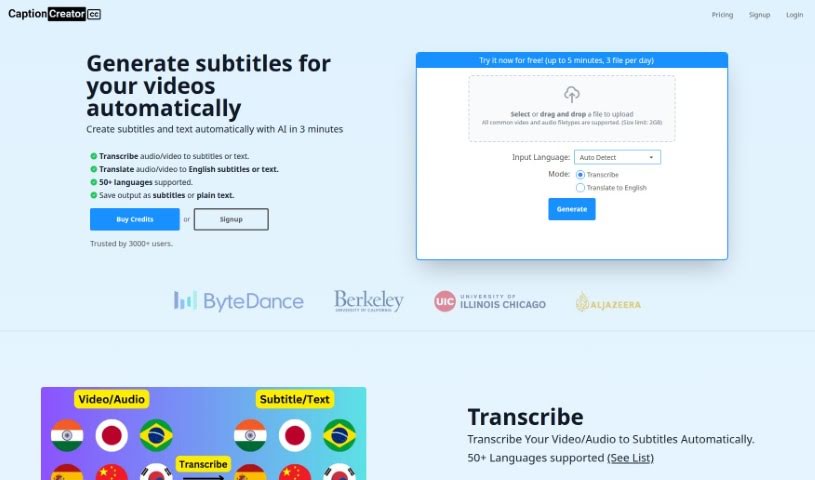
Discover what CaptionCreator is and how to use it effectively in 2025. We'll explore its features and see how it stacks up against other transcription tools.

CaptionCreator is a handy online tool that helps you generate subtitles for your videos. You can use it to transcribe and translate pretty much any language into English. It’s pretty impressive, supporting over 50 languages and even recognizing different accents, which is great because it can still give you accurate transcriptions even if the audio is a bit noisy. You just upload your audio or video file, and CaptionCreator uses the powerful OpenAI Whisper algorithm to do the transcription and translation. Plus, it has a really easy-to-use subtitle editor so you can tweak things before you download them.
CaptionCreator first came out on January 20, 2023. The company behind it uses the OpenAI Whisper algorithm, which is why it’s so good at transcribing and translating over 50 languages accurately. The platform itself is designed to be user-friendly, and it handles multilingual audio, various accents, and even noisy environments really well. Interestingly, the team that developed CaptionCreator has ties to some big names like ByteDance, the University of Illinois, and Berkley University.
CaptionCreator is super versatile! Here’s what you can do with it:
CaptionCreator is a great tool for a variety of people and businesses:
Using CaptionCreator to get subtitles for your videos is pretty straightforward. Just follow these simple steps:
CaptionCreator supports over 50 languages for both transcription and translation. It’s really good at recognizing different accents and dialects accurately. Even if your audio is a bit noisy, the tool can handle it, ensuring precise transcription even in challenging conditions.
They offer different subscription plans with varying credit levels: you can start with a Free plan (5 credits), or choose Standard (160 credits), Professional (400 credits), and Exclusive (1300 credits).
CaptionCreator really helps with multilingual audio support and generating subtitles quickly. It also gives your videos a SEO boost by making them more accessible and improving search rankings. Just make sure you have enough credits for the transcription and translation services you need – one credit generally covers one minute of transcription or translation. The tool includes that user-friendly subtitle editor for customization before you download. Keep in mind, CaptionCreator needs an internet connection to work; it doesn’t function offline. It’s a fantastic option for businesses looking to make their video content more accessible and boost their online presence.
Discover more tools in similar categories that might interest you
Get weekly updates on the latest AI tools, trends, and insights delivered to your inbox
Join 25,000+ AI enthusiasts. No spam, unsubscribe anytime.