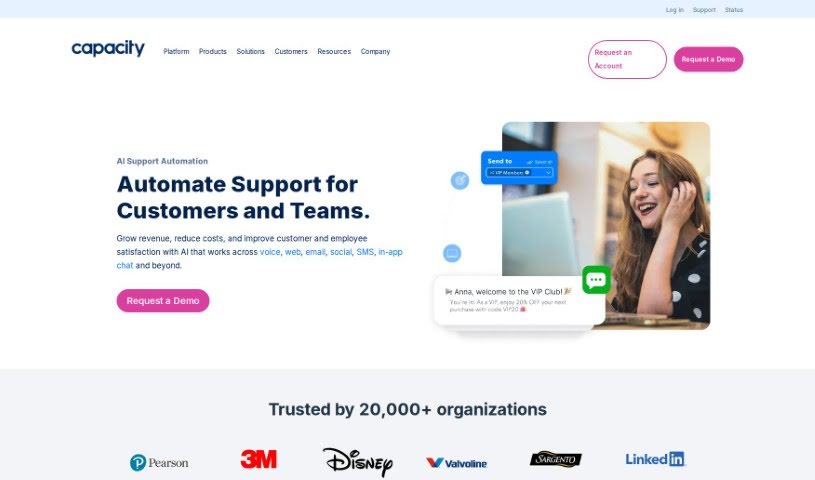
Screenshot of Capacity

Capacity

Discover what Capacity is and how to use it effectively in 2025. We'll explore its features and see how it stacks up against other customer service tools.

Screenshot

What is Capacity?

Capacity is an AI-powered platform designed to automate and improve how customer support works. It is a central spot that connects with all your current tools, making it super easy to communicate and automate support tasks. It’s packed with features to help your team. You’ve got a Knowledge Base and Articles to give agents all the info they need, Chatbots and Helpdesk options for customers to help themselves or connect with a person, Workflows and Automations to cut down on repetitive jobs, and tools like SMS and Livechat to talk to customers right away.

Who created Capacity?

David Karandish is the mind behind Capacity. It’s an AI-powered support automation platform that first launched on January 17, 2021. The whole idea is to make customer support smoother by connecting with your existing tech. It offers a Knowledge Base, Chatbots, Helpdesk features, and Workflows with Automations, all aimed at providing efficient and personalized support experiences.

What is Capacity used for?

Capacity helps you:

  • Automate your support and business processes.
  • Spend less time hunting for information.
  • Answer those common, repetitive questions.
  • Get tedious tasks done automatically.
  • Boost your self-service options for customers.
  • Generally, make customer support processes smoother and better.
  • Give your support agents the knowledge they need to succeed.
  • Automate those recurring support tasks that eat up time.
  • Save your support teams valuable time and effort.
  • Easily communicate with customers via SMS and Livechat for immediate engagement.
  • It acts as a central hub, connecting with your existing tech stack for smooth communication and task automation.
  • The Knowledge Base and Articles feature lets agents quickly find information and answer FAQs.
  • Chatbots and Helpdesk capabilities offer AI-powered self-service, with an option to escalate to a human.
  • Workflows and Automations are there to handle repetitive support tasks automatically.
  • You can communicate with customers through SMS and Livechat for instant reach.
  • A Dev Platform and Apps allow integration with your current applications and custom workflows.
  • It’s all about making support operations more efficient.
  • This leads to a more tailored support experience for both customers and your agents.
  • Ultimately, it streamlines and improves customer support processes.
  • It serves as a central hub, integrating with your existing tech stack for seamless communication and task automation.
  • It enhances support operations with its Knowledge Base and Articles feature for quick access to information and FAQs.
  • You get Chatbots and Helpdesk capabilities for AI-powered self-service, with a human escalation option.
  • Workflows and Automations are included to automate repetitive support tasks.
  • The Dev Platform and Apps are there for easy integration with existing applications and workflow customization.
  • The goal is to improve efficiency, streamline processes, and provide a better support experience for everyone involved.
  • It functions as a central hub, integrating with your existing tech stack.
  • This integration boosts overall efficiency.
  • The Knowledge Base and Articles feature empowers support agents with essential information.
  • Repetitive support tasks are automated using Workflows and Automations.
  • Communication with customers via SMS and Livechat ensures instant reach and engagement.
  • The Dev Platform and Apps allow for integration with existing applications and custom workflows.
  • It ensures seamless integration into your existing infrastructure for a truly tailored support experience.
  • It acts as a central hub to integrate with your existing tech stack.
  • Agents are empowered with the knowledge base and articles feature.
  • Chatbots and Helpdesk capabilities provide AI-powered self-service.
  • A Dev Platform and Apps are included for integration and customization.
  • It improves efficiency and streamlines processes in customer support.
  • It enables a tailored support experience for both customers and support agents.

Who is Capacity for?

Capacity is a great fit for:

  • Customer support teams
  • IT Support departments
  • Sales & Marketing professionals

How to use Capacity?

To really get the most out of Capacity, here’s a straightforward guide:

  1. Get to Know the Platform: First off, Capacity is an AI-powered support automation platform that connects with your current tech stack to make customer support run much more smoothly. Take some time to understand its main features, like the Knowledge Base, Chatbots, Helpdesk tools, Workflows, and Automations.
  2. Set Up Your Knowledge Base: Make sure to use the Knowledge Base and Articles feature. This is key to giving your support agents quick access to all the information they need and answers to those common questions.
  3. Configure Your Automations: Set up your Automations to take advantage of AI and RPA. This can help with things like routing emails efficiently. You can even customize trigger words to automate tasks like assigning, tagging, or replying to emails automatically.
  4. Secure Your Team’s Access: As you bring team members onto the platform, it’s really important to set up their permissions correctly to protect your data. Keep things secure by using pre-defined permission levels, updating passwords regularly, and ensuring you’re on secure WiFi connections.
  5. Integrate with Your Systems: Connect Capacity with your existing applications, such as CRMs, Slack, and social media platforms. This creates a seamless workflow. Think about which integrations will give your employees instant access to the information they need most.
  6. Keep Improving: Keep an eye on the analytics dashboards. They offer great insights into how your team is performing and where you can make improvements. Always aim for ongoing enhancement by staying alert about security and using automation to manage your shared inbox more efficiently.

By following these steps, you can really make Capacity work for you, optimizing your workload, smoothing out processes, and making the support experience better for both your customers and your support agents.

Related AI Tools

Discover more tools in similar categories that might interest you

Stay Updated with AI Tools

Get weekly updates on the latest AI tools, trends, and insights delivered to your inbox

Join 25,000+ AI enthusiasts. No spam, unsubscribe anytime.