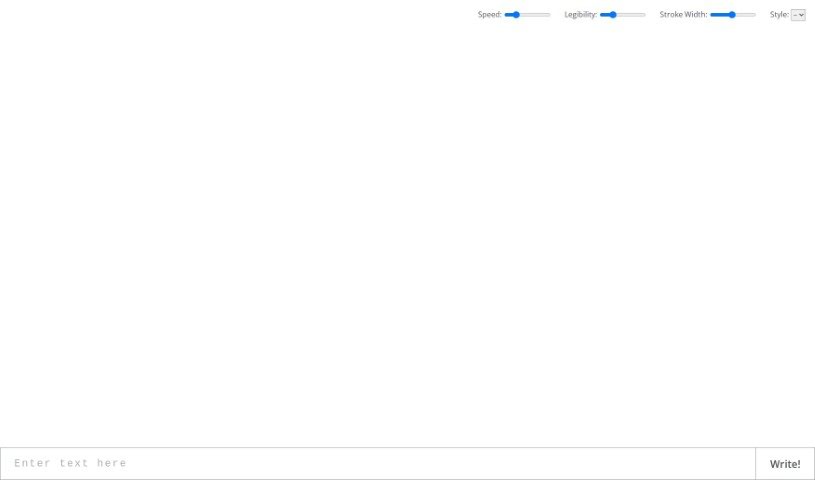
Screenshot of Calligrapher.ai

Calligrapher.ai

Discover what Calligrapher.ai is and how to use it effectively in 2025. We'll explore its features and see how it stacks up against other writing tools.

Screenshot

What is Calligrapher.ai?

Calligrapher.ai is a handy tool you can use right in your browser to turn any text into realistic, hand-crafted script. It lets you pick from different print and cursive styles, and you can tweak settings like speed, how easy it is to read, and the thickness of the strokes. You can even download your creations as SVG files. Basically, it’s a great way to blend digital text with the feel of traditional handwriting, perfect for things like invitations, personal letters, or even educational materials.

Who created Calligrapher.ai?

Calligrapher.ai was developed to give people the ability to create realistic handwritten script from their digital text. The specific founder behind Calligrapher.ai isn’t mentioned in the available information. The company focuses on providing a smooth experience using advanced recurrent neural network technology. This allows them to personalize digital communications with various handwriting styles, adjustable settings, and easy customization. Users can download their custom handwriting as scalable vector graphics, making it super versatile for use anywhere.

What is Calligrapher.ai used for?

  • Making digital messages feel more personal
  • Designing your own unique handwriting styles
  • Saving your creations as SVG files
  • Producing digital handwriting that looks incredibly real
  • Offering customizable print and cursive styles
  • Letting you adjust speed, legibility, and stroke width
  • Connecting digital writing with traditional handwritten feel
  • Great for invitations, letters, and educational content
  • Personalizing digital communications with notes that look handwritten
  • Creating distinctive handwriting styles for invitations, letters, or educational materials
  • Customizing both print and cursive handwriting styles
  • Adjusting settings like speed, legibility, and stroke width for your virtual handwriting
  • Generating realistic digital handwriting using a recurrent neural network
  • Downloading your personalized handwriting as scalable vector graphics (SVG)
  • Bridging the gap between digital and traditional writing methods
  • Customizable Styles: You can choose from a variety of print and cursive handwriting styles.
  • Adjustable Parameters: Tailor the speed, legibility, and stroke width to get just the look you want.
  • Realistic Output: This tool uses a recurrent neural network to create lifelike digital handwriting.
  • SVG Downloads: You can export your personalized handwriting as scalable vector graphics.
  • User-Friendly Interface: It’s easy to navigate and personalize your handwriting with this simple in-browser tool.
  • Personalizing digital communications with script that looks hand-crafted
  • Creating unique handwriting styles for invitations, letters, or educational materials
  • Transforming regular text into realistic, hand-crafted script
  • Customizing print and cursive handwriting styles
  • Adjusting settings like speed, legibility, and stroke width for virtual handwriting
  • Downloading your creations as SVG files to keep quality high across different platforms
  • Bridging the gap between digital and traditional handwritten text
  • Generating lifelike digital handwriting with recurrent neural network technology
  • Using a user-friendly interface for easy navigation and customization
  • Adding artistry to handwritten notes through realistic output

Who is Calligrapher.ai for?

  • People who design invitations
  • Graphic Designers
  • Teachers or Educators
  • Content creators
  • Event Planners

How to use Calligrapher.ai?

Want to create your own handwritten notes with Calligrapher.ai? It’s pretty straightforward. Just follow these simple steps:

  1. Head over to Calligrapher.ai: Go to the website and pick the handwriting style you like best, whether it’s print or cursive.

  2. Make Your Handwriting Your Own: You can fine-tune the look by adjusting settings like speed, legibility, and stroke width. These tweaks really help the virtual handwriting feel more like a real person wrote it.

  3. Write Your Text: Type the text you want to turn into handwritten script into the box provided. The interface is really user-friendly, making customization quick and easy.

  4. Download What You Made: Once you’re happy with your personalized handwriting, you can download it as an SVG file. This format means your handwritten text will look great no matter where you use it.

  5. Enjoy the Top Features:

    • Customizable Styles: Pick from lots of different handwriting styles to match exactly what you need.
    • Adjustable Parameters: You can tailor the speed, legibility, and stroke width to give it that perfect personal touch.
    • Realistic Output: It uses a recurrent neural network to create digital handwriting that looks incredibly lifelike.
    • SVG Downloads: Export your handwritten creations as scalable vector graphics.
    • User-Friendly Interface: It’s super easy to navigate the tool and personalize your handwriting.
  6. Use it for Lots of Things: Whether you need handwritten notes for invitations, personal letters, or educational materials, Calligrapher.ai makes it easy to blend digital and traditional writing for beautiful results.

By following these steps, you can really tap into the art of handwritten notes with Calligrapher.ai’s innovative and flexible in-browser tool. So, get creative and add that special personal touch to your digital communications with text that looks genuinely handwritten.

Related AI Tools

Discover more tools in similar categories that might interest you

Stay Updated with AI Tools

Get weekly updates on the latest AI tools, trends, and insights delivered to your inbox

Join 25,000+ AI enthusiasts. No spam, unsubscribe anytime.