123RF AI Image Generator
Creative Image Generation
Learn more
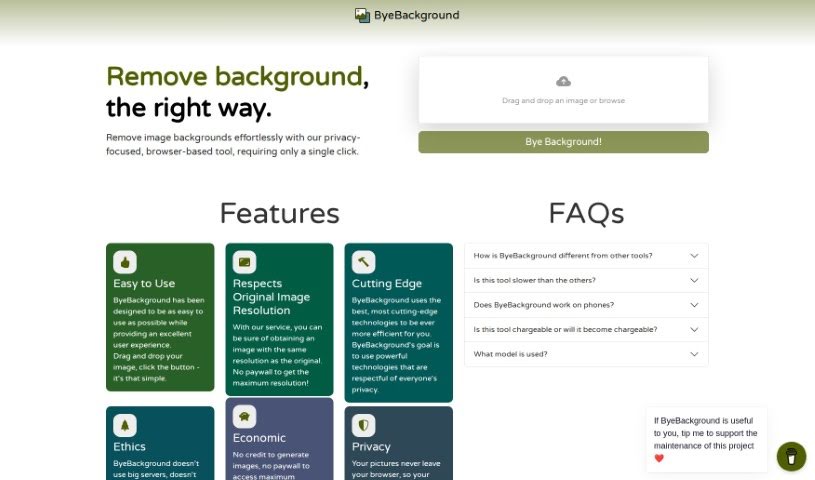
Discover ByeBackground, a free, privacy-focused online tool for removing image backgrounds directly in your browser. Learn how it works and who it's for.
ByeBackground is a free online tool that removes backgrounds from photos with a privacy-first approach. It runs entirely in your web browser — no downloads or installations required — and is powered by the BRIA Background Removal v1.4 algorithm. Because all processing happens locally on your device, your images are never sent to any server.
Key characteristics:
ByeBackground was built by a developer focused on user privacy. It uses the BRIA Background Removal v1.4 algorithm, which is available under a Creative Commons license for non-commercial use. Since the tool runs directly in the browser, all image processing stays on the user’s device.
The tool is designed to be straightforward: drag an image onto the interface and click a button to remove the background. It suits anyone who needs quick, private background removal without signing up for a service or uploading files to a server, including:
Processing speed depends on your device’s power, since everything runs locally. Your images never leave your device, and the tool maintains its no-ad, no-tracker policy throughout.
Related
Discover more tools in similar categories
Weekly picks of the best AI tools we've researched and added — no spam, unsubscribe anytime.
Join 25,000+ AI enthusiasts. No spam, unsubscribe anytime.