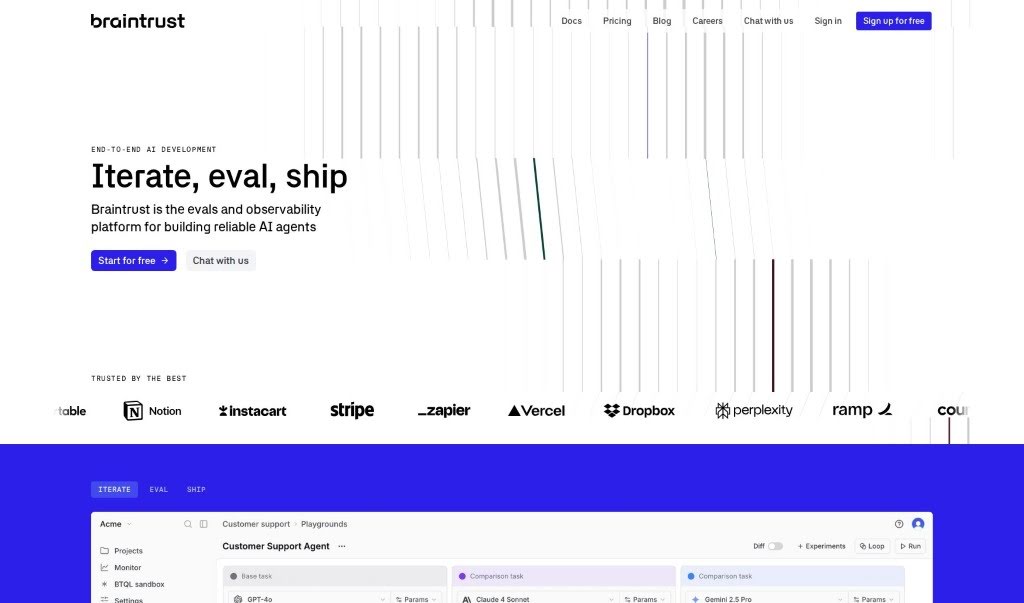
Screenshot of Braintrustdata

Braintrustdata

Discover what Braintrustdata is and how to use it effectively in 2025. We'll explore its features and see how it stacks up against other startup tools.

Screenshot

What Exactly is Braintrustdata?

Braintrust Data is a powerful, enterprise-ready toolkit built specifically for creating AI products. Its main goal is to make it much simpler to bring AI into your business, cutting out a lot of the guesswork and the really tedious parts. You’ll find features like Evaluations, which let you score, log, and see your AI’s outputs visually. There’s also the Prompt Playground, a handy tool for comparing different prompts and their input/output results. Plus, it supports continuous integration, lets you easily grab and check examples from staging and production using the Datasets feature, and gives you access to a variety of AI models through its Proxy service. People who’ve used it say it’s great for checking AI systems, making AI-first products better, keeping an eye on prompt quality, and doing full end-to-end tests for quality.

Who’s Behind Braintrustdata?

Braintrust Data was actually started by Mike Knoop, who was also one of the co-founders of Zapier. The company officially launched on September 1, 2023. Their whole mission is to simplify how businesses integrate AI. They do this by offering a bunch of useful features all in one place: evaluations, a prompt playground, continuous integration, datasets, and access to AI models through a single API.

What Can You Do With Braintrustdata?

Here’s a rundown of what Braintrustdata is used for:

  • Checking AI systems that don’t always give the same result.
  • Measuring how well your AI-first products are doing and making them better.
  • Testing AI products while they’re actually running in production.
  • Keeping track of how your prompts are performing over time.
  • Evaluating both your prompts and the models themselves.
  • Turning the process of iterating and improving into a more scientific approach.
  • Comparing different prompts, benchmarks, and the input/output pairs they produce.
  • Trying out and evaluating various methods using a large dataset.
  • Making continuous integration smoother by tracking progress and comparing new experiments against models that are already live.
  • Capturing and evaluating examples that have been rated from both staging and production environments.

Who Should Use Braintrustdata?

  • AI engineers
  • Developers

How Do I Get Started with Braintrustdata?

Ready to dive in? Here’s how to use Braintrust Data:

  1. Sign Up: First, you’ll need to sign up. You can do this with a .edu email address. If you’re working on an open-source project, you can also contact the team for access.
  2. Explore the Features: Take some time to look around at all the great features Braintrust Data offers. This includes Evaluations, Prompt Playground, Continuous Integration, Datasets, and the ability to access AI models through one simple API.
  3. Using Evaluations: The Evaluations feature is really useful for scoring, logging, and visually tracking your outputs. You can easily see performance, check out where things went wrong, and get quick answers about any changes to your models.
  4. Playing with the Prompt Playground: This is where you can compare different prompts, benchmarks, and input/output pairs. It’s perfect for experimenting and seeing how different approaches work with your data.
  5. Setting Up Continuous Integration: Keep track of how your main branch is progressing. You can compare new experiments against your live models, making sure everything integrates smoothly before you deploy.
  6. Working with Datasets: You can capture and evaluate examples that have been rated from your staging and production environments. These datasets are stored securely in the cloud, with automatic versioning, so your evaluations can evolve smoothly without any disruption.
  7. Using Proxy: Proxy gives you access to a wide range of AI models, like OpenAI, Anthropic, LLaMa 2, and Mistral. It also includes helpful features like caching, API key management, and load balancing.
  8. Checking Out Testimonials: See what other users are saying! They often praise Braintrust Data for how well it evaluates AI systems, improves AI-first products, helps monitor prompt quality, and handles end-to-end testing for quality metrics.

By following these steps, you can really make the most of Braintrust Data’s comprehensive features. It’s designed to help you integrate AI into your business more smoothly and make your AI product development process much better.

Related AI Tools

Discover more tools in similar categories that might interest you

Stay Updated with AI Tools

Get weekly updates on the latest AI tools, trends, and insights delivered to your inbox

Join 25,000+ AI enthusiasts. No spam, unsubscribe anytime.