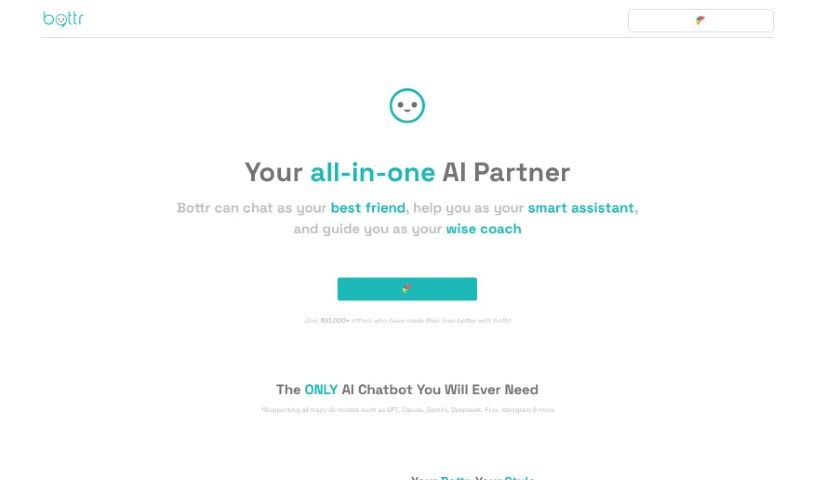
Screenshot of Bottr

Bottr

Discover what Bottr is and how to use it effectively in 2025. We'll explore its features and see how it stacks up against other chatbots.

Screenshot

What is Bottr?

Bottr is a really neat AI tool that lets you build your very own AI assistant, chatbot, and more. It brings the power of AI and LLMs (that’s Language Models) right into your daily personal and business tasks, making life simpler and giving your productivity a real boost. You can actually customize your AI bot by giving it your own instructions and data. This helps it grow and become more personalized and efficient as you use it. Bottr really offers a powerful, customizable way to create personalized AI assistants and chatbots, which can streamline your tasks and really boost how you engage with people on all sorts of platforms.

Who created Bottr?

Bottr was actually launched on March 17, 2020, by a founder who prefers to remain undisclosed. The company’s main goal is to give users the ability to create their own personalized AI assistants and chatbots. This AI tool uses AI and LLMs to make personal and business tasks easier. It boosts productivity by fitting into different platforms and systems, like websites, mobile apps, and social media pages.

What is Bottr used for?

Bottr can do a lot of things to help you out:

  • Instant Help: It can provide immediate assistance and interact with your audience directly on your website, mobile app, or social media pages.
  • Clear Communication: It communicates effectively by giving accurate, helpful answers, responding to questions, and guiding users through different processes.
  • Personalized Assistants: You can create custom AI assistants and chatbots for both your personal life and your business.
  • AI Integration: It brings the power of AI and language models into your everyday tasks.
  • Customization: You can tailor your AI bots by giving them specific instructions and data, which makes them more personalized and efficient over time.
  • Easy Integration: It’s designed to be easily integrated into various platforms and systems.
  • Pre-trained Knowledge: It comes pre-trained on a huge knowledge base and learns from what users prefer and need.
  • Productivity Boost: It helps boost your productivity and streamline tasks with AI assistance.
  • User Engagement: It’s great for engaging users across different platforms with personalized AI assistants and chatbots.
  • Simplifying Life: It makes life simpler and improves user engagement with features that are adaptable and customizable.
  • 24/7 Virtual Help: It acts as a virtual representative, available around the clock to engage with your audience.
  • Answering Questions: It can handle answering queries and providing information.
  • Guiding Users: It helps guide users through various processes.
  • Task Handling: It can manage a wide range of tasks, built on advanced language models like ChatGPT.
  • Platform Integration: It’s easy to integrate into any platform or system, acting as a virtual representative available 24/7.
  • Streamlining and Engagement: It streamlines tasks and enhances user engagement across various platforms.
  • Building Your Bot: You can create your personalized AI assistant or chatbot by signing up, then customizing it with a name, avatar, and branding.
  • Plain Language Instructions: You can instruct the bot in simple terms and give it the powers you desire.
  • Training Data: You can train the AI assistant on different data sources to make it more efficient.
  • Sharing and Embedding: You can share, embed, or integrate your unique AI assistant anywhere, letting others interact with it easily.
  • Continuous Improvement: It becomes more personalized and efficient over time by learning from user preferences, habits, and needs.
  • State-of-the-Art Models: It handles many tasks using a state-of-the-art language model like ChatGPT.
  • Adaptability: It offers adaptability and integration by being easily incorporated into various platforms and systems.
  • Custom Branding: You can build AI assistants or chatbots with custom names, avatars, and branding.
  • Performance Training: You can train the AI bot on various data sources for better performance.
  • Broad Knowledge Base: It shares a vast knowledge base of publicly available information and learns from user preferences, habits, and needs.
  • Customizable Tool: It offers a powerful and customizable tool for improving user engagement across different platforms.
  • Simplifying Tasks: It simplifies life and boosts productivity in personal and business tasks by integrating AI and LLMs.
  • Virtual Representative: It acts as a virtual representative, available 24/7 to engage with your audience.
  • Task Streamlining: It works with you to streamline tasks and enhance engagement.

Who is Bottr for?

Bottr is a great tool for:

  • Business owners
  • Entrepreneurs
  • Content creators
  • Educators
  • Customer service professionals
  • Business professionals in general
  • Website owners
  • Mobile app developers
  • Social media managers

How to use Bottr?

Bottr is a really flexible AI tool that lets you create personalized AI assistants and chatbots for all sorts of platforms. Here’s a straightforward guide on how to get the most out of Bottr:

  1. Sign Up: First, sign up for Bottr to get access to the platform and start building your AI assistant.
  2. Personalize It: Make your AI bot unique by giving it a special name, an avatar, and matching its branding to your style.
  3. Give Instructions: Tell your AI bot exactly what you want it to do using clear, plain language to define its tasks and abilities.
  4. Empower Your Bot: Decide what powers and functions you want your AI assistant to have, so it can perform tasks efficiently.
  5. Train It: Help your AI bot learn by feeding it relevant data sources. This builds its knowledge and improves its responses over time.
  6. Integrate It: Easily connect your AI bot to different platforms like websites, mobile apps, and social media pages to connect with your audience effectively.
  7. Engage Users: Use Bottr to communicate well with users, giving them accurate answers, responding to their questions, and guiding them through processes.
  8. Keep Customizing: Keep making your AI assistant better and more personal based on what users prefer, how they act, and what they need, which really boosts its efficiency.
  9. Share and Embed: You can share, embed, or integrate your unique AI assistant anywhere, making it simple for others to interact with it.

By following these steps, you can really use Bottr’s power to create a personalized AI assistant or chatbot that streamlines your tasks, makes user engagement better, and boosts your productivity across different platforms.

Related AI Tools

Discover more tools in similar categories that might interest you

Stay Updated with AI Tools

Get weekly updates on the latest AI tools, trends, and insights delivered to your inbox

Join 25,000+ AI enthusiasts. No spam, unsubscribe anytime.