What is Botrush?
Botrush is essentially a user-friendly way to interact with ChatGPT, but with a bunch of extra features that really boost your AI experience. It is an upgrade for ChatGPT. It gives you access to a handy prompt library, lets you save your own custom prompts, makes it easy to search through your past conversations, and helps you keep everything organized with folders. Plus, it even has speech recognition and text-to-speech, so you can chat with the AI hands-free! Compared to using ChatGPT directly, Botrush offers a much more intuitive interface and a whole suite of extra tools to make your AI interactions smoother and more productive.
Who created Botrush?
The Botrush team is behind this helpful tool. They launched it on May 30, 2023. As we mentioned, Botrush provides a much more user-friendly interface for ChatGPT. It comes packed with features like a prompt library, the ability to search your chat history, organize conversations into folders, and even use audio input and output. To get started, you’ll need your own OpenAI account and API key. While you can use the basic features for free, there’s also a one-time purchase option for premium features.
What is Botrush used for?
Botrush is designed to make your experience with ChatGPT much better in several ways:
- It offers a really user-friendly interface for ChatGPT.
- It enhances your overall AI experience with advanced features.
- You get access to a prompt library and can save your own personalized prompts.
- It includes features for searching your chat history and organizing conversations into folders.
- You can download your conversations in various formats or even share them publicly.
- It supports audio input and output, meaning you can use speech recognition and text-to-speech for hands-free interaction.
- There are many additional features that improve how you interact with AI.
- It provides a categorized collection of prompts that are ready to use.
- It helps improve your privacy and gives you more control over your AI interactions.
- The speech-to-text and text-to-speech capabilities are quite advanced.
- You can easily access a prompt library.
- Saving personalized prompts is straightforward.
- Searching through your chat history is efficient.
- You can create chat folders to keep everything organized.
- Using speech-to-text functionality is simple.
- Text-to-speech functionality is also readily available.
- You can download conversations in different formats.
- Sharing conversations via a link is easy.
- It offers a categorized collection of ready-to-use prompts.
- It really enhances the AI experience with its advanced features.
- You can access a prompt library and save personalized prompts for quick reference.
- The chat history search and folder organization features make navigating conversations much more efficient.
- You can download conversations in different formats or share them publicly using a shareable link.
- It includes audio input and output features for both speech recognition and text-to-speech.
- It provides a user-friendly interface for ChatGPT, packed with advanced features.
- It enhances the AI experience by offering a more intuitive interface compared to the standard ChatGPT.
- You get a categorized collection of ready-to-use prompts, plus the ability to save your own personalized ones.
- You can search through your chat history and create chat folders to stay organized.
- Both speech-to-text and text-to-speech functionalities are included.
- It improves privacy, gives you greater control over your AI interactions, and you only pay for the tokens you use through the OpenAI API.
Who is Botrush for?
Botrush can be a real game-changer for professionals across many fields. If you’re in software development, content creation, customer service, marketing, or research, you’ll likely find it incredibly useful. It’s also a great tool for:
- Customer service representatives
- Teachers
- Trainers
- Students
- Developers
- Writers
- Designers
- Product Managers
- Entrepreneurs
- Salespersons
- Anyone who uses ChatGPT!
How to use Botrush?
Getting the most out of Botrush is pretty straightforward. Just follow these simple steps:
- Get Your OpenAI API Key: First things first, you’ll need an OpenAI API key. If you don’t have one yet, you can easily get it from the OpenAI website.
- Understand Costs: It’s a good idea to check out the OpenAI pricing page. This will help you understand how costs are calculated based on the different models and their capabilities.
- What You Need: Honestly, all you really need is an internet connection and your OpenAI API key to start using Botrush’s features.
- Keeping Your Data Safe: We take your privacy seriously. Your input and prompts aren’t stored or sent to Botrush. Your OpenAI API key is stored securely right on your device, so your data stays safe.
- Our Refund Policy: We’re confident you’ll love Botrush, but if you’re not completely satisfied within 14 days, we offer a money-back guarantee. Just contact support for a full refund.
- Use it Anywhere: Botrush works great on your phone as a Progressive Web App (PWA), and you can also use it as a Desktop app on various operating systems.
- Explore the Cool Features: Botrush really shines with its enhanced user experience. Make sure to check out features like the prompt library, chat history search, speech recognition, and text-to-speech capabilities.
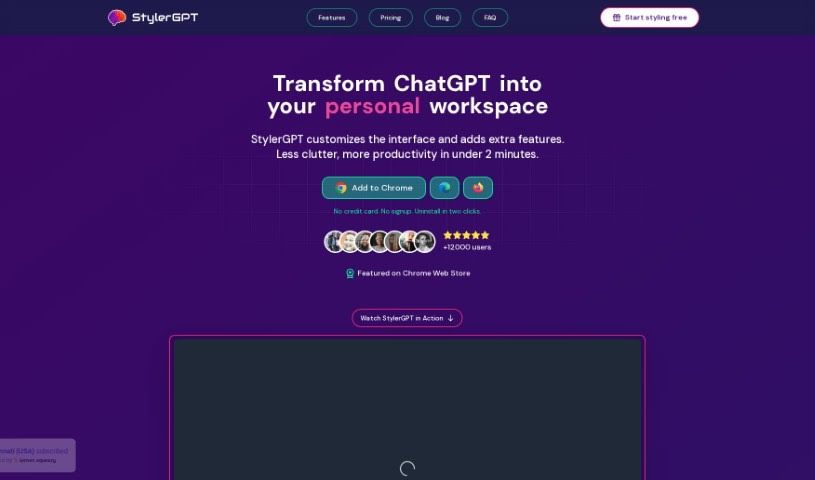
- Check Out StylerGPT: We also have a free extension called StylerGPT. It’s made by Botrush and actually enhances the ChatGPT interface itself, so you don’t need another separate application.
- Licensing and Payments: To unlock all the advanced features, you can purchase a license for Botrush Premium. Just remember that the costs for your actual API calls are handled separately through OpenAI.
By following these steps, you’ll be well on your way to using Botrush for a much more intuitive and enhanced AI chatbot experience.