What is Bot Butcher?
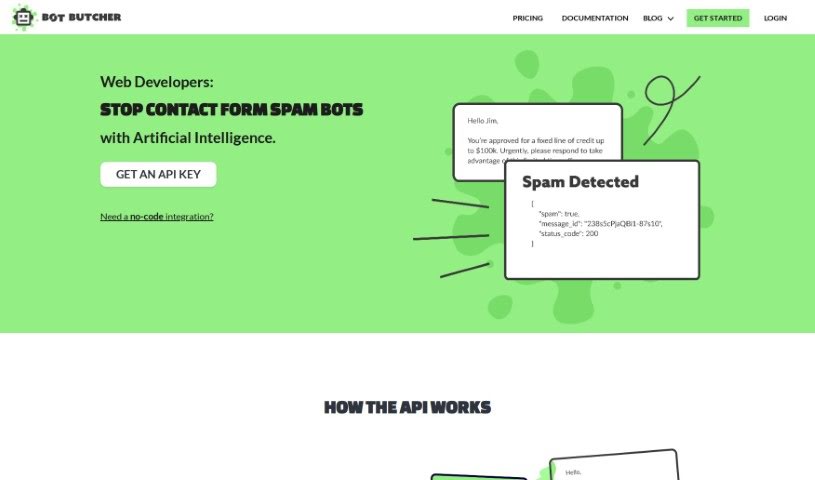
Bot Butcher is a handy API tool built specifically to sort through and filter out spam messages that come in through your website’s contact forms. It is a digital gatekeeper. It uses a powerful language model, much like the kind that powers advanced AI, to figure out if an incoming message is spam or legitimate. The whole process is pretty straightforward, usually taking about four steps: first, a message arrives via your contact form; second, it’s sent over to Bot Butcher for a quick check; third, Bot Butcher sends back a response, typically in JSON format, telling you if it’s spam or not; and fourth, if you need to, you can even look up past messages using their unique ID. Bot Butcher’s main goal is to make your life easier by cutting down on the amount of spam you have to deal with. It comes with easy-to-understand guides, and it’s designed to work smoothly with your CRM system, passing along only the good messages.
Plus, it’s priced really affordably, especially if you’re just managing one site. They even offer a free trial, and the pricing scales flexibly based on how much you use it.
Who created Bot Butcher?
Bot Butcher was actually created by a founder who prefers to remain anonymous, and it first launched on August 9, 2023. Its core purpose is to classify and filter out those pesky spam messages that often flood website contact forms. It does this by using a sophisticated language model to determine whether messages are spam or not, and then it provides these classifications back in a simple JSON format, which makes handling them a breeze. The tool is known for its user-friendly documentation, it plays nicely with CRM systems, and you can actually start using it for free.
What is Bot Butcher used for?
- Sorting and filtering spam: It’s great at identifying and blocking unwanted messages.
- Contact form focus: It’s specifically designed to work with messages submitted through your website’s contact forms.
- Categorizing messages: It helps you sort messages into spam or non-spam categories.
- Reducing inbox clutter: It significantly cuts down on the amount of spam that lands in your inbox.
- Leveraging AI: It uses a powerful language model to make its classifications.
- Easy data handling: It provides message classifications in a JSON format, making them simple to process.
- Message identification: Each message gets a unique ID.
- Message history: You can review and audit past messages.
- Accessing past communications: It allows you to look back at previous messages.
- CRM integration: It works well with your existing CRM systems.
- Clear guidance: You’ll find user-friendly documentation to help you get the most out of it.
Who is Bot Butcher for?
- CRM Professionals: Anyone managing customer relationships.
- Website Administrators: Those responsible for keeping websites running smoothly.
- Message Traffic Analysts: People who monitor and analyze incoming communications.
- Contact Form Moderators: Individuals who oversee messages from contact forms.
- Customer Service Representatives: Those on the front lines interacting with customers.
- Contact Form Managers: People who specifically handle contact form submissions.
- CRM Managers: Professionals overseeing CRM operations.
- Website Owners: Anyone who runs a website and receives messages.
- CRM System Users: Individuals who regularly use CRM tools.
How to use Bot Butcher?
To get the most out of Bot Butcher, here’s a simple breakdown of how to use it effectively:
- Submit Your Message: When someone, whether a real person or a bot, sends a message through your website’s contact form, that message is automatically sent over to Bot Butcher for analysis.
- Let Bot Butcher Classify: Bot Butcher then uses its advanced language model to carefully classify the message, determining if it’s legitimate or spam.
- Handle the Response: Bot Butcher will send back a response, usually in JSON format. If it’s a good message, it’ll be passed along to your CRM or inbox; spam messages are simply dropped.
- Review Past Messages: Need to check on something from the past? You can easily audit and access older messages by logging into the system or by using the specific message ID that was provided in the earlier responses.
- Consult the Documentation: Bot Butcher provides really user-friendly documentation. Make sure to check it out to help you implement the tool correctly and understand all its features.
- Connect with Your CRM: Bot Butcher is designed to integrate smoothly with your CRM systems. This integration really helps streamline how you handle all those contact form submissions.
- Consider the Cost: You can actually start using Bot Butcher for free, which is great for single site owners. It’s also a valuable tool for larger applications, with flexible pricing that depends on your usage levels.
By following these steps, you’ll be able to efficiently use Bot Butcher to sort and filter out spam, keeping your inbox clean, and making your overall message handling process much smoother.