What is BoldDesk?
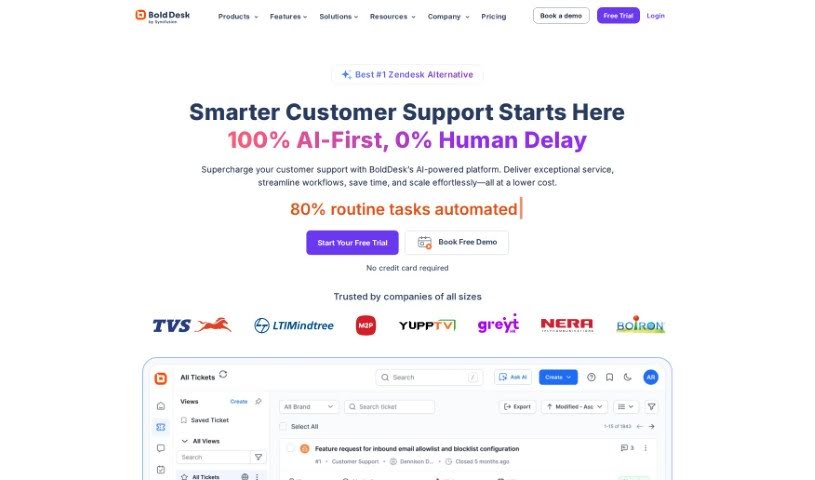
BoldDesk, brought to you by Syncfusion, is a customer service software designed to really boost your support operations. It comes packed with handy features like a super efficient ticketing system, a knowledge base that lets customers help themselves, tools for managing tasks, and even Generative AI to help cut down on support requests. What’s great is that BoldDesk is built to be flexible; you can customize it to fit just about any business need. It also plays nicely with lots of other applications you might already be using. Plus, BoldDesk offers mobile apps, so your support team can help customers from wherever they are. You can also easily gather customer feedback with satisfaction surveys and keep an eye on performance with its reporting and analytics tools. When it comes to pricing, BoldDesk keeps things clear and flexible, offering different plans to match what you need and how much you use it.
Who created BoldDesk?
BoldDesk was actually created by Syncfusion. Syncfusion has a long history, over 22 years, of helping developers all over the world build really powerful business software. They offer a main suite of tools that includes more than 1,800 UI widgets and frameworks, making it much simpler to develop for mobile, web, and desktop applications. You’ll find Syncfusion’s tools are used by many top companies – seriously, over 400 of the Fortune 500 use them, and they serve more than a million users globally. Syncfusion is really dedicated to providing the best possible support experiences worldwide, and that commitment is what led them to create BoldDesk, a product specifically built to deliver top-notch customer service.
What is BoldDesk used for?
BoldDesk is a versatile tool that helps with a lot of customer service tasks:
- It provides an efficient ticketing system to manage customer requests.
- You can set up a self-service knowledge base so customers can find answers themselves.
- It includes tools for managing your team’s tasks.
- Generative AI is integrated to help reduce the volume of support requests.
- There are extensive customization options to tailor it to your business.
- It integrates with numerous other applications you might use.
- Mobile apps are available for customer support teams on the go.
- Tools are included for gathering customer feedback.
- It offers robust reporting and analytics capabilities.
- You can integrate it with various applications via its API.
Who is BoldDesk for?
BoldDesk is a great fit for a variety of users and businesses:
- Customer service professionals
- Support Team professionals
- Startups looking to scale
- Small businesses needing efficient tools
- Larger enterprises managing complex support needs
How to use BoldDesk?
To really get the most out of BoldDesk, here’s a straightforward guide:
- Pick the Right Plan: First things first, choose a plan that best fits what you need and your budget. Think about features like how many tickets you’ll manage, if you need a knowledge base, and what kind of task automation you’re looking for.
- Seamless Onboarding: Don’t worry about starting from scratch. Bolddesk offers a free migration service and onboarding support to help you move over from your current help desk solution smoothly.
- Try it Risk-Free: You’ve got a 30-day money-back guarantee. If you’re not happy with the service within that first month, just reach out to support for a simple refund process. No hassle.
- Make It Your Own: BoldDesk is highly customizable. You can really tailor the software to match your specific business needs and make sure it aligns perfectly with your customer service strategies.
- Automate with AI: Make your support team’s life easier by using Generative AI to handle some responses and tasks automatically. This helps reduce the workload and makes things more efficient. You can also set up workflow rules and service level agreements (SLAs) to make sure tickets get resolved quickly.
- Support from Anywhere: Your team can help customers no matter where they are, thanks to the mobile apps BoldDesk provides. This ensures you can offer continuous support availability.
- Connect Your Tools: Integrate Bolddesk with your favorite apps and tools. This helps streamline your workflows, cut down on clutter, and generally boost your team’s productivity.
- Listen and Learn: Use the satisfaction surveys to gather feedback from your customers. Then, dive into the reporting and analytics tools to keep track of key support metrics. Use this data to make smart decisions and improve your customer service.
- Get Top-Notch Support: You’ll benefit from BoldDesk’s excellent customer support. They even offer a free trial support service that goes above and beyond typical enterprise standards, so you’ll always have help when you need it.
- Keep Getting Better: Stay in touch with the BoldDesk team for ongoing support, updates, and new features. They’re there to help you continuously optimize your customer service operations.
By following these steps, you can really make BoldDesk work wonders for your customer support, making it both effective and efficient.