What is Boardmix?
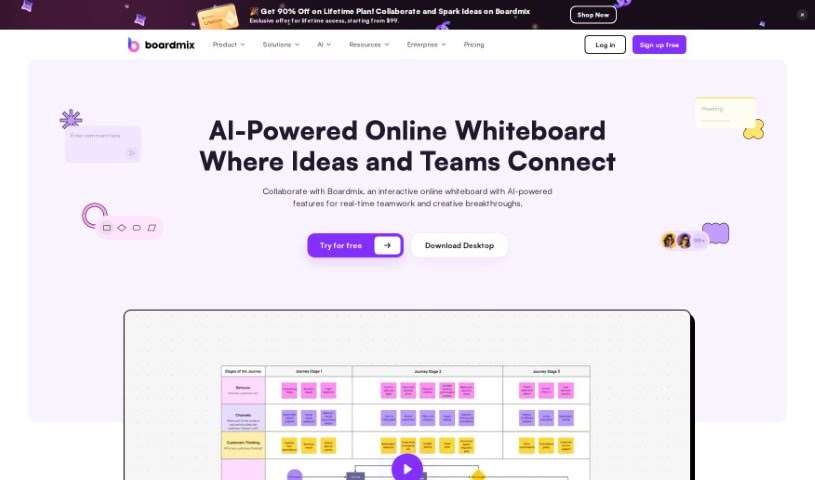
Boardmix is a really neat online whiteboard that uses AI to help teams work together better and faster. It is a digital space where you can brainstorm, plan, and create content with others in real-time. It brings together tools like a whiteboard, mind map, and flowchart maker all in one place. What’s cool is that up to 500 people can actively collaborate on a board at once, and over 1,000 can view it live! You can use it for everything from brainstorming sessions and strategic planning to just creating content together. It’s packed with features like digital notes, fun stickers and emojis, presentation modes, timers, and it even lets you easily integrate files from other apps. Boardmix is especially great for remote teams, as it works with other apps and is available on different platforms.
Who created Boardmix?
Jessica K., a Creative Director, is the mind behind Boardmix. She launched the platform on November 8, 2023. Since then, it’s become a go-to for many because it offers a fantastic mix of features. You get AI integration, tools for making mind maps and flowcharts, presentation capabilities, document notes, and even Kanban boards – all designed to make collaboration and managing ideas super smooth. People all over the world have found Boardmix easy to use and incredibly versatile, making it perfect for brainstorming, planning projects, and just generally thinking visually.
What is Boardmix used for?
Boardmix is incredibly versatile and can be used for a wide range of activities:
- Brainstorming: Generate ideas freely and collaboratively.
- Strategic planning: Map out your business goals and strategies using tools like mind maps and flowcharts.
- Real-time collaboration: Work together with your team on the same digital canvas, no matter where you are.
- Large virtual meetings: Host meetings where many people can participate or view content simultaneously.
- Idea pitching and sharing: Present your ideas clearly using notes, stickers, emojis, and voting features.
- Remote work: Make remote collaboration seamless and productive.
- Real-time viewing facilitation: Keep everyone on the same page by allowing many to see what’s happening live.
- Collaborative sessions: Engage in shared work on projects and tasks.
- File integration support: Easily bring in and export documents, media, and even websites.
- Meeting control: Manage the flow of your meetings with presentation modes and timers.
- Interaction via stickers and emojis: Add personality and quick feedback to your boards.
- Consensus through voting: Quickly gauge team opinions and make decisions.
- Business use cases: Adapt it for various business needs, from discussions to content creation.
- Brainstorming sessions with real-time collaboration: Combine idea generation with live teamwork.
- Strategic planning with tools like mind maps and flowcharts: Visualize complex plans.
- Idea pitching and sharing through notes, stickers, emojis, and voting features: Make your presentations engaging and interactive.
- Remote work facilitation with seamless file integration and versatile platform: Support your distributed team effectively.
- Large virtual meetings with real-time viewing for over 1,000 individuals: Keep a large audience informed and engaged.
- Controlling meetings through presentation modes and timers: Ensure your meetings run smoothly and on schedule.
- Interactive presentations for client meetings and internal reviews: Make your presentations dynamic and engaging.
- Enhancing teamwork efficiency by allowing up to 500 people to collaborate simultaneously: Boost productivity with large-scale collaboration.
- Efficient workflow with integrated tools and perfect integration capabilities: Streamline your processes with a unified platform.
- Versatile for various business use cases such as brainstorming, discussions, and collaborative content creation: Adapt Boardmix to fit your specific business needs.
- Collaborative content creation: Build documents, presentations, and more together.
- Interactive presentations: Make your pitches and reviews more engaging.
- Control of meetings: Keep your meetings on track and focused.
- File integration: Bring all your necessary resources into one place.
- Hybrid work: Support teams working both in the office and remotely.
- Strategic planning through tools like mind maps and flowcharts: Visualize your plans for clarity.
- Large virtual meetings with over 1,000 viewers: Share information with a broad audience.
- Idea pitching and sharing through notes, stickers, emojis, and voting: Make your ideas heard and understood.
- Remote work with seamless collaboration: Stay connected and productive with your remote team.
- Controlling meetings with presentation modes and timers: Manage your meeting time effectively.
- File integration in various formats: Work with all your essential files.
- Efficient teamwork with up to 500 collaborators: Maximize team productivity.
- Inclusive design sprints: Facilitate collaborative design processes.
- User research insights for design decisions: Gather and analyze user feedback visually.
Who is Boardmix for?
Boardmix is a great tool for anyone involved in creative and strategic work, including:
- Creative Directors
- Heads of Marketing
- Strategy Consultants
- UX & Design Professionals
How to use Boardmix?
Getting the most out of Boardmix is pretty straightforward. Just follow these steps:
- Sign Up and Log In: First, create your account on Boardmix and then log in to get started.
- Start a New Whiteboard: When you’re ready, create a fresh whiteboard for your team’s collaboration.
- Invite Collaborators: Easily invite your team members to join your whiteboard session so you can work together in real-time.
- Use the Tools: Dive into the various tools Boardmix offers! You’ve got the whiteboard itself, plus mind mapping, flowcharting, and other diagramming tools. Use these to brainstorm ideas and map out your strategies.
- Collaborate in Real-Time: Make the most of the real-time collaboration feature. Up to 500 people can work together on the same board at the same time, making teamwork super smooth.
- Share Ideas Effectively: Use features like notes, stickers, emojis, and voting to communicate your thoughts and reach a consensus quickly during brainstorming.
- Control Your Meetings: Keep your meetings organized and on track using Boardmix’s presentation modes and timers.
- Integrate Files: You can easily import and export documents, media, websites, and even connect with third-party apps in various formats, which really helps with compatibility.
- Enhance Remote Work: Boardmix is perfect for remote teams. It helps redefine the remote work experience with seamless collaboration, easy file integration, and a wide array of tools for brainstorming and creating content.
- Explore Templates: Don’t forget to check out the ready-made templates for things like mind maps, flowcharts, organizational charts, SWOT analyses, and more. They can really help streamline your work.
- Subscription Management: Keep an eye on your subscription details, including what features are included, when benefits expire, the cancellation policy, and how to reactivate if needed.
By following these steps, you’ll be able to use Boardmix effectively for all your teamwork, brainstorming, and strategic planning needs.