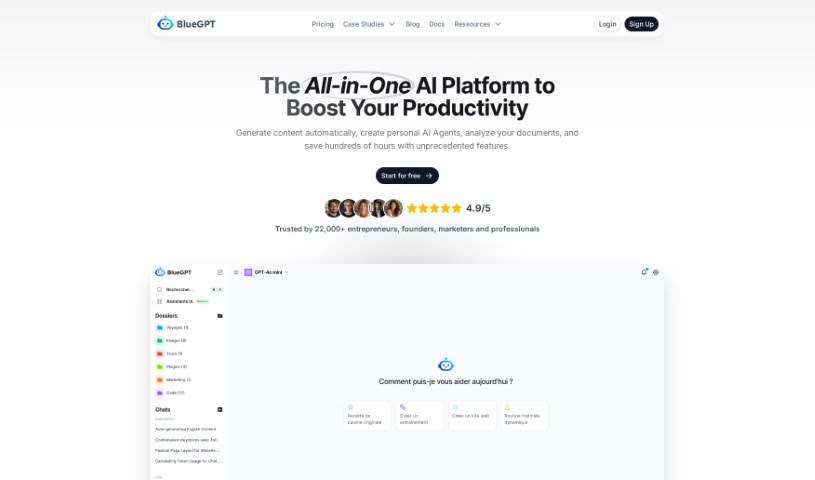
Screenshot of BlueGPT

BlueGPT

Discover what BlueGPT is and how to use it effectively in 2025. We'll explore its features and see how it stacks up against other employee tools.

Screenshot

What is BlueGPT?

BlueGPT is a tool that’s really popular, and lots of professionals around the world absolutely love it. People in roles like sales directors, financial analysts, and HR managers have shared how BlueGPT has truly changed the way they work. This AI tool is fantastic at helping you figure out if leads are a good fit, making your sales forecasts more accurate, making research and reaching out to people much simpler, and really smoothing out financial analysis. Clients have mentioned that BlueGPT doesn’t just make them perform better; it also saves them precious time by automating things like accounting tasks. All in all, BlueGPT is a must-have resource for all sorts of professionals who want to be more efficient and effective in their day-to-day jobs.

Who created BlueGPT?

Justine Morin is the person behind BlueGPT. She founded the platform, which gives you access to all sorts of AI models all in one place. BlueGPT’s goal is to help users with things like creating content and developing business strategies. The company itself, called InspireLabs, was started with the idea of completely changing how businesses operate more efficiently.

Who is BlueGPT for?

  • Sales Directors
  • Financial Analysts
  • Human Resources Managers
  • Accountants
  • Research Analysts
  • Sales Representatives
  • Business Strategists

How to use BlueGPT?

To get the most out of BlueGPT, here’s a simple guide:

  1. Think about subscribing: You might want to subscribe to BlueGPT Pro. It gives you access to all the AI models and extra features for a lower price.
  2. Access the AI Models: With your BlueGPT Pro subscription, you can get to over 35 different AI models. This includes popular ones like GPT-4, Claude, Mistral, FLUX, and many more.
  3. Use the Features: Make sure to take advantage of features like content creation and image generation. They can really boost your productivity and spark your creativity.
  4. Automate Tasks: You can set up your own AI assistants to handle tasks automatically. This lets you focus more on the important, strategic parts of your work.
  5. Analyze Information: Need to look at PDFs or images? You can interact directly with them and analyze images easily, often with just one click.

By following these steps, you can really tap into BlueGPT’s power to get more done and be more creative without the hassle.

Related AI Tools

Discover more tools in similar categories that might interest you

Stay Updated with AI Tools

Get weekly updates on the latest AI tools, trends, and insights delivered to your inbox

Join 25,000+ AI enthusiasts. No spam, unsubscribe anytime.