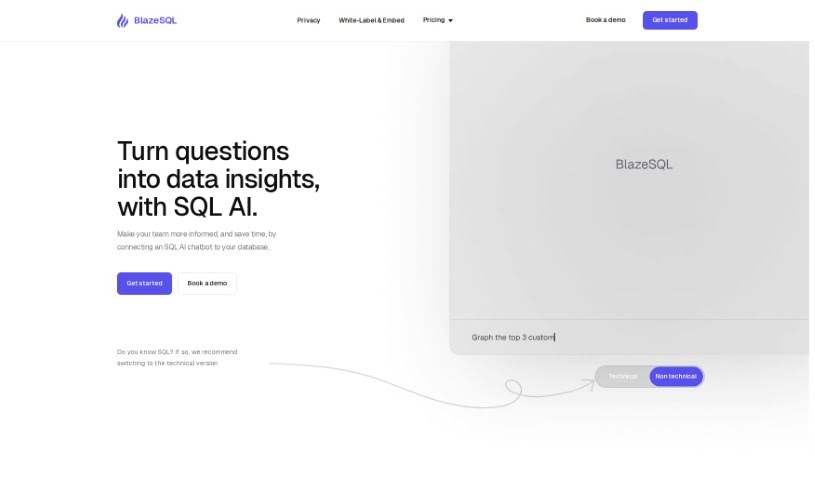
Screenshot of BlazeSQL

BlazeSQL

Discover what BlazeSQL is and how to use it effectively in 2025. Explore its features and see how it stacks up against other tools for Software Engineers.

Screenshot

What is BlazeSQL?

Blaze SQL AI is a really neat AI tool that acts as a Data Analytics chatbot and an AI SQL generator. Basically, it makes analyzing data much simpler. It like having a ChatGPT specifically for your SQL Databases. You can ask it to create SQL queries just by telling it what you need in plain English. BlazeSQL AI connects directly to your SQL databases on Windows or Mac, so your data analysis stays private and secure. It learns about your database’s structure, which allows it to write SQL queries, run them, and then create visualizations like graphs and dashboards in just seconds. This tool can cut down the time you spend on data tasks by is much as 85%, making it a huge help for boosting productivity in data work and making smarter decisions.

Who created BlazeSQL?

BlazeSQL AI was developed by the team at BlazeSQL, a company dedicated to creating this innovative AI Data Analytics chatbot and AI SQL generator. Their main goal is to really streamline how people analyze data. The tool works much like a ChatGPT for SQL databases, letting users generate SQL queries simply by describing what they need in natural language. BlazeSQL AI prioritizes your privacy and security by connecting to SQL databases locally on your Windows or Mac computer. It’s known for being super efficient at writing SQL queries, running them, and then quickly producing visualizations like graphs and dashboards. In fact, it can reduce the time spent on data work by up to 85%.

What is BlazeSQL used for?

  • It automatically writes SQL queries by understanding what you ask in plain language.
  • It provides fast and accurate data analysis thanks to its AI capabilities.
  • You can get visualizations like graphs and dashboards to easily see your data analysis results.
  • It makes asking for data simpler by letting you use natural language questions.
  • It saves you a lot of time when analyzing data and creating reports, which really boosts your productivity.
  • You can generate SQL queries using AI.
  • Connect to your SQL database for more advanced data analysis.
  • Keep your data private and secure by running queries locally.
  • Create visual representations of your data, like graphs and dashboards.
  • Make the data query process easier by asking questions in plain English.
  • Save significant time on data analysis and report creation.
  • Boost your productivity by making data-related tasks more efficient.
  • Speed up decision-making by quickly creating reports and dashboards.
  • It works with various SQL databases, so integration is smooth.
  • It can reduce the time you spend on data work by up to 85%.
  • It streamlines the entire data analysis process.
  • You can generate SQL queries just by stating your needs in natural language.
  • It executes SQL queries and produces visualizations like graphs and dashboards in mere seconds.
  • It can reduce the time spent on data work by up to 85%.
  • You can create complex reports and dashboards without needing to write any code.
  • It speeds up data-related tasks and helps you make decisions faster.
  • It enhances productivity for data analysis and report generation.
  • It ensures your data queries and analysis are private and secure because they’re executed locally.
  • It learns from your database to provide accurate queries and reports.
  • It simplifies the data query process by letting you ask questions in natural language.

Who is BlazeSQL for?

  • Data Analysts
  • Data scientists
  • Database administrators
  • Business analysts
  • Data engineers
  • Data Warehouse Specialists

How to use BlazeSQL?

Ready to dive into data analysis with BlazeSQL AI? Here’s how to get started:

  1. First, connect your SQL database to BlazeSQL AI right on your Windows or Mac computer. It’s designed for local use, keeping things secure.
  2. Next, just use natural language to tell the chatbot what data you need or what analysis you want to perform. It is a conversation.
  3. Then, let BlazeSQL AI do its thing! It’ll learn from your database to quickly generate accurate SQL queries for you.
  4. You can relax knowing your data processing is private and secure because it all happens locally on your device.
  5. Plus, you’ll automatically get visualizations like graphs and dashboards to help you understand your data analysis results at a glance.
  6. You’ll save a significant amount of time on data analysis and report generation – we’re talking up to 85% less time, which really boosts your productivity.
  7. Take advantage of BlazeSQL AI’s AI-powered analysis to make asking for data super simple and boost your overall efficiency.
  8. For more details, head over to the BlazeSQL website. You can also check out their FAQs to get a better feel for how the tool works.

By following these steps, you can really make the most of BlazeSQL AI for a smoother, more effective data analysis process.

Related AI Tools

Discover more tools in similar categories that might interest you

Stay Updated with AI Tools

Get weekly updates on the latest AI tools, trends, and insights delivered to your inbox

Join 25,000+ AI enthusiasts. No spam, unsubscribe anytime.