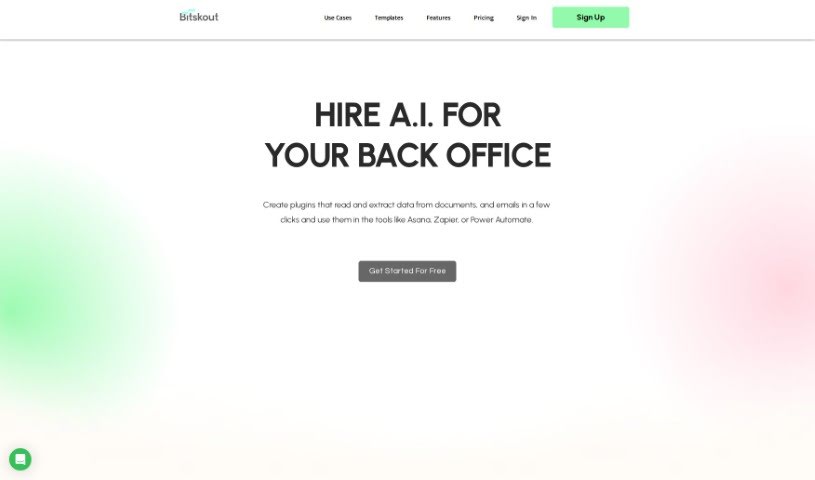
Screenshot of Bitskout

Bitskout

Discover what Bitskout is and how to make the most of it in 2025. We'll walk through its features and see how it stacks up against other Data Analytics Tools.

Screenshot

What is Bitskout?

Bitskout is a platform designed to help teams automate back-office tasks using AI, and you don’t need to be a tech whiz to use it. It is a way to create your own AI helpers, or plugins, that can pull information from documents, emails, and even images. It’s pretty straightforward to set up. Once you’ve made a plugin, you can easily connect it to tools you already use, like Asana, Zapier, or monday.com. This really helps to smooth out the process of getting data where it needs to go.

Bitskout comes with over 40 ready-to-use plugin templates, making it super easy to get started. The interface is designed to be simple, so you can create your own custom plugins without any coding. Plus, it works with a bunch of different tools you might already be using. Some of the cool things you can do with Bitskout include creating checklists from text, checking documents in real-time to make sure they’re valid, generating follow-up questions automatically, and even drafting reports and analytics, which is a real time-saver for accountants and CPAs. Essentially, Bitskout is all about saving you time and boosting your productivity by handling those repetitive data tasks efficiently.

Who created Bitskout?

Bitskout was actually started by a team that had already developed AI Microservices. Their earlier work was focused on helping product teams in the financial sector get AI features out the door faster and at a lower cost. The company’s physical address is 2261 Market Street, Suite 5812, San Francisco, 94114. With Bitskout, teams can really simplify their back-office work. They do this by using AI plugins that are great at pulling data from all sorts of places – documents, emails, and images – without a hitch. You can create custom plugins for all sorts of different jobs, and the fact that they integrate with popular tools like Asana, Zapier, and monday.com means you can really boost your productivity and get things done more efficiently.

What is Bitskout used for?

Bitskout is incredibly handy for a variety of tasks, including:

  • Turning simple email requests into actionable checklists.
  • Validating documents as they come in, in real-time.
  • Generating follow-up questions right away, so you don’t miss a beat.
  • Automatically drafting reports and analytics, which is a huge time-saver.

How to use Bitskout?

To get the most out of Bitskout, here’s a simple, step-by-step guide:

  1. Getting Started: First things first, sign up on the Bitskout website. You’ll find over 40 plugin templates there, which are a great way to jump in and see what Bitskout can do.
  2. Creating Plugins: You can easily build your own plugins using the straightforward user interface. Just provide a few examples of what you need the plugin to do with your documents, emails, or images, and Bitskout helps you create it.
  3. Integration: Once your plugin is ready, you can connect it to tools you likely already use, such as Asana, monday.com, Power Automate, or Zapier. This makes automating your data extraction tasks a breeze.
  4. AI Task Execution: Now you can run your plugins! They’ll read and extract data, sort text into categories, create checklists, check information for accuracy, and even generate those helpful follow-up questions.
  5. Client Engagement: You can really improve how you interact with clients. By offering real-time validation, giving immediate feedback, and automatically generating draft reports based on their documents, you provide a much smoother experience.
  6. Monitoring and Billing: Keep an eye on how often your plugins are running. There’s a 10% overage limit included for free, so you can use it without worry. If you go over that, there will be extra charges, which depend on your current plan.
  7. Pricing: It’s good to understand how the pricing works. As I mentioned, there’s a 10% overage limit that’s free. Anything you use beyond that will be charged according to your plan.

By following these steps, you can really make the most of Bitskout’s AI microservices. It’s a fantastic way to streamline your daily work, automate those repetitive tasks, and generally make your SaaS product much more efficient.

Related AI Tools

Discover more tools in similar categories that might interest you

Stay Updated with AI Tools

Get weekly updates on the latest AI tools, trends, and insights delivered to your inbox

Join 25,000+ AI enthusiasts. No spam, unsubscribe anytime.