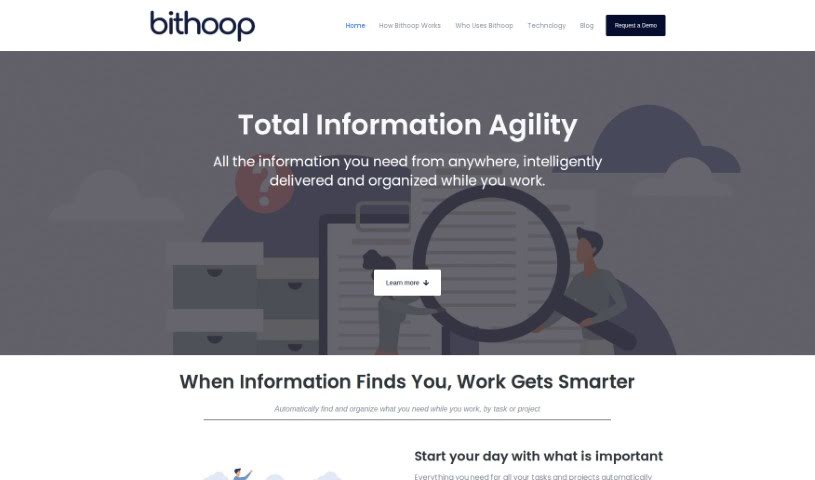
Screenshot of Bithoop

Bithoop

Discover what Bithoop is and learn how to use it effectively in 2025. We'll explore its features and see how it stacks up against other project management tools.

Screenshot

What is Bithoop?

Bithoop is your smart assistant for handling information. It’s designed to make gathering and managing data much smoother for everyone, whether you’re working alone or as part of a team. What’s really neat is that it proactively finds and delivers the information you need, so you don’t have to waste time searching manually.

When it comes to project management, Bithoop works by assigning special intelligent agents, called ‘hoops,’ to your project spaces. These hoops are constantly on the lookout for updated information from all sorts of places, making sure your team stays in the loop. You can use Bithoop across many projects at once; just assign a hoop to each one, and you’ll always have the right info at your fingertips. Some of Bithoop’s standout features include its ability to predict and deliver data before you even ask, a handy web clipping tool, super simple setup, and options to adjust what you see so you can focus on what matters most.

How does this automation actually work? Well, those intelligent hoops proactively fetch the data you need without you having to lift a finger. It’s user-friendly because setting it up is a breeze, the data collection is automated, and it delivers information right where you need it, cutting down on all the usual data management headaches.

Who created Bithoop?

Bithoop was developed by BitXBit Software, Inc. They first launched it on March 12, 2023, in Boston, Massachusetts. The company itself was founded back in 2019, and they created Bithoop specifically to be an intelligent knowledge assistant that simplifies how individuals and teams gather and manage information. You’ll find that Bithoop’s main features really shine with its proactive and predictive data delivery, a useful web clipping feature, and its automation capabilities, all designed to help with project management and general knowledge tasks.

What is Bithoop used for?

  • Keeping your knowledge organized
  • Managing projects more effectively
  • Boosting your productivity
  • Handling information smartly
  • Making information gathering easier
  • Getting data delivered proactively
  • Clipping useful info from the web
  • Working with all sorts of different information
  • Managing information efficiently
  • A fast way to manage your knowledge

Who is Bithoop for?

  • People who specialize in knowledge management
  • Project managers
  • Information managers
  • Team members who need better ways to manage knowledge

How to use Bithoop?

To get the most out of Bithoop, here’s a simple guide:

  1. Assign ‘Hoops’ to Your Projects: Bithoop really helps with project management by letting you assign ‘hoops’ – these are like smart agents – to your project workspaces. They’re constantly grabbing updated info from different places, so your team always stays informed and current.
  2. Make Use of the Intelligent Agents: Those ‘hoops’ are your intelligent agents. They automatically collect information from various sources and keep feeding it into your project workspace as new data pops up, without you needing to do anything.
  3. Apply it to Multiple Projects: You’re not limited to just one project! Bithoop can be used across many. Just assign ‘hoops’ to as many projects as you need, and you’ll ensure each one stays up-to-date with all the relevant information.
  4. Key Features to Know: Bithoop offers a few great things: it proactively and predictively delivers the data you need, you can clip information directly from the web, setup is minimal, you can customize what you see, and it helps you manage information overload.
  5. It’s All About Automation: Bithoop’s automation means it proactively fetches the data it needs from different sources using those smart ‘hoops.’ No manual intervention required!
  6. Super User-Friendly Interface: Bithoop is easy to use because setup is simple, and it handles data collection automatically. You won’t need to tag, categorize, or move data around repeatedly.
  7. Adjust What You See: You can customize your view in Bithoop to really focus on the most important information for your current task.
  8. Web Clipping Made Easy: Want to save something from the web? Just clip it directly into your ‘hoops’ for easy tracking of important data.
  9. Tackling Information Overload: Bithoop helps you manage too much information by smartly finding and delivering what’s relevant, so you can concentrate on what truly matters.
  10. Great for Everyone on the Team: Bithoop is suitable for all team members, no matter their role, because it’s so easy to use and adaptable.

By following these steps, you’ll be able to use Bithoop efficiently for managing your projects and handling information.

Related AI Tools

Discover more tools in similar categories that might interest you

Stay Updated with AI Tools

Get weekly updates on the latest AI tools, trends, and insights delivered to your inbox

Join 25,000+ AI enthusiasts. No spam, unsubscribe anytime.