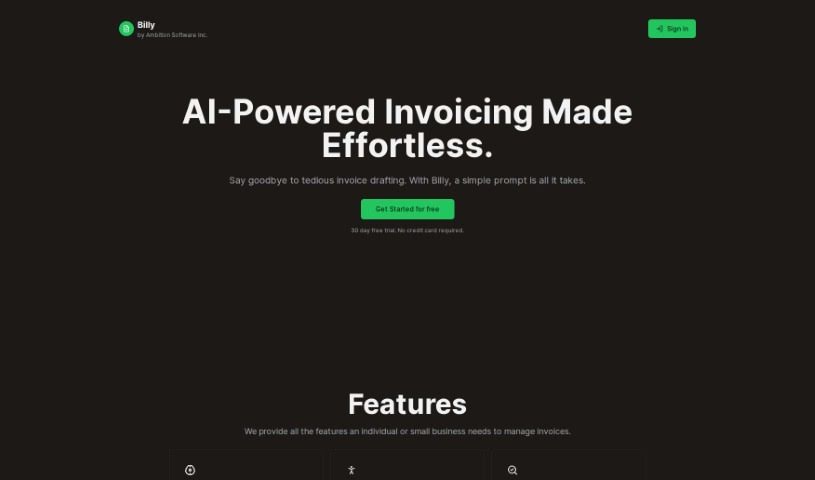
Screenshot of Billy

Billy

Discover what Billy is and how to use it effectively in 2025. We'll explore its features and see how it stacks up against other startup tools.

Screenshot

What is Billy?

Billy is an AI-powered invoicing tool that Ambition Software Inc. developed. It’s designed to make creating and managing invoices super simple for individuals and small businesses. It is your smart assistant for billing! Billy offers some neat features, like intelligent invoicing powered by AI, flexible ways to collect payments, real-time tracking so you always know where your invoices stand, and it even handles card payments through Stripe. Plus, it sends out invoices automatically. They also take data privacy seriously. You can stop using the service whenever you want, and it costs just $9 CAD a month. This fee covers as many invoices, PDFs, and emails as you need – no extra charges from Billy itself, beyond the usual Stripe processing fees. Billy works with major credit cards and popular mobile payment options like Apple Pay and Google Pay, making your billing process smooth with automated emails, PDF creation, and real-time tracking.

Who created Billy?

Billy, the AI invoicing tool, first came out on November 13, 2023. Ambition Software Inc. is the company behind it. They really focus on making it easy to create invoices, offering flexibility in how you get paid, and keeping you updated with real-time tracking. Ambition Software Inc. aims to help out individuals and small businesses with features like integrated card payments via Stripe and automated invoice delivery. Billy’s price is $9 CAD per month, which includes unlimited invoices, PDFs, and emails. You won’t pay extra charges from Billy beyond the standard Stripe fees.

What is Billy used for?

  • It’s a cost-effective solution.
  • It offers AI-powered intelligent invoicing.
  • You get flexible payment collection options.
  • It provides real-time invoice tracking.
  • It has integrated card payments via Stripe.
  • It automates invoice delivery.
  • It assures data privacy.
  • You can stop the service whenever you like.
  • It supports major credit cards and mobile direct-pay services.
  • It tracks customer interactions in real-time.
  • There are no additional Stripe fees.
  • It makes invoicing creation effortless.
  • It helps with invoicing management.
  • It’s tailored for small businesses.
  • It supports mobile direct-pay.
  • It integrates with Apple Pay.
  • It integrates with Google Pay.
  • It integrates with Stripe.
  • It automates invoicing.

Who is Billy for?

  • Individuals
  • Small businesses
  • Small business owners
  • Freelancers

How to use Billy?

To get the most out of Billy for your invoicing needs, just follow these simple steps:

  1. Sign Up: First, create your account on Billy’s platform. It’s a quick process.
  2. Navigate Dashboard: Once you log in, you’ll land right on the dashboard. This is your central hub for creating new invoices.
  3. Create Invoices: Look for the “Create New Invoice” option and click it. Then, just fill in all the necessary details, like your client’s information, what services you provided, and the costs involved.
  4. Automate Invoicing: Take advantage of Billy’s AI-powered automation. It really streamlines how you create and manage your invoices.
  5. Flexible Payments: Set up payment collection in a way that works best for your clients. Billy supports major credit cards, Apple Pay, and Google Pay, and it integrates smoothly with Stripe for easy payment processing.
  6. Real-Time Tracking: Keep an eye on how your invoices are doing in real-time. You’ll know exactly when clients view or interact with them.
  7. Automated Delivery: Let Billy handle the professional emails and PDFs for your invoices. You can send them out with just a single click.
  8. Data Privacy: You can rest easy knowing Billy has strict data privacy measures. Your information is kept confidential and is never sold to anyone else.
  9. Subscription: Billy costs $9 CAD per month. This covers unlimited invoices, PDFs, and emails. Just remember that standard Stripe fees will apply, but Billy itself doesn’t add any extra charges.
  10. Discontinuation: If you ever need to stop using the service, you can discontinue it at any time.

By following these steps, you can really make the most of Billy’s invoicing features, which are perfect for small businesses and individuals. It’s a great way to simplify your billing and improve how you interact with clients.

Related AI Tools

Discover more tools in similar categories that might interest you

Stay Updated with AI Tools

Get weekly updates on the latest AI tools, trends, and insights delivered to your inbox

Join 25,000+ AI enthusiasts. No spam, unsubscribe anytime.