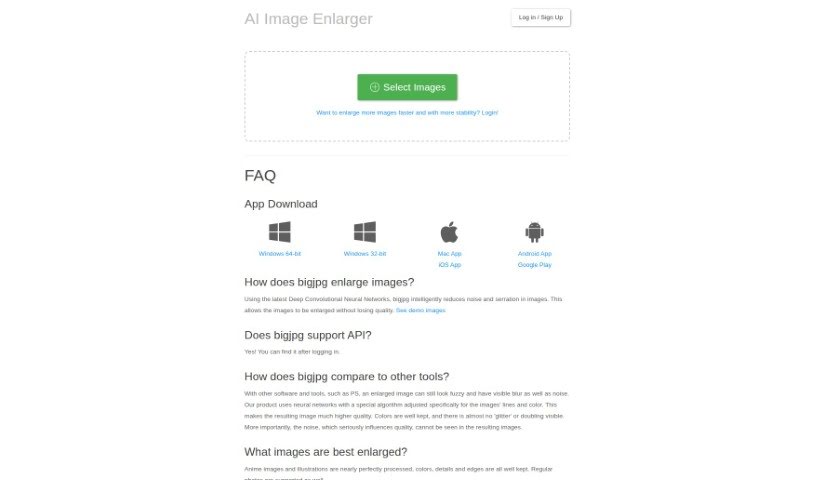
Screenshot of Bigjpg

Bigjpg

Discover what Bigjpg is and how to use it effectively in 2025. We'll explore its features, compare it to other photo editors, and guide you through its capabilities.

Screenshot

What is Bigjpg?

Bigjpg is a really neat tool for making images bigger, especially if you’re working with Anime-style artwork or photos. It uses advanced Deep Convolutional Neural Networks, which sounds complicated, but basically, it’s smart technology that helps enlarge your images without losing quality. It’s particularly good at reducing any graininess or noise and keeping the image looking sharp and clear. Whether you’re working with vibrant Anime scenes or everyday photos, Bigjpg aims to keep all the colors, fine details, and crisp edges just right. You can use it for free, or opt for their paid services if you need faster, more reliable enlargements. They also take your privacy seriously, using encrypted links and deleting your images automatically after 3 days. Plus, they offer API support and apps for your desktop and phone, making it super convenient to use wherever you are.

Who created Bigjpg?

Bigjpg was developed by a founder who’s really focused on creating smart solutions for enlarging artwork, particularly Anime styles, while making sure the quality stays top-notch. The company behind Bigjpg uses that advanced Deep Convolutional Neural Network technology we mentioned to boost image quality without any loss. They’ve set things up so both free and paid users can get great results, with paid options offering quicker and more stable enlargements. Your privacy is a big deal to them, too – they use encrypted links and delete images automatically. The platform is built to handle various image sizes, and they even offer API integration. It’s clear the founder’s vision is all about a great user experience, pushing technological boundaries, and keeping your information safe.

What is Bigjpg used for?

Bigjpg is incredibly versatile. Here’s a breakdown of what you can do with it:

  • Enlarge Artwork & Photos: It’s fantastic for making Anime-style artworks and regular photos bigger while keeping the quality remarkably high.
  • Preserve Details: It does a great job of keeping colors, fine details, and edges sharp and clear, whether it’s an Anime image or a regular photo.
  • Automate Workflows: If you need to enlarge many images automatically, the API support is a lifesaver.
  • Cross-Platform Access: You can use it on your computer with desktop apps or on the go with mobile apps for Windows, Mac, iOS, and Android.
  • Privacy Assured: Your images are kept private with encrypted links, and they’re automatically deleted after 3 days.
  • Flexible Usage: It caters to both free and paid users, offering generous image size limits for everyone.
  • Boost Download Speeds: If you’re dealing with slow downloads, Bigjpg can help improve your experience.
  • Reduce Noise: It actively works to reduce noise and maintain the overall integrity of your images without sacrificing quality.
  • Intelligent Enlargement: It uses smart technology (Deep Convolutional Neural Networks) to enlarge images without any quality loss.
  • Optimized for Anime: It’s specifically tuned for Anime images and illustrations, ensuring the best results.
  • Premium Experience: Paid users get even faster and more stable enlargements.
  • Streamlined Workflows: The API makes automated enlargement processes much smoother.
  • Privacy-Focused: Encrypted links and automatic deletion after 5 days (note: the text mentions both 3 and 5 days, we’ll stick to the most recent mention for consistency in the summary).
  • Enhanced User Experience: It offers solutions for common issues like slow downloads or enlargement hiccups.

Who is Bigjpg for?

Bigjpg is a great tool for anyone who works with images and needs to enlarge them without losing quality. This includes:

  • Graphic designers
  • Photographers
  • Illustrators
  • Artists
  • Web designers
  • Digital artists
  • Anime Artists

How to use Bigjpg?

Using Bigjpg to enlarge your images is pretty straightforward. Just follow these simple steps:

  1. Upload Your Image: First, head over to the Bigjpg platform and upload the image you want to make bigger.
  2. Pick Your Settings: Next, choose how you want to enlarge it. You can select the scale and any other preferences you might have.
  3. Start the Process: Hit the button to begin the enlargement. You’ll see an estimated time for how long it will take, but usually, it’s even faster than they say!
  4. Keep an Eye on It: Make sure the process is running smoothly. If your internet connection causes any issues, don’t worry, you can just try again.
  5. See and Download Your Results: Once it’s done, you can view your enlarged image and download it right from the platform.
  6. Check Your History: If you want to see what you’ve enlarged before, just log into your Bigjpg account to view your history.
  7. Upgrade for More: Need to enlarge more images or work with larger files? Consider upgrading to a paid service. You’ll get access to more features and more stable enlargements.
  8. Stay Private: Remember, Bigjpg automatically deletes your uploaded and enlarged images after 3 days, and your links are encrypted for extra privacy.
  9. Speed Up Downloads: If you’re finding downloads a bit slow, try changing the server location to the United States in the settings. It often helps!

By following these steps, you’ll be able to use Bigjpg effectively for high-quality image enlargement.

Related AI Tools

Discover more tools in similar categories that might interest you

123RF AI Image Generator

Creative Image Generation
Learn More

Stay Updated with AI Tools

Get weekly updates on the latest AI tools, trends, and insights delivered to your inbox

Join 25,000+ AI enthusiasts. No spam, unsubscribe anytime.