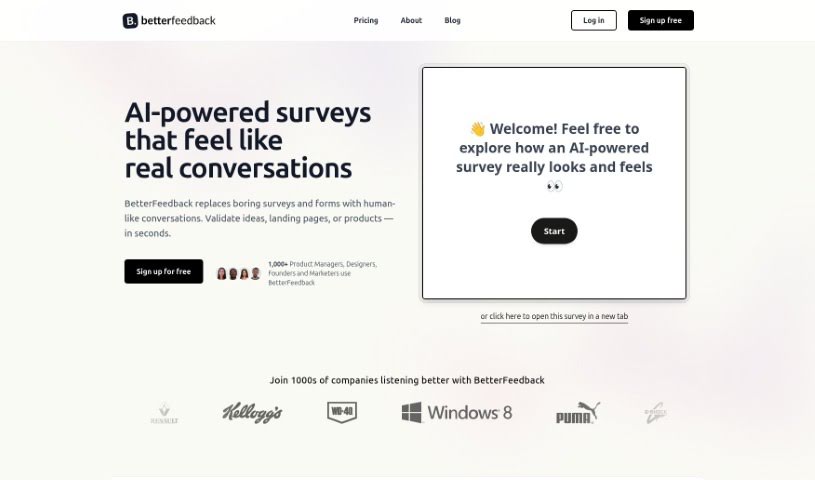
Screenshot of BetterFeedback

BetterFeedback

Discover what BetterFeedback is and learn how to use it effectively in 2025. We'll explore its key features and compare it to other customer service tools.

Screenshot

What is BetterFeedback?

BetterFeedback is a tool designed to help you really dig into customer feedback. It uses smart AI to analyze and understand what your customers are saying, right as they say it. This means product teams can get a much clearer picture of what customers need, quickly spot any problems or frustrations they’re having, and then make smart, data-backed decisions to improve the product. The ultimate goal? Happier customers!

What can it do for you? It offers real-time feedback analysis, uses AI to figure out the nuances in customer language and sentiment, spots recurring themes in what people are saying, and helps uncover those hidden issues that might be impacting user satisfaction and keeping customers around.

Why pick BetterFeedback over other tools? Well, its advanced AI is great at finding those truly meaningful insights. Plus, analyzing feedback in real-time saves you a ton of time and effort. It also helps you address issues faster, which naturally leads to happier customers and a smoother product development process.

BetterFeedback helps improve your product by looking at customer feedback, figuring out what’s really going on with user satisfaction, and giving you the insights you need to make smart decisions. It helps you decide which improvements to focus on, making sure they actually match what your customers want and boosting their satisfaction.

So, in a nutshell, BetterFeedback is a fantastic tool if your business wants to boost customer satisfaction, really get what your customers prefer, make decisions based on solid data, figure out which product improvements matter most, and generally make the user experience much better.

Who created BetterFeedback?

David Burton, an entrepreneur, is the person behind BetterFeedback. He launched the platform on September 10, 2021, with a clear goal: to offer advanced AI for analyzing qualitative customer feedback as it happens. BetterFeedback helps product teams understand what customers need, identify their struggles, and make data-driven decisions to improve products, all of which leads to greater customer satisfaction. David Burton is the founder of the company that developed BetterFeedback.

What is BetterFeedback used for?

  • Saves you time and effort
  • Helps boost customer satisfaction
  • Analyzes feedback as it comes in
  • Finds common patterns in feedback
  • Uncovers hidden customer issues
  • Helps you address problems quickly
  • Improves how you develop products
  • Deciphers customer language and feelings
  • Helps you prioritize what customers need
  • Useful for making decisions based on data

Who is BetterFeedback for?

  • Product Managers
  • Customer Support Representatives
  • Market Researchers
  • User Experience Designers

How to use BetterFeedback?

Here’s a simple, step-by-step guide to using BetterFeedback effectively:

  1. Sign Up or Log In: First, either create a new account on Betterfeedback or log in if you’re already a user.
  2. Start a New Feedback Project: Kick things off by giving your feedback project a title and a brief description of what you’re looking for.
  3. Define Feedback Parameters: Set the specifics for your project. This includes who you want to hear from, what kind of feedback you’re asking for (like a survey or open-ended questions), and any rules or guidelines.
  4. Design Your Feedback Forms: Create custom feedback forms that fit your project’s goals. Make sure to include the right questions and give people clear options to share their thoughts.
  5. Choose How to Share: Decide on the best ways to send out your feedback forms – maybe through email, social media, or a direct link.
  6. Send Out the Request: Share your feedback forms with your chosen audience using the distribution methods you selected.
  7. Gather Responses: Keep an eye on the responses as they come in and track how your feedback collection is progressing.
  8. Analyze the Feedback: Once you have the feedback, review it, look for trends, and pull out the valuable insights from the data.
  9. Take Action: Use the feedback to make smart decisions and take the necessary steps to fix any issues or make the improvements that the feedback highlighted.
  10. Keep Improving: Use this feedback loop to get better over time. Implement changes based on what you learn and keep iterating on your future projects.

By following these steps, you can really make the most of Betterfeedback. It’ll help you gather meaningful insights, make informed decisions, and improve your projects based on the valuable feedback you receive.

Related AI Tools

Discover more tools in similar categories that might interest you

Stay Updated with AI Tools

Get weekly updates on the latest AI tools, trends, and insights delivered to your inbox

Join 25,000+ AI enthusiasts. No spam, unsubscribe anytime.