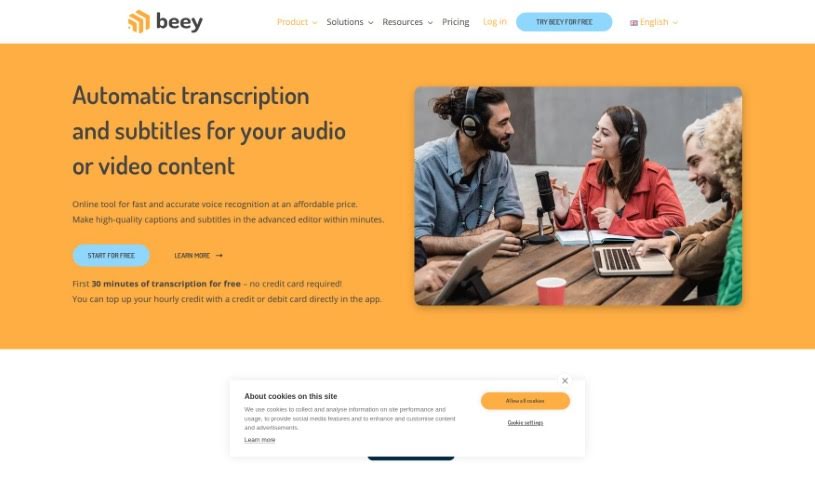
Screenshot of Beey

Beey

Discover Beey in 2025! Learn what it is, how to use its features effectively, and how it stacks up against other transcription tools.

Screenshot

What is Beey?

Beey.io is an online tool that’s really good at automatically creating transcriptions and subtitles for your audio and video content. It uses some pretty advanced voice recognition technology, specifically End-to-End (E2E) models, to turn speech into text. This means you get accurate, high-quality captions pretty quickly, often in just minutes. It’s a versatile tool that can help out a lot of different people and industries. Think researchers, students, schools, podcasters, video creators, journalists, media companies, even courts and government offices – Beey can be a real help to them all. Plus, it supports many languages, has an easy-to-use subtitle editor, can do machine translation, and even offers live transcription for streaming content. It’s a user-friendly and flexible option for just about any transcription need you might have.

Beey.io also offers a cost-effective way to get your transcriptions done, with different pricing plans like Start, Plus, Business, and Enterprise. If you’re just starting out and want to give Beey a spin, the Start model is perfect. It’s a pay-as-you-go system where you buy credits, and 60 credits, for example, will let you transcribe about an hour of audio. This plan includes the standard features and 10 GB of storage. If you plan on using Beey regularly or need to work with a team, the Plus model is a better fit. You can choose between monthly or annual subscriptions, which come with a set amount of credits for transcription, options for sharing those credits, and more storage space.

Who created Beey?

Beey, that handy online application for automatically transcribing and subtitling audio and video, was actually created by Newton Technologies, a. s. They started working on Beey back in 2018, really focusing on speech technologies. The company officially launched Beey on June 2, 2023. It comes packed with features like AI voice recognition, automatic translation, teamwork tools, a way to search your entire text content, API integration, and it supports over 30 languages. The Beey team is led by Petr Herian, who is the CEO of Newton Technologies, and includes other key people managing different areas like sales, development, marketing, and customer support.

What is Beey used for?

Beey is incredibly versatile! Here’s a breakdown of what you can do with it:

  • API Integration: Connect Beey to your own systems.
  • Team Collaboration: Work together on projects easily.
  • Affordable Pricing: Get quality transcription without breaking the bank.
  • Content Search: Quickly find specific words or phrases within your transcripts.
  • Interactive Waveform Preview: See your subtitles sync up with the audio visually.
  • E2E Models: Uses advanced speech-to-text technology for accuracy.
  • Translated Timestamps: Get translations that keep the original timing.
  • Free Trial: Try it out for free for the first 30 minutes.
  • 20 Language Translations: Translate your content into many different languages.
  • Personal Use Solutions: Tailored features for individual needs.
  • Automatic Translation Tool: Easily translate your audio and video content.
  • Audio/Video to Text: Convert spoken words into written text.
  • Editing & Formatting: Make your text transcripts easy to read and work with.
  • Captions, Subtitles & Translations: Create all these for your videos.
  • Speaker Separation & Recognition: Differentiate between speakers in your recordings.
  • Full-Text Search: Find anything you need within your transcribed files.
  • Industry Solutions: Offers specific tools for education, media, government, legal, and content creation.
  • Professional Subtitle Mode: Create polished subtitles for your videos.
  • Teamwork Enhancements: Shared credits, projects, and more to help teams.
  • Live Transcription: Transcribe content as it’s being streamed.
  • Voice Recording & Conversion: Record audio directly and convert it to text.
  • Accurate Captions: Get high-quality captions in minutes.
  • Cost-Effective: A budget-friendly way to handle transcription.
  • Broad User Base: Helpful for researchers, students, podcasters, journalists, and more.
  • Immediate Conversion: Get your text quickly.
  • Interactive Subtitle Editor: Fine-tune your subtitles easily.
  • Multiple Languages Supported: Use it no matter your language.
  • Beginner-Friendly: Easy for anyone to pick up and use.

Who is Beey for?

Beey is designed to help a wide range of users, including:

  • Researchers
  • Students
  • Schools and educational institutions
  • Podcasters
  • Video Producers
  • Journalists
  • Media companies
  • Courts and legal professionals
  • Local governments
  • State administration bodies

How to use Beey?

To get the most out of Beey, here’s a simple guide:

  1. Explore Resources: Start by checking out the FAQs, tutorials, and blog articles on Beey.io. They’re great for getting to know all the features and how they work.
  2. Language Options: Beey.io supports a variety of languages, so you can use it effectively no matter your background.
  3. Easy to Use: The tool has a really intuitive interface, making it simple for beginners to create transcripts and subtitles, especially with the advanced editor.
  4. Great Value: Beey.io offers quality voice recognition at a competitive price, making it accessible for many users.
  5. Discover More Features: Don’t forget to explore extras like speaker recognition, live transcription, and automatic translation to really boost your transcription experience.
  6. Subtitling Videos: You can easily create subtitles for your videos using the dedicated Subtitle Mode. Plus, you can automatically translate them into 20 different languages.
  7. Fast Transcription: Beey.io helps you create high-quality captions and subtitles in the advanced editor in just minutes.
  8. High Accuracy: Expect over 90% accuracy for most recordings, though this can vary a bit depending on the audio quality.
  9. Follow Tutorials: Use the step-by-step tutorials available on topics like getting started with Beey.io or transcribing audio files to learn the best ways to use the tool.
  10. Automatic Translation: Translate your projects into 20 languages automatically, and it even keeps the original timestamps intact.
  11. Flexible Export: You can export your transcripts in various formats, which is super handy for different workflows.
  12. Trusted by Many: Beey.io has over 20,000 happy users and gets great ratings on platforms like Google and Trustpilot.
  13. API Integration: If you need more customization, you can integrate Beey.io directly into your own system using its API.
  14. Try it Free: Experience Beey.io firsthand with a free trial that gives you the first 30 minutes of transcription at no cost. It’s a great way to see if it’s the right fit before you buy.

By following these tips, you’ll be able to use Beey.io effectively for all your accurate and efficient transcription and subtitling needs.

Related AI Tools

Discover more tools in similar categories that might interest you

Stay Updated with AI Tools

Get weekly updates on the latest AI tools, trends, and insights delivered to your inbox

Join 25,000+ AI enthusiasts. No spam, unsubscribe anytime.