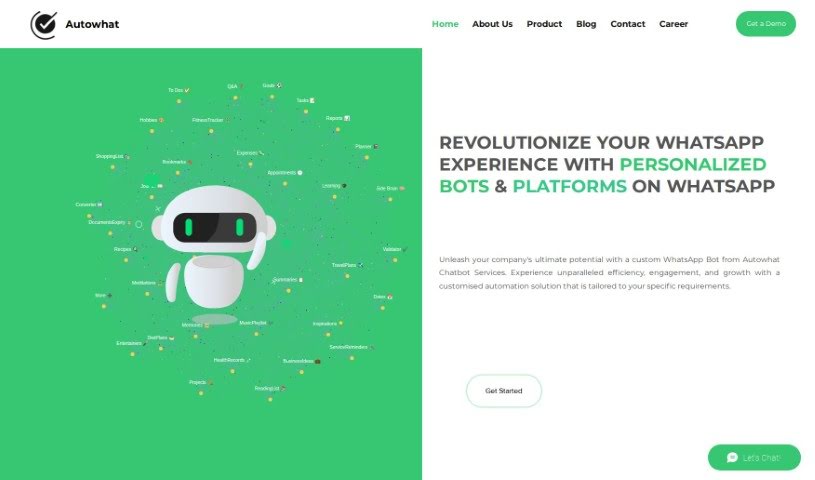
Screenshot of Autowhat

Autowhat

Discover what Autowhat is and how to use it effectively in 2025. We'll explore its features and see how it stacks up against other customer service tools.

Screenshot

What is Autowhat?

Autowhat is a platform that helps businesses create their own custom WhatsApp bots. It is a way to automate tasks like answering customer questions or handling sales, all through WhatsApp. These bots can provide instant support and offer services specific to your industry. The big advantages of using Autowhat’s bots include reaching more people, being available anytime, and offering personalized solutions that really fit your business and brand. Ultimately, the goal is to make things run smoother, get customers more involved, and help your business grow by automating tasks and providing tailored help.

Who created Autowhat?

A team of really skilled professionals, who have a lot of experience building WhatsApp bots, created Autowhat. They launched it on May 24, 2023, to offer these custom bots to businesses in all sorts of industries. The company’s main focus is on creating solutions that are tailored to each business’s unique needs. This means they customize how the bot behaves, how conversations flow, and how it connects with your existing systems. Autowhat’s bots are designed to simplify how you operate, boost customer engagement, and improve customer service. They’re a great fit for industries like travel, retail, and healthcare. The team behind it makes sure the platform can grow and adapt, whether you’re a small startup or a large company.

What is Autowhat used for?

  • Automated customer support: Handle common questions and issues automatically.
  • Real-time support: Give customers answers right when they need them.
  • Automated sales processes: Streamline how you sell products or services.
  • Industry-specific services: Get specialized bots for sectors like travel, retail, and healthcare.
  • Increased reach and accessibility: Connect with the billions of people actively using WhatsApp.
  • Customization: Tailor the bot to match your business needs and brand voice.
  • Scalability: Grow with your business, from a small startup to a large enterprise.
  • Integration: Connect with your existing tools like CRM and payment systems.
  • Real-time analytics: Get insights from data to make smarter decisions.
  • Efficiency, engagement, and growth: Optimize your operations through smart automation.

Who is Autowhat for?

  • Travel & Hospitality businesses
  • Retail businesses
  • Healthcare businesses
  • Professionals in the Travel & Hospitality industry
  • Professionals in the Retail industry
  • Professionals in the Healthcare industry

How to use Autowhat?

Here’s a straightforward guide to using Autowhat effectively:

  1. Get Started with Autowhat:

    • First, log in to the Autowhat platform using your username and password.
  2. Navigating the Dashboard:

    • Take a moment to get familiar with how the dashboard is laid out.
    • Explore all the different features and options that are available to you.
  3. Creating Your Projects:

    • Look for and click the “New Project” button.
    • Then, enter the essential details for your project, like its name, a brief description, and what you aim to achieve.
  4. Uploading Your Data:

    • Upload the dataset you plan to analyze.
    • Make sure your data is formatted correctly so the analysis can run smoothly.
  5. Choosing Your Analysis Type:

    • Select the kind of analysis you want to do, whether it’s classification, regression, or something else.
    • Adjust the settings to fit exactly what your analysis needs.
  6. Starting the Analysis:

    • Once everything is set up, start the analysis process.
    • You can keep an eye on how the analysis is progressing right there on the dashboard.
  7. Reviewing the Results:

    • After the analysis finishes, take a look at the results Autowhat provides.
    • Pay attention to the insights and any charts or graphs that Autowhat generates.
  8. Fine-Tuning for Better Results:

    • If you think you can get better results, feel free to adjust the analysis settings.
    • Try out different configurations to see what works best for your data.
  9. Exporting and Saving:

    • Export your results in a format that works for you, like CSV or PDF.
    • Save your project so you can easily come back to it later or do more analysis.
  10. Using Autowhat’s Suggestions:

    • Put the recommendations Autowhat gives you into action to make further improvements.
    • Use the insights you’ve gained to help guide your decisions.

By following these steps, you can really make the most of Autowhat for analyzing your data and making informed decisions, which will help your work run much more smoothly with its advanced analytical tools.

Related AI Tools

Discover more tools in similar categories that might interest you

Stay Updated with AI Tools

Get weekly updates on the latest AI tools, trends, and insights delivered to your inbox

Join 25,000+ AI enthusiasts. No spam, unsubscribe anytime.