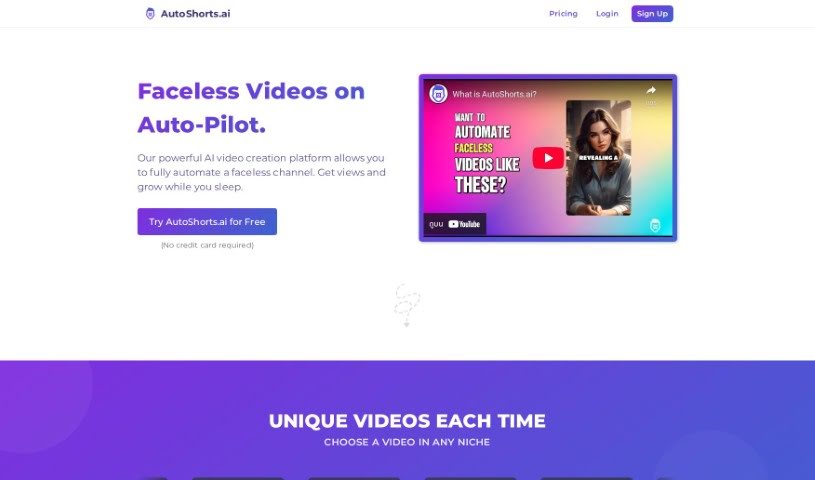
Screenshot of Autoshorts.ai

Autoshorts.ai

Discover what Autoshorts.ai is and learn how to use it effectively in 2025. We'll explore its features and see how it stacks up against other TikTok video generators.

Screenshot

What is Autoshorts.ai?

Autoshorts.ai is an AI-powered platform designed to make creating videos super easy, especially if you don’t want to be on camera yourself. It is your personal video assistant that churns out faceless videos based on topics you give it. It’s perfect for anyone who wants to build a presence online without showing their face. The platform comes packed with handy features like automatically scheduling your videos, adding background music to make them more engaging, removing watermarks so your content looks professional, letting you download your creations, and even automatically posting them directly to TikTok. Plus, you can post multiple videos a day, connect your social media accounts, and even explore affiliate partnerships.

However, it’s good to know that Autoshorts.ai is really focused on TikTok videos. You won’t find options for videos with actors or faces, there isn’t a free plan (though there’s a trial), and it doesn’t currently support multiple channels, different content categories, various languages, or team collaboration features.

Who created Autoshorts.ai?

Autoshorts.ai was developed by an AI intelligent video platform specifically for creating automated, faceless videos. It officially launched on January 4, 2024. The whole idea behind Autoshorts.ai was to simplify video creation for people who prefer to stay behind the scenes, meaning you don’t need to appear on camera. The platform offers a range of useful features, including automatic video scheduling, the ability to add background music, watermark removal, easy video downloading, and tools for creating tailor-made content. They offer different pricing plans to suit various needs, starting with a free trial and then moving to monthly subscription options for more advanced services.

What is Autoshorts.ai used for?

  • Creating faceless videos: You can generate videos without ever needing to be on camera.
  • Automating video creation: It handles much of the heavy lifting in making your videos.
  • Automatic video scheduling: Plan when your videos go live.
  • Single platform channel management: Keep all your video content organized in one place.
  • Incorporating background music: Add music to make your videos more engaging.
  • Efficient video series management: Easily handle and organize collections of videos.
  • Automates TikTok posting: Directly publish your videos to TikTok.
  • Content customization availability: Tailor the generated content to your needs.
  • Supports multiple posts daily: Increase your posting frequency with ease.
  • Watermark removal option: Ensure your videos are clean and professional-looking.

Who is Autoshorts.ai for?

  • Content creators looking for efficient ways to produce video content.
  • Social media managers aiming to streamline their posting schedules.
  • Digital marketers wanting to expand their reach with video.
  • Video editors seeking tools for quick, faceless video generation.

How to use Autoshorts.ai?

Using AutoShorts.ai is pretty straightforward. Here’s a simple breakdown of the steps:

  1. Select a Topic: First, you’ll want to pick a topic for the series of faceless videos you plan to create.
  2. Customize Topics: Next, you’ll customize these topics. This helps the AI understand exactly what you’re looking for to generate your very first video.
  3. Video Creation: Once you’ve set your topics, AutoShorts.ai takes over and generates unique faceless videos based on them.
  4. Video Customization: Before you post, you can edit and preview the videos. This ensures the content looks just right and meets your expectations.
  5. Background Music: The platform automatically adds background music to help boost engagement. While they don’t specify the exact type of music, it’s there to enhance the viewing experience.
  6. Watermark Removal: If you want your videos to look clean and professional, you can use the built-in feature to remove any watermarks.
  7. TikTok Integration: For seamless channel management, you can automatically post your videos directly to your TikTok account.
  8. Series Management: You can easily manage all your faceless video series in one place – think of it as an organized dashboard where you can delete, preview, and keep track of everything.
  9. Video Download: If you want to share your creations on platforms other than TikTok, you can download the videos directly from the platform.
  10. Pricing Plans: You’ll need to choose a plan that fits your needs. They offer four different tiers, starting with a free trial, and the plans range up to the ‘Hardcore’ plan at $69/month, each with varying features.

Basically, AutoShorts.ai is a fantastic tool for anyone who wants to create video content without being on camera. It offers a really automated way to handle faceless video creation and manage your channel efficiently.

Related AI Tools

Discover more tools in similar categories that might interest you

Stay Updated with AI Tools

Get weekly updates on the latest AI tools, trends, and insights delivered to your inbox

Join 25,000+ AI enthusiasts. No spam, unsubscribe anytime.