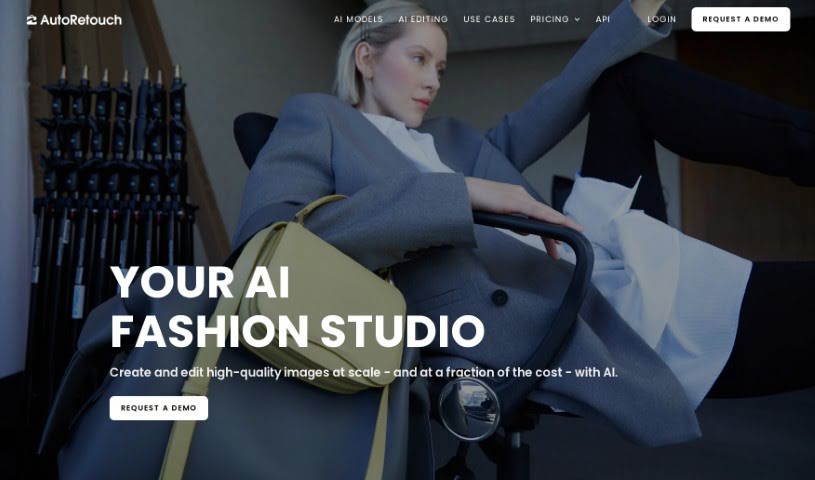
What is autoRetouch?
AutoRetouch is a smart, AI-powered platform that makes it super easy to create professional-looking images in just seconds. It is your go-to tool for quick, high-quality image editing. It’s packed with AI editing tools designed for all sorts of tasks. Need to retouch a bunch of product photos at once? It’s got you covered. Want to create those cool ghost mannequin effects for fashion items? Yep, it does that too. Plus, it’s great for making your ecommerce products really pop. You can edit your images right in your browser, or if you’re more technically inclined, you can use its API. And for those times when you have thousands of images to process, its batch editing capabilities are a lifesaver, letting you apply edits to them all at the same time. You can even check out what other businesses are saying about how autoRetouch has helped them. As for cost, it’s based on how many images you edit each year, with plans starting around €900 annually for 6,000 images in their Starter package.
Who created autoRetouch?
Christian Mertes is the person behind autoRetouch. His company offers this AI-powered image editing platform, all about making your visuals look better, faster. With features like retouching product photos in bulk, creating those popular ghost mannequins, and handling edits for many images at once, autoRetouch is built to save businesses valuable time while still delivering top-notch results. They really blend the power of AI with the expertise of experienced photo editors to make sure you get exactly what you need.
What is autoRetouch used for?
AutoRetouch is incredibly versatile and can help with a wide range of image editing needs, especially for businesses focused on online sales and visual presentation. Here’s a breakdown of what it’s great for:
- Backgrounds: Easily remove or replace image backgrounds.
- Product Photography: Perfect for retouching product images in bulk, making your entire catalog look consistent and professional.
- Fashion E-commerce: Create those eye-catching ghost mannequin effects for clothing, making your fashion products stand out.
- Boosting Sales: It’s designed to help increase ecommerce purchases by making your product images more appealing.
- Online Marketplace Ready: Make all the necessary adjustments so your images meet the specific requirements of various online selling platforms.
- Model & Object Shadows: Add realistic shadows to models and objects, giving your photos more depth and professionalism.
- Fabric Details: Extract fabric swatches cleanly from images.
- Facial Adjustments: Precisely crop faces.
- Image Composition: Reframe and resize images to fit different layouts or platforms perfectly.
- Color & Tone: Harmonize tones and colors across multiple images for a cohesive look.
- Skin Perfection: Apply natural-looking skin retouching.
- AI-Powered Editing: Benefit from a suite of smart editing tools that do the heavy lifting.
- Bulk Processing: Handle large volumes of images efficiently with batch editing.
- Ghost Mannequin Creation: A dedicated tool for this popular fashion photography technique.
- Enhanced Visuals: Improve your overall ecommerce product presentation.
- High-Resolution Exports: Get your edited images out in high resolution, in any format you need.
Who is autoRetouch for?
autoRetouch is a fantastic tool for anyone in the business of selling products online or showcasing fashion. It’s particularly useful for:
- Fashion Industry Professionals: Whether you’re a designer, stylist, or marketer, it helps present collections beautifully.
- Ecommerce Businesses: If you sell products online, this tool can significantly improve your product photography workflow and appeal.
- Online Marketplaces: Businesses operating on platforms like Amazon, Etsy, or eBay can ensure their product images meet high standards.
- Product Photographers: Streamline your editing process and deliver polished results faster.
- Fashion Designers: Showcase your creations with professional, consistent imagery.
How to use autoRetouch?
autoRetouch is a really flexible image editing platform, packed with AI tools to help you edit images quickly and professionally. Here’s a simple way to get started:
- Get Started: First, head over to the autoRetouch website and log in to your account. If you don’t have one yet, you’ll need to sign up.
- Upload Your Photos: Once you’re in, select the images you want to work on and upload them. You can bring in images that are up to 50MB each.
- Pick Your Edits: Think about what you want to change. autoRetouch offers tons of options, like removing backgrounds, adding shadows, extracting fabric details, cropping faces, reframing, resizing, and much more.
- Let the AI Do the Work: Use the AI-powered editing tools autoRetouch provides. They’re designed to enhance your images effortlessly, helping you create amazing visuals in just moments.
- Batch Editing Power: If you have a lot of images, this is where autoRetouch shines. You can set your editing preferences once and then apply them to hundreds or even thousands of images all at the same time. It’s a huge time-saver!
- Export Your Work: When you’re happy with how your images look, you can export them. You get high-resolution files in various formats, including professional options like PSD or TIFF with multiple layers.
- Explore Extra Features: Don’t forget to check out other cool features! You can create those popular ghost mannequin effects for fashion items, make sure your colors and tones are consistent across all your photos, and even use their quality checks to ensure everything looks perfect.
- Subscription Tiers: autoRetouch offers different plans – Starter, Pro, and Enterprise. Each one comes with a different set of features, so you can pick what best suits your needs, whether it’s background cleaning, skin retouching, or ghost mannequin creation.
- Understanding Pricing: The cost is based on how many images you edit per year. Plans start at €900 annually for the Starter package, which includes a specific number of images. It’s a good way to budget for your editing needs.
- FTP for Easy Transfers: If you need a smooth, continuous way to get your images in and out, autoRetouch also offers FTP integration, making transfers simple.
By following these steps, you can really take advantage of autoRetouch’s AI-driven editing capabilities. It’s a great way to enhance your images efficiently and get those professional results your business needs.