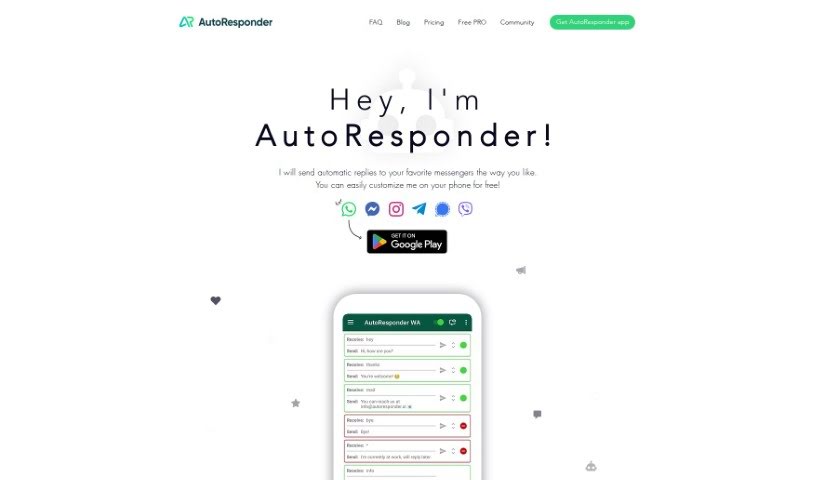
Screenshot of Autoresponder.ai

Autoresponder.ai

Discover Autoresponder.ai in 2025! Learn what this tool does, how to use its features effectively, and how it stacks up against other Social Media Management Tools.

Screenshot

What is Autoresponder.ai?

AutoResponder.ai is a really neat app that completely changes how you handle messages on popular platforms like WhatsApp, Facebook Messenger, Instagram, Telegram, Signal, and Viber. It is a smart assistant that can automatically reply to your messages for you. You can set it up to respond in specific ways based on keywords, making sure your contacts always get the right information, right when they need it. It’s super versatile, working across all these different platforms, which makes professional and efficient communication a breeze. Plus, it comes with a handy dashboard that shows you how well your automated responses are working, letting you tweak your strategy with real-time data. This really helps you manage your messages better and ensures you never miss an important conversation.

Who created Autoresponder.ai?

While the specific founder’s name isn’t mentioned in the details we have, AutoResponder.ai was developed by someone with a real knack for innovation. They’ve created a cutting-edge app designed to automate message replies across a bunch of popular messaging services, including WhatsApp, Facebook Messenger, Instagram, Telegram, Signal, and Viber. The app is packed with advanced automation features, lets you create custom responses, and even offers insightful data analytics to make your communication smoother and more effective.

Who is Autoresponder.ai for?

  • Business owners
  • Customer Support Representatives
  • Busy Professionals

How to use Autoresponder.ai?

Getting the most out of AutoResponder.ai is pretty straightforward. Here’s a simple guide:

  1. Download and Install: First things first, grab the AutoResponder app. You can find it through the provided link, tailored for whichever messaging platform you want to use it with.
  2. Setup and Customization: Now, let’s make it yours! You can personalize your bot’s replies by setting up automatic responses using all the different options AutoResponder offers.
  3. Unlimited Messaging Rules: Get creative! You can set up custom rules for specific messages or easily create out-of-office replies.
  4. Integration: Want to level up? Connect AutoResponder to other tools like ChatGPT, GPT-4, Dialogflow AI, or even your own web server for even smarter automation.
  5. Versatility: Remember, AutoResponder works with a lot of platforms – think WhatsApp, Facebook Messenger, Instagram, Telegram, Signal, and Viber.
  6. Dashboard Insights: Take a look at the comprehensive dashboard. It’s great for tracking how your responses are performing, seeing message trends, and fine-tuning your communication strategy with real-time data.
  7. User-Friendly Interface: You don’t need to be a tech wizard. The app has a super user-friendly interface that makes setup and customization easy for everyone.
  8. Automation Efficiency: Save yourself time and energy! Automating replies across multiple platforms really boosts your efficiency and productivity.
  9. Enhanced Communication: Experience a whole new level of convenience and professionalism in your messaging. AutoResponder.ai’s features can really make your interactions shine.

By following these steps, you can really make AutoResponder.ai work for you, simplifying your messaging tasks and making your communication across different platforms much better.

Related AI Tools

Discover more tools in similar categories that might interest you

Stay Updated with AI Tools

Get weekly updates on the latest AI tools, trends, and insights delivered to your inbox

Join 25,000+ AI enthusiasts. No spam, unsubscribe anytime.