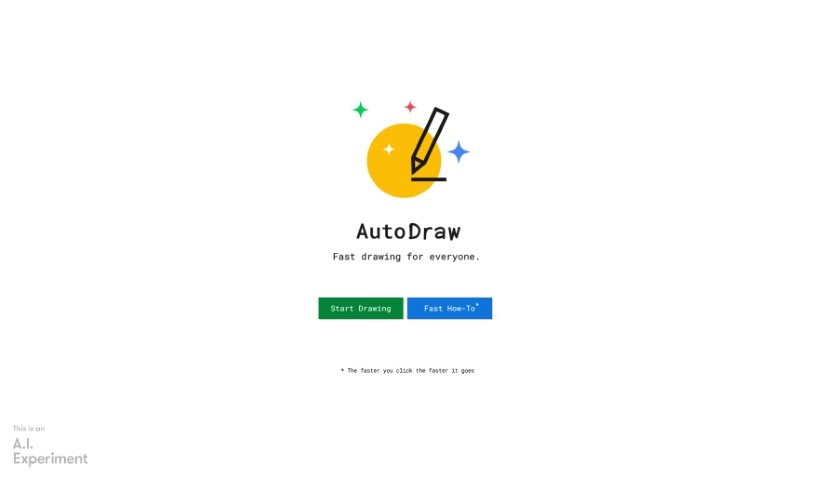
Screenshot of AutoDraw

AutoDraw

Discover AutoDraw in 2025! Learn what this unique drawing tool is, how to use its features effectively, and how it stacks up against other drawing generators.

Screenshot

What is AutoDraw?

AutoDraw is a really neat drawing tool that blends machine learning with artwork from talented artists. Its main goal is to help you create visual content super fast. You can use it on pretty much any device – your smartphone, tablet, laptop, or desktop – and the best part? No downloads or payments needed! It’s got this cool suggestion feature, powered by tech similar to QuickDraw, that can actually recognize hundreds of different drawings. They’re planning to add even more over time, too. Basically, AutoDraw wants to make drawing and creating visuals way more accessible and enjoyable for everyone.

Who created AutoDraw?

AutoDraw was actually brought to life by Dan Motzenbecker and Kyle Phillips, along with their friends over at Google Creative Lab. This innovative drawing tool cleverly uses machine learning combined with drawings from a variety of artists. The idea is to make visual creation quick and easy for users, no matter what device they’re on. Ultimately, AutoDraw’s mission is to make drawing and creating more accessible and fun for absolutely everyone.

What is AutoDraw used for?

  • It helps everyone create visual content quickly and easily.
  • It cleverly pairs machine learning with drawings from talented artists.
  • You can use it on all sorts of devices like smartphones, tablets, laptops, and desktops.
  • Its suggestion tool actively guesses drawings to help you out.
  • It’s an accessible and fun drawing tool designed for all users.
  • You can use it to create drawings that others can then use with AutoDraw.
  • The whole point is to make drawing and creating more accessible and fun for everyone.
  • It’s completely free to use, with no downloads or payments required.
  • It uses the same kind of technology as QuickDraw to guess what you’re drawing.
  • It’s great for creating drawings really rapidly.
  • It makes drawing and creating more accessible to everyone, regardless of skill level.
  • It uses machine learning to give you a hand with your drawing.
  • The suggestion feature helps speed up the creation process by guessing your drawings.
  • You can work on any device – smartphone, tablet, laptop, desktop, you name it.
  • It makes great use of drawings contributed by talented artists.
  • It really encourages fun and creativity when you’re drawing.
  • It offers a free drawing tool that’s available for all users.
  • They’re planning to add more drawings over time to make the suggestions even better.
  • AutoDraw helps users create visual content with ease.
  • Think of AutoDraw as a new kind of drawing tool that combines machine learning with artwork from talented artists, helping everyone create visual content quickly.
  • AutoDraw’s suggestion tool uses machine learning technology to guess what you’re trying to draw, which makes drawing more accessible and fun for everyone.
  • You can use AutoDraw on various devices like smartphones, tablets, laptops, and desktops without needing any downloads or payments.
  • Right now, the tool can guess hundreds of drawings, and they plan to add more over time to expand its capabilities.
  • AutoDraw aims to make drawing and creating more accessible and enjoyable for all users by combining machine learning with drawings from talented artists.
  • If you’re interested in creating drawings for others to use with AutoDraw, you can contact the creators for more information.
  • The tool was built by Dan Motzenbecker and Kyle Phillips, along with their friends at Google Creative Lab.
  • AutoDraw is free to use and works on different platforms without any cost involved.
  • It’s a fun and accessible tool that uses machine learning to improve the drawing experience for users of all skill levels.
  • The technology behind AutoDraw can help users quickly turn their ideas into visual content with the help of machine learning algorithms.
  • Create drawings quickly and easily.
  • Access drawing suggestions powered by machine learning technology.
  • Make drawing and creating more accessible for everyone.
  • Have a genuinely fun time while you’re drawing.
  • Use it on various devices like your smartphone, tablet, laptop, or desktop.
  • Take advantage of drawings from talented artists.
  • Guess drawings using the helpful suggestion tool.
  • You can even collaborate with others on drawing activities.
  • Enhance your visual creativity.
  • Explore a completely new kind of drawing tool.

Who is AutoDraw for?

  • Artists
  • Creators
  • Designers

How to use AutoDraw?

AutoDraw is a really user-friendly drawing tool. It uses machine learning and a wide variety of drawings from talented artists to help you create visuals quickly. You don’t need to download anything or pay any money, and AutoDraw works smoothly on different devices like smartphones, tablets, laptops, and desktops. The tool’s suggestion feature uses technology similar to QuickDraw to predict what you’re trying to draw. Right now, AutoDraw can recognize hundreds of drawings, and they plan to add even more to the database. If you’re interested in contributing your own drawings for AutoDraw, you can get in touch with the creators. AutoDraw’s main goal is to make drawing more accessible and enjoyable for all users, making the creative process more engaging and straightforward.

Related AI Tools

Discover more tools in similar categories that might interest you

123RF AI Image Generator

Creative Image Generation
Learn More

Stay Updated with AI Tools

Get weekly updates on the latest AI tools, trends, and insights delivered to your inbox

Join 25,000+ AI enthusiasts. No spam, unsubscribe anytime.