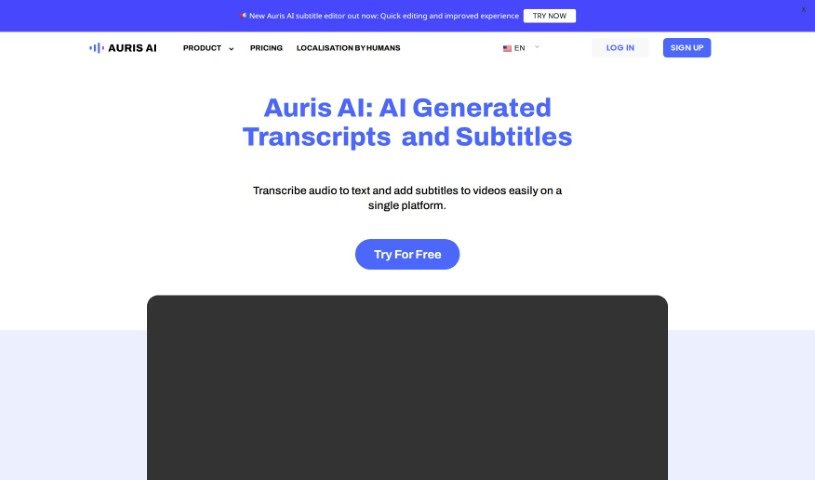
What is Auris AI?
Auris AI is an online tool that helps you turn audio or video into text, and it makes adding subtitles to your videos super simple. Nobuhiko Suzuki, who used to be a corporate banker and is now a top freelancer in Japan for transcription and translation, founded it. Auris AI uses its own automatic speech recognition engine to provide highly accurate speech-to-text transcription and translation. You can get your content transcribed, translated, and captioned quickly and efficiently. Plus, it supports many languages and gives you 60 free transcriptions every month.
Who Created Auris AI?
Nobuhiko Suzuki, a former corporate banker and the top transcription and translation freelancer in Japan, is the mind behind Auris AI. He developed this tool to make editing and subtitling videos much easier. It lets you convert speech to text, add subtitles, and even localize your video content without a fuss. Auris AI, powered by AI Communis, offers fast and accurate transcription, translation, and captioning services. It’s designed for everyone, from individuals to businesses, including video creators, freelancers, and professionals all over the world.
What Can You Do With Auris AI?
- Translate content
- Transcribe audio into text
- Works with many different languages
- Add subtitles to your videos
- Localize video content
- Caption videos
- Add subtitles to videos
- Easily edit transcripts
- Reach more people with subtitles
- Translate both audio and videos
- Get fast transcriptions and translations
- Choose from a variety of languages
- Offers professional transcription and captioning
- Suitable for all sorts of transcription needs
- Saves professionals time on transcriptions
- Convert audio into text
- Convert audio or video into text
- Easily edit the transcripts it generates
- Reach a wider audience by adding subtitles
- Provides transcription, translation, and captioning for professionals
- Supports multiple languages for both transcription and subtitles
- Makes content more accessible for non-native speakers and those who are hard of hearing
- Speed up writing articles by quickly transcribing videos
- It’s a user-friendly platform great for editing, marketing, and student projects
- Offers free audio-to-text transcription and subtitle generation, with 60 transcriptions monthly
- Transcribe audio into text
- Edit the transcripts you create
- Reach a wider audience, including non-native speakers and those with hearing impairments
- Professional transcription services for both individuals and businesses
- A faster, smarter way to transcribe
- Convert audio that’s part of a video into text
- Localize your video content
- Supports multiple languages for transcriptions and subtitles
- Increases efficiency for transcription and translation
- Helps professionals, freelancers, and video content creators
- Transcribe audio found within videos
- Localize video content
- Reach a global audience through transcription and translation
- Helps video creators with transcription, translation, and captioning
- Supports many languages for transcription and subtitling
- Share knowledge and career advice about language and transcription
- Provides a transcription tool for individuals and businesses
- Allows for accurate speech-to-text transcription and translation
Who Should Use Auris AI?
- Video Content Creators
- Freelancers
- Professionals
How Do I Use Auris AI?
If you want to use Auris AI to transcribe audio to text or add subtitles to your videos, here’s how:
- Head over to the Auris AI website to start transcribing or generating subtitles.
- Pick a service plan that fits what you need. There’s a free plan for about 15 minutes of use each month, or you can choose paid plans for more usage and features.
- Upload your audio or video file to the platform so it can be transcribed or have subtitles added.
- Use the editing tools to easily fix up the transcripts it generates, much like you’d edit a document.
- For videos, add subtitles to make your content easier for everyone to understand, including people who don’t speak the language natively or are hard of hearing.
- Take advantage of the many languages the tool supports for transcription, translation, and subtitling.
- Enjoy how flexible and convenient Auris AI is for transcription, translation, and captioning, delivering fast and accurate results.
- Keep an eye out for new languages and improvements the platform adds to make your experience even better.
By following these steps, you can effectively transcribe audio to text and improve your videos with subtitles using Auris AI’s easy-to-use platform.