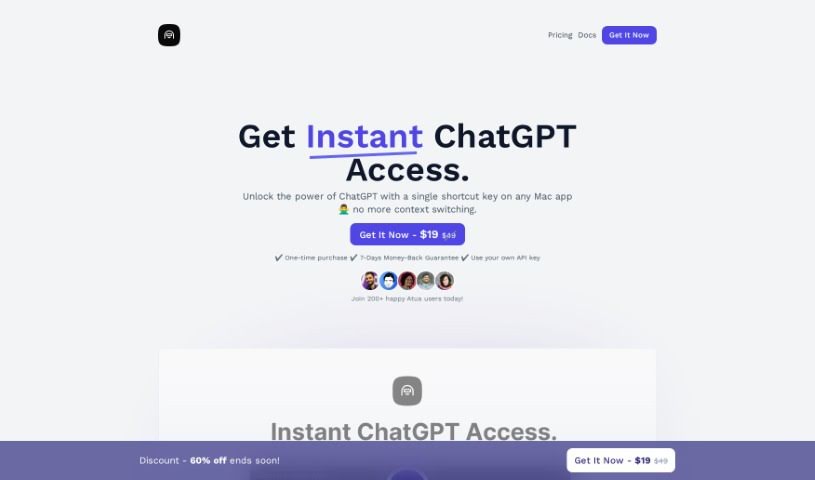
Screenshot of Atua

Atua

Discover what Atua is and how to use it effectively in 2025. We'll explore its features and see how it stacks up against other automation tools.

Screenshot

What is Atua?

Atua is a neat piece of software that turns your Mac into a really capable ChatGPT command center. It is a way to get instant AI help from ChatGPT using just a simple shortcut key, no matter what app you’re using on your Mac. This means you can keep your workflow going without interruption. With Atua, you can set up your own custom commands, process text super easily, keep a history of your conversations, and really tailor those commands to fit exactly what you need. Plus, your privacy is a big deal here; all your data stays right on your device. Atua doesn’t track you or send out any analytics unless you choose to share them. Right now, it’s built for Mac OSX 10.12 and newer, but they’re planning to bring it to Windows and Linux down the road. They also offer a 7-day money-back guarantee and are available via email if you need support.

Who created Atua?

We don’t have specific details about the founder, as that information isn’t provided in the available documents. What we do know is that the company, Atua, offers a great solution for smoothly integrating ChatGPT into your Mac experience. You can access ChatGPT with a simple keyboard shortcut, create your own commands, process text without any fuss, and save your chat histories. To get Atua up and running, you’ll need a Mac OSX 10.12 or later and your own OpenAI license key. They also offer team plan licenses if that’s something you’re interested in, and they stand by their product with a 7-day refund policy for any customers who aren’t satisfied.

Who is Atua for?

  • Writers
  • Developers
  • Content creators
  • Data scientists
  • Students

How to use Atua?

Getting Atua set up and running on your Mac is pretty straightforward. Here’s how you do it:

  1. Installation: Once you’ve bought Atua, you’ll install it on your Mac. You’ll need to pop in the license key you got via email, plus your OpenAI license key.
  2. Shortcut Key Feature: You can create your own custom commands, like rephrasing text, and then assign a shortcut key to them. Just select the text you want to work with, hit that shortcut key, and Atua will process it based on your command, nice and quick.
  3. Compatibility: Right now, Atua is made for Mac OSX 10.12 and newer. They’re looking into supporting Windows and Linux in the future, though.
  4. Data Privacy: Atua keeps your data stored locally on your device. It doesn’t monitor you or send out any analytics, so your privacy is well-protected.
  5. Requirements: To use Atua, you’ll need a Mac OSX 10.12+ and an OpenAI license key. You can get the OpenAI key directly from their website.
  6. Support and Refunds: If you need help, have questions about team plan licenses, or want to request a refund within 7 days of your purchase, just reach out to Atua via email at [email protected].
  7. Features: Atua offers smooth access to ChatGPT, lets you create custom commands, makes selecting and processing text easy, and allows you to save and look back at your ChatGPT conversations.
  8. Pricing: You can get lifetime access to Atua with a one-time purchase fee. They also offer a 7-day money-back guarantee and plan to include future updates.

Make sure you take full advantage of what Atua offers to really boost your workflow with ChatGPT on your Mac. You’ll love the convenience and efficiency this powerful AI tool brings!

Related AI Tools

Discover more tools in similar categories that might interest you

Stay Updated with AI Tools

Get weekly updates on the latest AI tools, trends, and insights delivered to your inbox

Join 25,000+ AI enthusiasts. No spam, unsubscribe anytime.