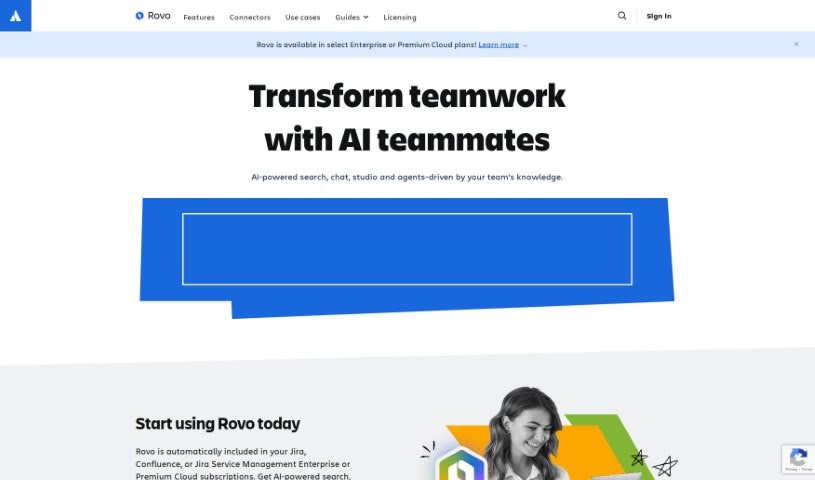
Screenshot of Atlassian Rovo

Atlassian Rovo

Discover Atlassian Rovo in 2025! Learn what this platform does, how to use its features effectively, and how it stacks up against other project management tools.

Screenshot

What is Atlassian Rovo?

Rovo is a really handy platform built to help teams work better together and get more done. It offers powerful workflows that can be adjusted for all sorts of team setups and tasks, really changing the game when it comes to boosting efficiency and output. You can make your operations much smoother by easily plugging Rovo Agents into your existing workflows. Think about using them directly in Rovo Chat, the Confluence editor, or even with Automation. Plus, Rovo offers these cool ‘Embedded Experiences’ that make interacting with your workflows even better. It also plays nicely with other apps – it has connectors for popular ones like Google Drive, SharePoint, Microsoft Teams, Figma, and GitHub. And if you have your own special data sources, you can even build custom connectors for those, making sure it integrates smoothly with pretty much any software you’re using.

Who created Atlassian Rovo?

Atlassian is the company behind Rovo. You probably know Atlassian – it’s a pretty big name, started by Mike Cannon-Brookes and Scott Farquhar back in 2002. They’re known for creating software that really helps teams collaborate and manage their work effectively. Rovo, specifically, is powered by Atlassian Intelligence. Its main goal is to help teams tap into their company’s knowledge by working together with AI.

Who is Atlassian Rovo for?

  • Project Managers
  • Software Developers
  • Product Designers
  • Marketing Specialists
  • Data Analysts
  • Content Creators
  • Sales Managers
  • Customer Support Representatives
  • Operations Managers
  • HR Specialists

How to use Atlassian Rovo?

Want to get the most out of Rovo? Here’s a simple guide:

  1. Sign Up or Log In: First things first, head over to the Rovo platform. You’ll need to create an account if you don’t have one, or just log in if you’re already a user.
  2. Check Out Events: Once you’re in, take a look around at the events Rovo has listed. You’ll find a variety of things, from sports and fitness activities to other interests.
  3. Join an Event: See something you like? Just pick the event that catches your eye and join it to get involved.
  4. Create Your Own Event: Can’t find exactly what you’re looking for? No problem! You can easily create your own event. Just fill in the details like where it is, when it’s happening, the date, and what kind of activity it is.
  5. Chat with Others: Use the platform’s built-in communication tools to chat with other people who’ve joined, or with the person who organized the event.
  6. Keep Track of What You’ve Joined: It’s easy to lose track, so use Rovo to monitor the events you’ve signed up for and manage your schedule smoothly.
  7. Share Your Thoughts: After you’ve attended an event, give some feedback. This really helps make the experience better for everyone, including yourself!
  8. Stay in the Loop: Make sure to check back regularly for new events and updates. You never know what cool opportunities you might discover!

By following these steps, you’ll be able to really make the most of Rovo and jump into all sorts of sports and fitness events available on the platform.

Related AI Tools

Discover more tools in similar categories that might interest you

Stay Updated with AI Tools

Get weekly updates on the latest AI tools, trends, and insights delivered to your inbox

Join 25,000+ AI enthusiasts. No spam, unsubscribe anytime.