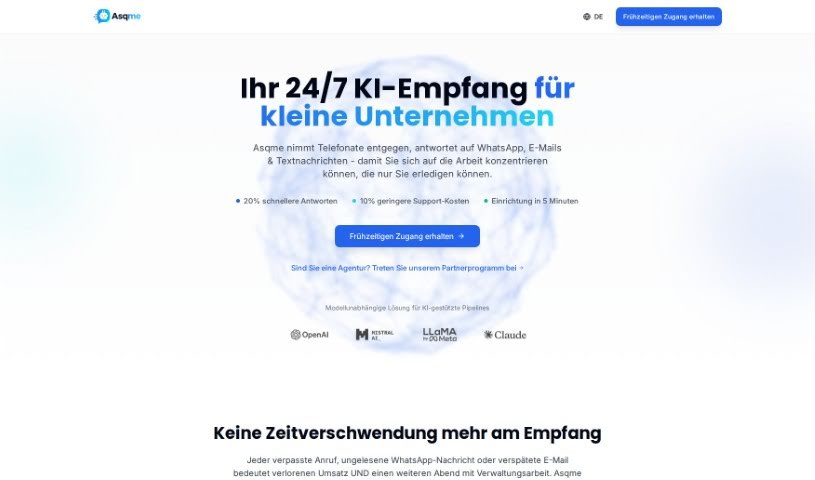
Screenshot of Asqme

Asqme

Discover what Asqme is and learn how to use it effectively in 2025. We'll explore its unique features and see how it stacks up against other chatbots.

Screenshot

What Exactly is Asqme?

AsqmeAI is a pretty neat AI tool that takes your static text, especially from PDFs, and turns it into a smart, interactive chatbot. What really sets it apart from other chatbots are features like its Smart Face & Lip-Syncing, Dynamic Audios, and White Box Q&As. These really boost how engaging users find it, adding visual and auditory elements to the experience. It’s a great fit for all sorts of users – think businesses that deal with a lot of the same customer questions, or even just individuals who want a more interactive way to dig into text documents. As AsqmeAI chats with people, it keeps learning and getting better, offering real-time audio answers and being transparent about how it handles questions.

Basically, it works by taking your PDF information, processing it, and then building a chatbot that can chat back and answer questions based on everything it learned from that data. AsqmeAI is super useful for anyone looking to shake up how they access information, whether you’re a business or just someone curious. The tool’s focus on creating chatbots that learn and are dynamic makes it a top choice if you want to really connect with your data sources.

So, Who Created Asqme?

Asqme was actually created by a company called Asqme, and they launched it on March 29, 2023. This AI tool is designed to transform static text, like what you find in PDFs, into interactive chatbots. What’s cool is that the chatbot actually gets better with every conversation it has. It comes with some really interesting features, including Smart Face & Lip-Syncing, Dynamic Audios, and White Box Q&As. It’s a tool that’s really aimed at both businesses and individuals who want to find new and better ways to access information.

What Can You Actually Use Asqme For?

  • It’s a great tool for both businesses and individuals.
  • It’s designed to transform your PDFs into interactive chatbots.
  • You can use it to handle question-and-answer dialogues.
  • It features Smart Face & Lip-Syncing for more visual communication.
  • You get dynamic, real-time audio responses.
  • The chatbot actually gets better the more it interacts.
  • It supports both visual and auditory interaction, making things more engaging.
  • Transparency is key with its White Box Q&As feature.
  • It’s particularly helpful if you deal with a lot of repetitive customer questions.
  • It even has integrated CRM capabilities.
  • You can transform PDFs into chatbots to handle Q&A dialogues.
  • The Smart Face & Lip-Syncing feature really helps with visual communication.
  • It provides dynamic, real-time audio responses.
  • It enhances its abilities with every interaction.
  • It supports visual and auditory interaction.
  • The White Box Q&As feature ensures transparency.

Who is Asqme Designed For?

  • Businesses of all kinds
  • Individuals looking for new ways to interact with data

How Do You Actually Use Asqme?

Using Asqme AI is pretty straightforward. Here’s a simple breakdown of the steps:

  1. Upload Your PDF Data: First things first, you’ll want to upload your text documents, specifically in PDF format, onto the Asqme AI platform.
  2. Let the AI Work Its Magic: Asqme AI then uses its artificial intelligence to carefully analyze all the PDF data you’ve uploaded. From this analysis, it builds a responsive chatbot that’s ready to chat based on that information.
  3. Start Chatting with Your New Bot: Once the chatbot is all set up, you can jump right in and start asking it questions related to the data you provided.
  4. Explore the Unique Features: Don’t forget to play around with its special features! Things like Smart Face & Lip-Syncing, Real-Time Audio Responses, and White Box Q&As can really make your interactions much more interesting.
  5. Watch It Learn and Grow: Remember, the chatbot actually gets smarter with every single interaction. It’s constantly improving its ability to answer your questions.
  6. Enjoy Visual & Auditory Engagement: You’ll get to experience both visual and auditory interaction, thanks to features like Smart Face & Lip-Syncing and those dynamic real-time audio responses.
  7. Manage Q&As with Transparency: The White Box Q&As feature is there to help you keep things transparent and in control of the questions and answers your chatbot handles.
  8. Try it Out for Free: You can join the waitlist on their website to be one of the first to try it out. Plus, you’ll get a one-month free trial of Asqme AI!

By following these steps, you can really make the most of Asqme AI. It’s a fantastic way to turn your static text data into an interactive chatbot, completely changing how you access and engage with information.

Related AI Tools

Discover more tools in similar categories that might interest you

Stay Updated with AI Tools

Get weekly updates on the latest AI tools, trends, and insights delivered to your inbox

Join 25,000+ AI enthusiasts. No spam, unsubscribe anytime.