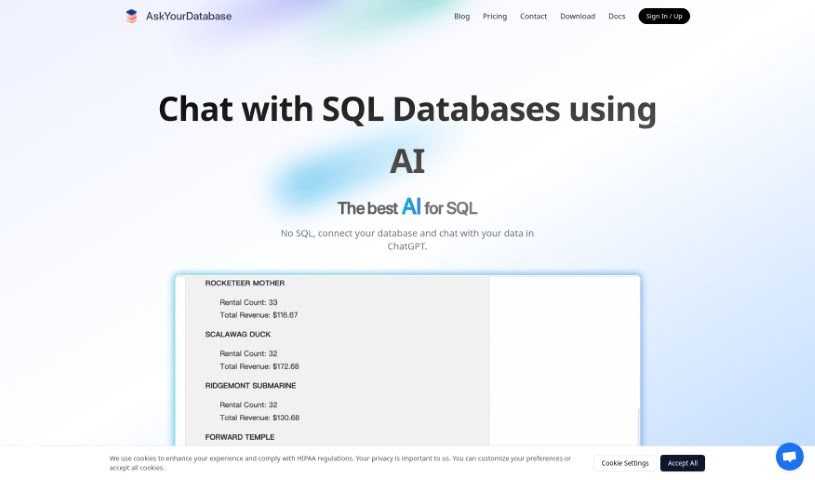
Screenshot of AskYourDatabase

AskYourDatabase

Discover what AskYourDatabase is and how to use it effectively in 2025. We'll explore its features and see how it stacks up against other Data Analytics Tools.

Screenshot

What is AskYourDatabase?

AskYourDatabase AI is a really neat AI-powered tool that acts like a database client. It is a way to chat with your SQL or NoSQL databases using everyday language. It’s actually the first AI-native client like this, which means you can get insights, create charts, design your database tables, and do a bunch of other things without needing to write complicated SQL or Python code. People often call it the ‘ChatGPT for SQL databases’ because it offers so much, from business intelligence and data visualization to help with schema design, migrations, and even connecting with Excel. It works with popular databases like MySQL, PostgreSQL, MongoDB, and SQL Server. Basically, you can just talk to your database to get answers, see trends, plan your data structure, and analyze information.

Who created AskYourDatabase?

AskYourDatabase AI was started by a founder who’s really into using AI to make database management simpler. Their company is all about creating this unique AI-native client that lets you talk to your SQL/NoSQL databases naturally. The big idea is to get rid of the need for complex scripts. This platform is designed to make tasks like finding insights, visualizing data, and designing database schemas much easier, all without requiring you to code.

Who is AskYourDatabase for?

  • People working in Business Intelligence
  • Data Analysts
  • Database administrators
  • Data scientists
  • Anyone who uses SQL and NoSQL Databases

How to use AskYourDatabase?

Using AskYourDatabase AI is pretty straightforward. Here’s a quick rundown:

  1. Sign Up: First, you’ll need to create an account on the AskYourDatabase website. It’s a simple process.
  2. Connect Your Database: Next, you’ll link your SQL or NoSQL database to the AskYourDatabase AI client. This lets the AI access your data.
  3. Start Chatting: Once connected, you can use the natural language chat interface. Just ask your questions, request insights, ask for data visualizations, help with table schemas, or any data analysis you need.
  4. Explore Top Features: You’ll find great features like Business Intelligence for quick insights, Data Visualization to see your data clearly, and help with Schema design and migrations – all without needing to write code.
  5. Excel Integration: Plus, it integrates with Excel, which is super handy for more in-depth data analysis.
  6. Data Security: You can rest easy knowing your data is secure, thanks to enterprise-grade security and privacy features.
  7. Choose a Plan: We offer various subscription plans, from Basic to Enterprise, so you can pick what best suits your needs and team size.
  8. Need Help?: If you need custom integrations or any extra support, don’t hesitate to reach out to the AskYourDatabase team.

By following these steps, you’ll be able to use AskYourDatabase AI to work with your databases in a way that’s both easy and efficient.

Related AI Tools

Discover more tools in similar categories that might interest you

Stay Updated with AI Tools

Get weekly updates on the latest AI tools, trends, and insights delivered to your inbox

Join 25,000+ AI enthusiasts. No spam, unsubscribe anytime.