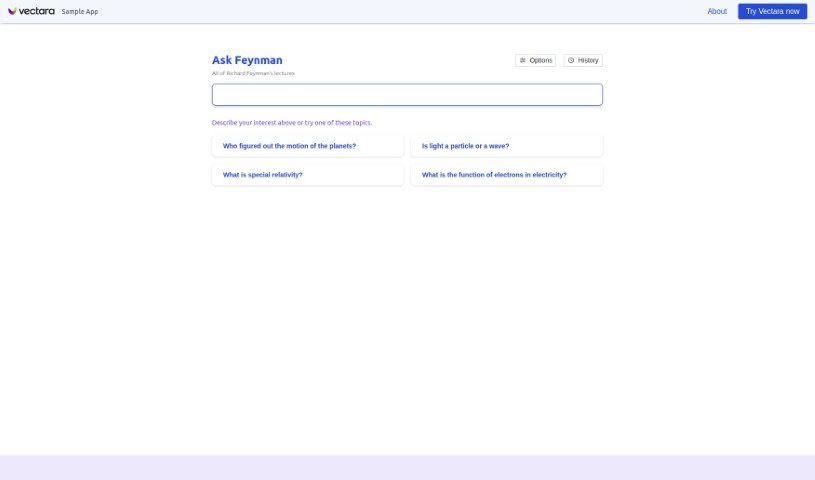
Screenshot of Vectara

Vectara

Discover what Vectara is and how to use it effectively in 2025. We'll explore its features and see how it stacks up against other chatbots.

Screenshot

What is Vectara?

Vectara is a conversational search tool that lets you chat naturally to find information about Richard Feynman’s lectures. You can start a conversation, explain what you’re looking for, type in your question, or pick from a list of topics to get the information you need. It’s all powered by Vectara.

Who created Vectara?

Ask Feynman, a conversational search tool powered by Vectara, was launched on August 3, 2023. Vectara, the company behind it, specializes in advanced retrieval and summarization. Ask Feynman lets users have natural conversations to explore Richard Feynman’s lectures, really showing off what Vectara’s conversational search can do.

What is Vectara used for?

  • It helps you have natural conversations to find information about Richard Feynman’s lectures.
  • You can start a chat and describe what you’re interested in to learn about his lectures.
  • It prevents search results from being made up, thanks to its grounded generation feature.
  • It lets you ask questions based on your own data.
  • You can customize your search queries to match your specific interests.
  • It keeps a history of your search queries, making it easy to find them again.
  • It supports queries in English.
  • You can use the Ask Feynman tool and the Vectara platform for free.
  • There’s a Discord community where you can get support and connect with others.
  • It lets you experience Vectara’s conversational search capabilities through Ask Feynman.

Who is Vectara for?

  • Researchers
  • Students
  • Educators
  • Enthusiasts
  • Scientists
  • Physics enthusiasts

How to use Vectara?

Here’s how to get started with Ask Feynman:

  1. First, head over to the Ask Feynman website using the link provided.
  2. Then, start a chat. You can describe what you’re interested in or just type in your question about Richard Feynman’s lectures.
  3. You can either pick a topic from the list they give you or type in your own question.
  4. The tool will then give you the information you need based on what you entered.
  5. Use the history feature to easily see your past queries, which is handy if you want to refer back to them or do the same search again.
  6. Make sure JavaScript is enabled, as Ask Feynman needs it to work properly.
  7. Feel free to customize your queries however you like, or just pick from the pre-set topics to guide your search.
  8. You’ll benefit from the grounded generation feature, which cuts down on false or misleading results, ensuring your search results are accurate.
  9. Check out the resources available for support with Vectara. This includes documentation, forums, the Discord community for engagement, and the main Vectara website.
  10. You’ll experience a conversational search tool that uses interactive dialogue for a natural feel, which is quite different from typical search engines.

Following these steps will give you a solid guide to using Ask Feynman effectively.

Related AI Tools

Discover more tools in similar categories that might interest you

Stay Updated with AI Tools

Get weekly updates on the latest AI tools, trends, and insights delivered to your inbox

Join 25,000+ AI enthusiasts. No spam, unsubscribe anytime.