04-X
Text Generation Chatbots
Learn more
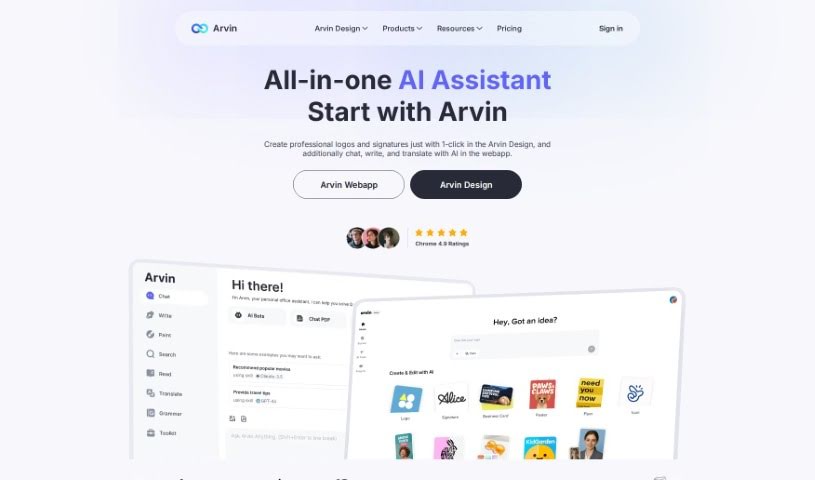
Arvin AI is a browser extension powered by GPT-4 that handles AI chat, writing, and image generation on any website.
Arvin AI is a browser extension powered by GPT-4 that assists with online tasks such as quick research, understanding long articles, and creative work. It can write and run code, generate articles, blog posts, emails, essays, and more, and helps you produce content up to 10 times faster while improving quality. It acts as an all-in-one assistant with chat, writing, art, and search capabilities.
Arvin was developed by IdeaLabs, a company focused on transforming businesses through technology. The extension combines AI-powered chat, writing assistance, and creative tools built on GPT-4 and other AI technologies.
Arvin is useful for writers, artists, coders, developers, and designers.
Chat. Have detailed, accurate conversations with AI models including GPT-4, Claude 3.5, and Gemini 1.5, among others. You can also chat about uploaded PDFs, images, screenshots, and other files.
Writing. Speed up your writing by up to 10 times, with automatic generation of articles, blog posts, emails, and essays. For emails, you can customize the style and choose from different templates.
Image generation. Describe what you want to see and Arvin generates it, with adjustable styles and aspect ratios. You can also replace backgrounds and turn sketches into full images.
More tools. Arvin includes a broader suite of AI tools for a complete browser-based experience, and it works on any website you visit.
Arvin AI works like a portable ChatGPT assistant, combining chat, writing help, and image creation to support productivity, creativity, and communication online.
Related
Discover more tools in similar categories
Weekly picks of the best AI tools we've researched and added — no spam, unsubscribe anytime.
Join 25,000+ AI enthusiasts. No spam, unsubscribe anytime.