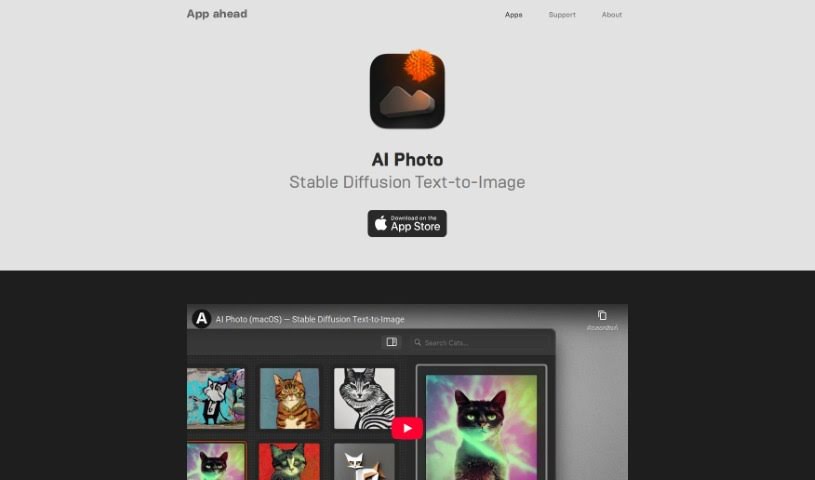
Screenshot of App Head AI Photo

App Head AI Photo

Curious about App Head AI Photo? Let's dive into what this AI-powered tool is, how it works, and how you can use it to create amazing images in 2025. We'll also touch on its features and how it stacks up against other photo editors.

Screenshot

What is App Head AI Photo?

When we talk about AI Photo, we’re really talking about using artificial intelligence in photography. It’s a pretty neat technology that offers a bunch of features to make taking and editing pictures easier and better. Think of things like recognizing what’s in a photo, automatically adjusting settings for the best shot, or even identifying faces. By using smart machine learning, these AI Photo tools can do a lot of the heavy lifting, like tweaking settings or spotting subjects, which really speeds things up and leads to better-looking photos for everyone, whether you’re a pro or just enjoy snapping pics.

Basically, AI Photo is a big step forward in bringing smart technology into the world of photography, making the whole experience smoother and more intuitive.

Who created App Head AI Photo?

App Head AI Photo was actually developed by a company called App ahead GmbH. They launched this AI tool back on June 14, 2024. What’s cool about it is that it uses Stable Diffusion technology to turn your text descriptions into actual images. Plus, it all happens offline, which is great for keeping your data private. App ahead GmbH sees AI Photo as a really creative way to generate images just from text prompts, especially for folks who care a lot about privacy and prefer to work without an internet connection.

Who is App Head AI Photo for?

This tool is a great fit for a wide range of people, including:

  • Photographers
  • Graphic designers
  • Marketing professionals
  • Social media managers
  • Event Planners
  • Real Estate Agents
  • E-commerce retailers
  • Journalists
  • Travel bloggers
  • Content creators

How to use App Head AI Photo?

Using AI Photo is pretty straightforward. Here’s a quick rundown of the steps:

  1. Describe What You Want: Start by typing out descriptions of the images or artwork you’re hoping to create. Be as detailed as you like!
  2. Let the AI Create: The app then takes your text descriptions and uses Stable Diffusion technology, along with some custom CoreML models, to generate the images and artwork you’ve described.
  3. Works on Your Devices: You can use AI Photo on your Mac, iPhone, and iPad, giving you plenty of flexibility no matter what device you’re using.
  4. Privacy First (Offline!): One of the best parts is that it works entirely offline. All the processing happens right on your device, so your privacy is really well protected.
  5. Built-in Safety: The app also has safety features built in to help filter out any unwanted results, giving you more control over the images you generate.
  6. Keep Your Art Organized: You can easily sort your creations by putting them into collections or marking them as favorites, making them simple to find later.
  7. Make It Your Own (on Mac): If you’re using a Mac, you even have the option to add your own custom CoreML models, which lets you tailor the image generation process even further to your specific needs.

So, by following these steps, you can really make the most of AI Photo to create unique images and artwork from your text ideas, all while keeping your privacy and enjoying some handy customization options.

Related AI Tools

Discover more tools in similar categories that might interest you

123RF AI Image Generator

Creative Image Generation
Learn More

Stay Updated with AI Tools

Get weekly updates on the latest AI tools, trends, and insights delivered to your inbox

Join 25,000+ AI enthusiasts. No spam, unsubscribe anytime.