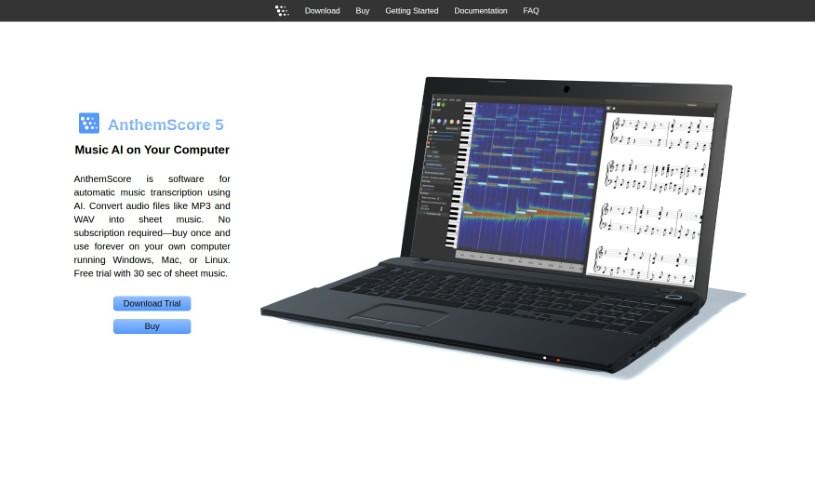
Screenshot of AnthemScore

AnthemScore

Discover AnthemScore in 2025: learn what this AI-powered music transcription software does, how to use its features effectively, and how it stacks up against other transcription tools.

Screenshot

What is AnthemScore?

AnthemScore is a software that automatically transcribes music. It uses AI to turn your audio files, like MP3s and WAVs, into sheet music. It is a smart assistant for musicians! It can automatically detect notes, and it also gives you easy tools to fix any mistakes. You’ll save a lot of time with its features for editing notes and beats. Plus, you can customize it for different instruments and do some pretty advanced editing. It works on Windows, Mac, and Linux, and you only buy it once – no subscriptions needed, so you can use it on your own computer forever. It handles lots of audio formats, including MP3, WAV, FLAC, and OGG Vorbis, but it might not work with files protected by DRM, like m4p. AnthemScore comes in a few different versions – Lite, Professional, and Studio – each offering more features. You might get note editing, a spectrogram to see the audio visually, audio playback, and more, depending on the edition. They also offer a free trial, so you can give it a spin before you buy.

Just a heads-up: AnthemScore is made for desktop and laptop computers (Windows, Linux, or Mac OS X). It won’t work on your phone, iPad, or Chromebook.

Who created AnthemScore?

AnthemScore was developed by Lunaverus. This software is all about automatic music transcription, using AI to make it simple for anyone to convert audio files into sheet music. The best part? You buy it once, and that’s it – no ongoing subscriptions. It’s compatible with Windows, Mac, or Linux systems. AnthemScore includes features like automatic note detection, straightforward correction tools, options to customize for different instruments, and advanced editing capabilities. Lunaverus really focuses on making the experience user-friendly for musicians and anyone who needs to transcribe music.

Who is AnthemScore for?

  • Musicians
  • Transcribers

How to use AnthemScore?

Here’s a simple breakdown of how to get started with AnthemScore:

  1. Download and Install: First, download AnthemScore and install it on your computer. It works on Windows, Mac, or Linux.
  2. Automatic Note Detection: Let the software do its magic! It uses machine learning to automatically detect notes, beats, and even instruments in your audio.
  3. Easy Correction: Need to tweak the notes? You can adjust the number of notes by simply dragging a slider to make it more accurate.
  4. Save Time with Tools: Make your workflow smoother. You can copy and paste sections of notes, tap out the downbeats, slow down playback to catch details, and edit notes easily.
  5. Customize Instrument: Choose the instrument you’re working with, and the sheet music will auto-format. You can save your work in PDF, musicXML, or MIDI formats.
  6. Advanced Editing: Take control of your music. You can modify the time signature, key signature, tempo, and other song details.
  7. Free Trial: Want to try before you buy? There’s a free trial available, though it does have limits on how long the songs can be.
  8. Purchase and Activation: Once you’re ready, buy the software for unlimited use. Activate it to unlock all the full features.

If you want to dive deeper into specific features like how it detects instruments, Guitar tabs, the audio formats it supports, ways to improve accuracy, or how to upgrade your edition, check out AnthemScore’s detailed guide. You can find it in the uploaded files.

Related AI Tools

Discover more tools in similar categories that might interest you

Stay Updated with AI Tools

Get weekly updates on the latest AI tools, trends, and insights delivered to your inbox

Join 25,000+ AI enthusiasts. No spam, unsubscribe anytime.