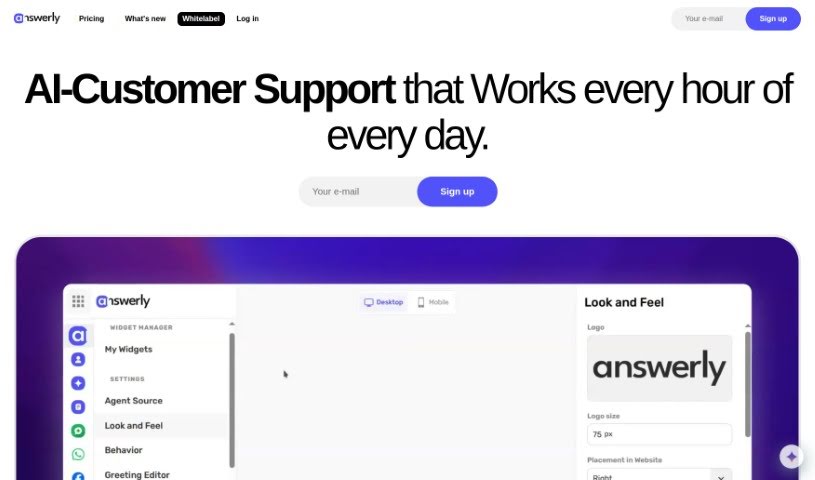
What is Answerly?
Answerly is an AI-powered chatbot designed to make customer interactions feel personal for businesses. It lets you create a unique AI assistant that really reflects your brand’s personality, sparking engaging conversations with website visitors. Its Knowledge Hub is the AI’s brain; this is where you’ll store all the information it needs to give helpful answers. You can really make the AI assistant your own by giving it a special name and character. If the chatbot ever gets stumped on a question, a handy contact form is built right in, making it easy for customers to get in touch directly. Answerly also offers a bunch of ways to customize things, work with your team, and even use webhooks for custom actions. Plus, it has neat features like ‘Answers with Pictures or Links’ to make responses more interesting, and ‘Instant Embed’ for super-smooth website integration.
Who created Answerly?
Answerly first launched on March 8, 2023. It was started by a team of professionals based in Skopje, North Macedonia, and is currently run by answerly.io. This company provides a customer engagement platform packed with features like unlimited AI agents, AI training capabilities, various integrations, and workspace collaboration tools. Essentially, Answerly helps businesses craft personalized AI assistants to really boost how they connect with customers.
What is Answerly used for?
Answerly is a versatile tool that helps businesses in many ways:
- Workspace Collaboration: Work together with your team to manage and improve the chatbot’s performance.
- Knowledge Hub: This is the core AI brain where you create and manage all your business content, ensuring the chatbot provides accurate answers.
- Contact Form: Allows customers to reach out to your business directly if the chatbot can’t answer their question.
- Answers with Pictures: Makes responses more engaging by including images.
- Answers with Links: Adds relevant web links to chatbot responses.
- Widget Customization: Lets you adjust the chatbot’s appearance, like placement, colors, and shadows, to perfectly match your website’s design.
- Assistant Customization: Personalize your AI assistant’s identity, including its name and personality, to keep your brand consistent.
- Discover Content: Analyzes your existing Knowledge Hub content to suggest new questions and improve the chatbot’s knowledge base.
- Link Sharing: Provides a direct link to your chatbot so people can interact with it without needing to embed it on a webpage.
- QR Code Sharing: Lets you share your chatbot easily via a scannable QR code, again, without needing webpage embedding.
- Import Docs/PDFs: You can import documents and PDFs to extract information and train your chatbots within the Knowledge Hub.
- Content Management: Create and manage all your business’s content in the Knowledge Hub so chatbots can give accurate answers.
- Customer Contact: Offers a contact form feature for customers to get in touch directly with your business.
- Engaging Responses: Enhances chatbot replies with pictures and links.
- Website Integration: Customize widget appearance to blend seamlessly with your website’s design.
- Personalized Identity: Tailor the AI assistant’s identity, name, and personality for interactive conversations.
- Content Analysis: Analyzes existing Knowledge Hub content to generate new questions for chatbot training.
- Easy Sharing: Share chatbot access through direct links and scannable QR codes.
- Team Collaboration: Create a team, invite members, and work together to manage and improve chatbot performance.
- Webhooks Integration: Use webhooks for custom actions based on specific events.
- CNAME Feature: Allows for custom domain mapping.
- Chatbot SDK: Provides tools to further tailor the widget.
- Instant Embed: Offers a quick way to integrate the chatbot onto your website.
Who is Answerly for?
Answerly is a great tool for a variety of roles and business functions:
- Customer support teams
- Sales departments
- Business learning and development
- Customer Support Agents
- Business owners
- Marketing professionals
- Sales Representatives
- Team Managers
- Customer engagement specialists
- Online training providers
- App developers
- Sales funnel managers
- Team management
- AI customer support specialists
How to use Answerly?
To get the most out of Answerly, here’s a straightforward approach:
- Personalize Your AI: Start by giving your AI assistant a unique name and character that really fits your brand’s vibe.
- Build Your Knowledge Hub: Use the Knowledge Hub to store and organize all your business information. This is crucial so the AI can provide accurate answers.
- Train Your AI: Feed the necessary business details into the Knowledge Hub to help the AI learn and adapt better.
- Customize the Widget: Adjust the chatbot widget’s settings – think colors, where it appears, and its size – so it looks like a natural part of your website.
- Collaborate with Your Team: Use the workspace features to work together with your team, managing and improving the chatbot’s performance collectively.
- Use Webhooks: Set up webhooks for custom actions that can be triggered by specific events, giving you more control over how the chatbot functions.
- Engage with Features: Make sure to use features like ‘Answers with Pictures or Links’ to create more engaging responses, and ‘Instant Embed’ for a super easy website integration.
- Tailor with SDK: Explore the Chatbot SDK if you need to customize the widget even further to meet your specific needs.
- Review Conversations: Look at the conversation history to spot frequently asked questions, common customer issues, and areas where the chatbot could be improved. This helps make it more efficient over time.
By following these steps, you’ll be able to fully utilize Answerly’s capabilities to improve how you interact with customers, offer smooth support, and streamline your business operations.