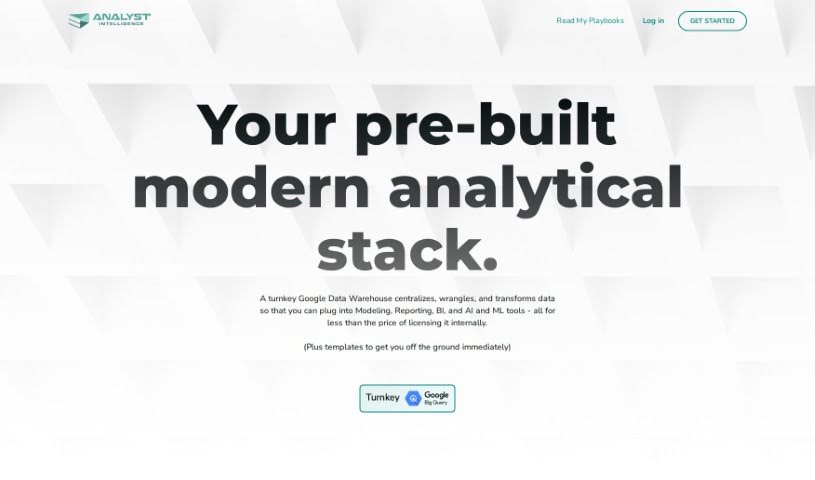
Screenshot of Analyst Intelligence

Analyst Intelligence

Discover what Analyst Intelligence is and how to use it effectively in 2025. We'll explore its key features and how it stacks up against other Data Analytics Tools.

Screenshot

What is Analyst Intelligence?

Analyst Intelligence is a platform designed to help you automate your data analysis tasks. It is your go-to tool for cleaning up data, writing SQL code for Google BigQuery, diving into financial analysis, and getting those advanced analytics and predictive insights you need. It uses AI to make these jobs simpler and faster, even if you’re not a coding expert. You can use it for things like bringing data together from different places, converting currencies, calculating key performance indicators (KPIs), doing cohort analysis, and tracking your sales pipeline. Essentially, it focuses on time-series financial analysis, offering services to individuals, operators, and small companies looking to make better decisions and automate their analytical work.

Who created Analyst Intelligence?

The team behind Analyst Intelligence has a wealth of experience, with decades spent in areas like Financial Planning & Analysis (FP&A), Digital Transformation, Sales Analytics, and Revenue Operations. They launched the platform on February 12, 2024, with a clear goal: to make it easier for anyone to get the insights they need for smarter decision-making, no matter their technical background. The company specializes in time-series financial analysis, providing tailored solutions for individual contributors, small businesses, and teams that require custom model updates and analytical insights.

What is Analyst Intelligence used for?

  • Financial Analysis
  • Bringing data together (Data consolidation)
  • Converting currencies
  • Calculating KPIs
  • Cohort analysis
  • Pipeline analysis
  • Win-rate analysis
  • Revenue waterfall analysis
  • Variance analysis
  • Time-series prediction

Who is Analyst Intelligence for?

  • Financial Analysts
  • Operations Managers
  • Data Analysts
  • Data Scientists
  • Sales Analysts

How to use Analyst Intelligence?

Here’s a straightforward guide to getting the most out of Analyst Intelligence:

  1. Getting Started:
    • You can connect to thousands of different tools and apps, depending on what you need.
    • This platform is particularly great for FP&A or Rev Ops teams who need to update custom models and get analytical insights.
  2. Main Features:
    • You’ll find it really helpful to write SQL code using AI, clean your data, work with Google BigQuery, consolidate data in Excel, and perform various analyses like pipeline conversions, win-loss analysis, and pipeline waterfalls.
  3. Writing SQL in Google BigQuery:
    • Thanks to AI and a no-code interface, you can write SQL much more efficiently. Advanced language models make this accessible even if you don’t have an engineering background.
  4. Non-Engineer Use:
    • Even if you’re not an engineer, you can easily handle big data analysis and cleansing. This is made possible by advanced language models and specific tools like Headcount Forecasting and an Excel Plugin.
  5. Automation:
    • You can automate many tasks, such as consolidating data, converting currencies, and calculating KPIs. This frees you up to move quickly to more complex analysis.
  6. Advanced Analytics and Insights:
    • Leverage the latest language models to generate advanced analytics and predictive insights. This helps with things like tracking performance and analyzing revenue.
  7. Integration and Implementation:
    • The platform integrates smoothly with tools you might already use, like an Excel Plugin or Google Sheets, which really boosts your data analysis and management capabilities.
  8. Adaptability:
    • Analyst Intelligence is designed to adapt as your business needs change. It offers automated data cleansing and efficient data consolidation features.
  9. Security and Costs:
    • Your data’s security is handled by Google Cloud Platform. Plus, the pricing model is scalable, meaning it can be tailored to fit your budget and specific needs.

By following these steps and using the many features Analyst Intelligence offers, you can really simplify your data analysis, automate repetitive tasks, and gain valuable insights. This will help you make better decisions and boost your overall productivity.

Related AI Tools

Discover more tools in similar categories that might interest you

Stay Updated with AI Tools

Get weekly updates on the latest AI tools, trends, and insights delivered to your inbox

Join 25,000+ AI enthusiasts. No spam, unsubscribe anytime.