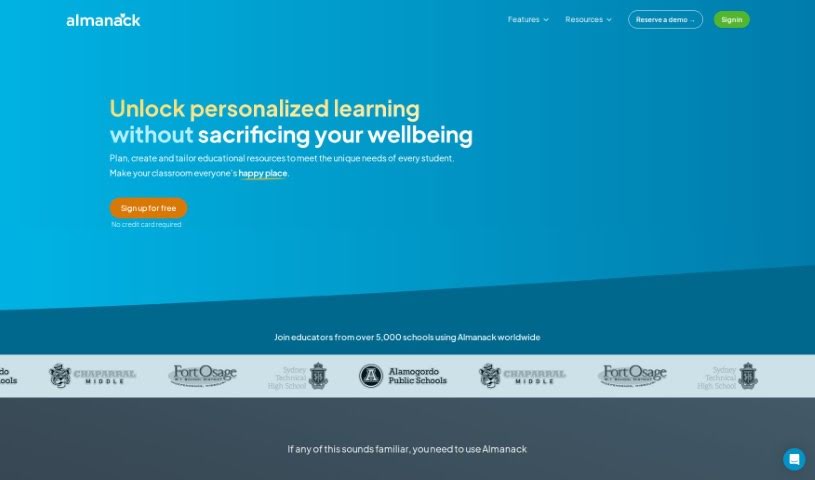
What is Almanack?
Almanack is an AI-powered platform designed specifically for teachers. It is your smart assistant for creating course materials and planning lessons. It helps educators whip up all sorts of teaching resources – things like tests, quizzes, worksheets, slide decks, and even group activities. The interface is really easy to use, and the AI offers helpful suggestions, making it simple to build lesson plans and course materials. This means you can save time and create lessons that are truly dynamic and tailored to what your students need. Plus, Almanack has a grading assistant that uses AI to give detailed feedback on student work. This can seriously cut down on grading time, freeing you up to focus on what matters most: teaching. It also plays nicely with popular curricula, including Ontario, Cambridge, the UK National Curriculum, and the Australian Curriculum, offering a really well-rounded learning experience. You’ll find a huge variety of resources for different subjects, letting you easily create new worksheets, quizzes, tests, and fun interactive group activities. The AI can even suggest relevant videos to make your lessons even richer. And good news for the future: they’re planning to integrate Almanack with existing Learning Management Systems (LMS) to make it even more compatible and user-friendly for teachers already using those systems.
Who created Almanack?
Almanack, this AI tool for teachers, was founded by an individual who prefers to remain anonymous. It first launched on July 5, 2024. The company behind Almanack is all about giving teachers the resources they need, customized just for them. This includes things like tests, quizzes, worksheets, slide decks, and group activities. Their main goal is to help teachers personalize the learning experience for students using AI tools and by integrating smoothly with various curricula. You’ll also find features like a grading assistant that provides detailed feedback on student work, and they’re looking to connect with Learning Management Systems (LMS) in the future.
What is Almanack used for?
- It’s a smart tool for generating course materials.
- It acts as a helpful lesson planner.
- You can use it to create tests, quizzes, worksheets, slide decks, and group activities.
- It makes creating lesson plans and course materials effortless.
- It helps you design dynamic lessons that are perfectly suited to your students’ needs.
- The grading assistant offers detailed feedback on student work.
- It integrates smoothly with popular curricula.
- You can create new worksheets, quizzes, and tests, and get AI suggestions for videos.
- It helps you create interactive group activities.
- It can support verbal assessments by generating interview questions.
- It helps teachers create all sorts of teaching resources, like tests, quizzes, worksheets, slide decks, and group activities.
- It saves teachers time thanks to its easy-to-use interface and AI recommendations for lesson plans and course materials.
- It helps you design dynamic lessons that are tailored to student needs.
- The grading assistant provides detailed feedback on student work using AI technology.
- It integrates seamlessly with popular curricula such as Ontario, Cambridge, the UK National Curriculum, and the Australian Curriculum.
- You get a wide range of resources for every subject.
- You can create new worksheets based on the curriculum or your lecture notes.
- It lets you pick from a variety of questions to create original quizzes and tests.
- You can get AI recommendations for relevant videos to make your lessons better.
- It helps educators create various teaching resources, including tests, quizzes, worksheets, slide decks, and group activities.
- It saves teachers time with its intuitive interface and AI recommendations for creating lesson plans and course materials.
- It helps design dynamic lessons tailored to student needs.
- It provides detailed feedback on student work through its AI-powered grading assistant.
- It integrates seamlessly with popular curricula like Ontario, Cambridge, the UK National Curriculum, and the Australian Curriculum.
- You get a wide range of resources for every subject, including new worksheets, quizzes, tests, and AI suggestions for videos.
- It helps create interactive group activities and supports verbal assessments with interview questions.
- There are plans for future integration with existing Learning Management Systems (LMS) for better compatibility and ease of use.
- The AI-based grading assistant provides detailed feedback on student work.
- It offers seamless integration with popular curricula.
- You can create worksheets based on the curriculum or lecture notes.
- It helps create original quizzes and tests.
- You can get AI recommendations for relevant videos.
- It helps create interactive group activities.
- It’s a smart tool for generating course materials.
- It’s great for lesson planning.
- You can use it to create tests, quizzes, and worksheets.
- It helps you design slide decks.
- It’s useful for developing group activities.
- It offers grading assistance with AI.
- You get AI recommendations for videos.
- It supports verbal assessment.
- The grading assistant provides detailed feedback using AI.
- It helps create worksheets, quizzes, tests, and group activities.
- You get AI recommendations for relevant videos.
- It helps create interactive group activities.
- It can integrate with existing Learning Management Systems (LMS).
- It offers a wide range of resources for every subject.
Who is Almanack for?
How to use Almanack?
Here’s a simple guide to using Almanack, the AI platform for teachers:
- Sign up and Log in: First, create an account on Almanack so you can access all its features and tools.
- Explore Features: Take some time to get familiar with what the platform can do, like generating course materials, planning lessons, and using the grading assistant.
- Create Lesson Plans: Use Almanack’s easy interface to design dynamic lesson plans that are perfectly suited to your students’ specific needs.
- Generate Course Materials: The platform lets you create tests, quizzes, worksheets, slide decks, and group activities. You’ll also get AI recommendations for content that can enrich your lessons.
- Utilize Grading Assistant: Make the most of the AI-powered grading assistant. It gives detailed feedback on student work, which saves you time and lets you focus more on instruction.
- Integrate with Curricula: Almanack integrates smoothly with popular curricula like Ontario, Cambridge, the UK National Curriculum, and the Australian Curriculum, giving you a really comprehensive learning experience.
- Access Subject Resources: Dive into a wide variety of subject-specific resources to improve your teaching and keep students engaged.
- Customize Teaching Materials: Create new worksheets, quizzes, tests, and group activities that are tailored to your specific curriculum or lecture notes.
- Enhance Lessons with Multimedia: Get AI recommendations for relevant videos that can supplement your lessons and make them more engaging for students.
- Plan Group Activities: Use the platform to create interactive group activities and even formulate interview questions for verbal assessments.
- Future Integrations: Keep an eye out for upcoming integrations with Learning Management Systems (LMS), which will offer even better compatibility and ease of use.
By following these steps, teachers can really make the most of Almanack’s AI capabilities. It’s a great way to streamline lesson planning, create engaging teaching materials, and ultimately boost student learning outcomes.