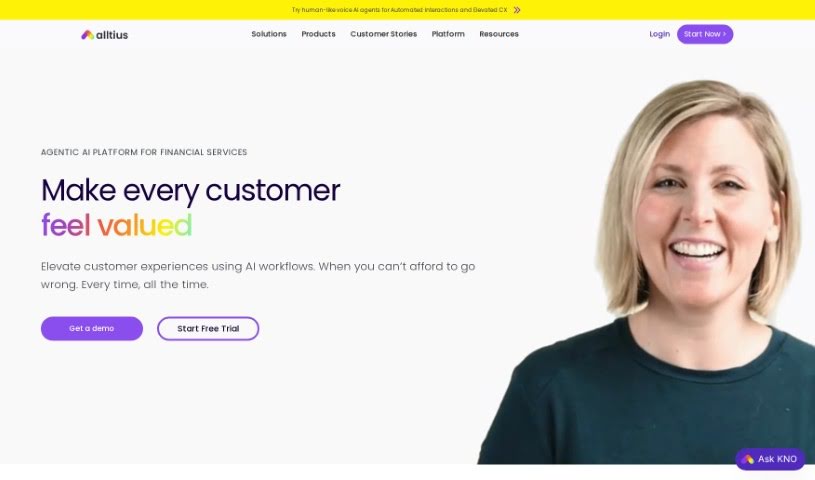
Screenshot of Alltius

Alltius

Discover what Alltius is and how to use its AI-powered features for conversational assistance in your software products. We'll cover its capabilities, how it compares to other customer service tools, and provide a step-by-step guide for effective implementation in 2025.

Screenshot

What is Alltius?

Alltius offers KNO, an AI-driven platform designed to provide conversational assistance within software products. It is a smart helper built right into your software. Its core features include a helpful assistant for Slack that can answer questions, a simple-to-use help widget that requires little to no coding, an in-product guide to walk users through features, and a companion tool for further support. It also includes a powerful search function for enterprise documentation. KNO is powered by OpenAI’s GPT3 model, which has been trained on a massive 800GB of information. What’s neat is that you can tell KNO which sources of knowledge are most important, and it securely stores all the questions asked, making sure user privacy is always protected.

KNO is designed to guide users through their software experience by having natural conversations and answering whatever questions they might have. Because it integrates with Slack, getting help is super easy. Plus, features like the in-product guide, companion, and the low-code help widget make it even simpler for users to get the most out of your product. You can even train KNO on specific subjects, which really boosts its usefulness and makes it adapt better to what your users need.

KNO works by integrating directly with Slack, acting as a conversational assistant. You can interact with it either in private chats or within specific Slack channels. The platform is great for handling customer support questions, offering direct answers, and even pointing users toward the right people if they need more in-depth help.

Want to see KNO in action? You can easily add it to your Slack workspace and start chatting to experience its features firsthand. Alltius, the company behind KNO, also offers other helpful products like KNO Help, KNO Concierge, and KNO Insider, each designed to support different parts of the user’s journey with your software. Companies in fields like SaaS, Ed-Tech, and HR-Tech that need automated help or an AI tutor would find KNO particularly beneficial.

Who created Alltius?

KNO was developed by a talented team of engineers, data scientists, and designers at Alltius. It first launched on January 26, 2023, and it’s an AI-driven platform specifically built to offer conversational assistance within software products. KNO’s main features include a Slack assistant, a low-code help widget, an in-product guide and companion, and a search tool for enterprise documentation. The platform is built using OpenAI’s GPT3 model, which has access to 800GB of information. Users have the ability to prioritize knowledge from specific sources, and KNO securely stores all questions asked, ensuring user privacy is maintained.

What is Alltius used for?

  • It helps engage users by having conversations and answering their questions.
  • You can integrate it into Slack for quick question-and-answer interactions.
  • It provides assistance directly within your product using its in-product guide and companion features.
  • It helps users by offering a simple, low-code help widget.
  • You can tell it which sources of information to prioritize.
  • It handles customer support queries by giving direct answers.
  • It keeps data secure by processing queries within the algorithm without linking them to specific user identities.
  • It’s a free platform for users.
  • It’s seen about a 50% monthly growth rate in its user base.
  • You can train it on specific topics to make it even more helpful.

Who is Alltius for?

  • Professionals working in SaaS (Software as a Service).
  • Those in the Ed-Tech (Education Technology) sector.
  • Individuals in HR-Tech (Human Resources Technology).

How to use Alltius?

To get the most out of KNO, here’s a simple guide:

  1. Installing on Slack:
    • First, log into your Slack workspace.
    • Look for the ’+’ symbol next to the ‘Apps’ tab and click it to open the ‘Browse Apps’ screen.
    • Search for KNO and select it to begin the installation.
  2. Interacting with KNO:
    • You can start conversations with KNO directly in Slack, either in private chats or within your channels.
    • Feel free to ask questions and interact with KNO whenever you need assistance.
  3. Testing KNO:
    • Add KNO to your Slack workspace – you can usually find a link for this on the Alltius website.
    • Try it out by having private conversations or adding KNO to a channel to see what it can do.
  4. Customizing KNO:
    • To make KNO work best for you, prioritize the knowledge from specific sources that are most relevant.
    • You can also explore features like the low-code help widget and the in-product guide for even more ways to get help.
  5. Data Security:
    • Rest assured, KNO is designed to protect your privacy. It securely stores questions without ever linking them to your personal identity.
  6. Providing Feedback and Staying Updated:
    • Your feedback is valuable! Share your thoughts on KNO to help us improve its functionality.
    • Keep an eye out for new developments, like the ability to train KNO on specific topics.

By following these steps, you can really make the most of KNO’s AI capabilities for conversational help and make the user experience in your product much better.

Related AI Tools

Discover more tools in similar categories that might interest you

Stay Updated with AI Tools

Get weekly updates on the latest AI tools, trends, and insights delivered to your inbox

Join 25,000+ AI enthusiasts. No spam, unsubscribe anytime.