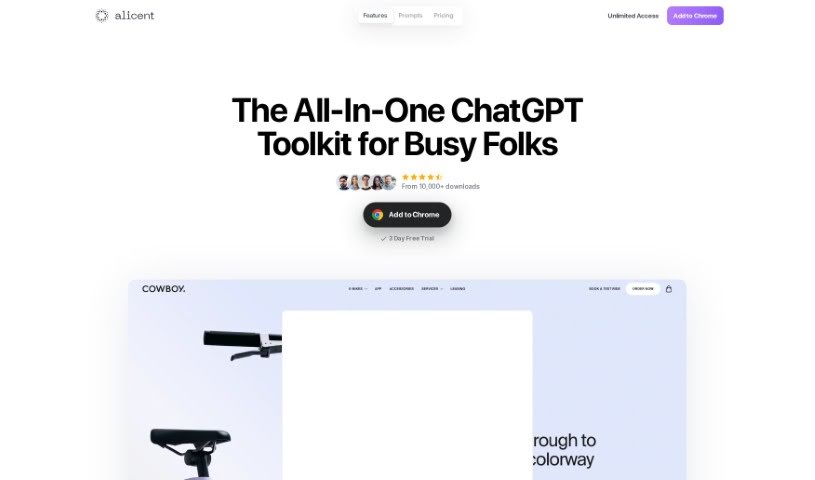
Screenshot of Alicent AI

Alicent AI

Discover Alicent AI, a powerful ChatGPT Chrome Extension for 2025. Learn about its features, how to use it for content creation, marketing, and business, and how it stacks up against other automation tools.

Screenshot

What is Alicent AI?

Alicent AI is a handy Chrome Extension that works with ChatGPT. Its main goal is to help you create creative and engaging text quickly and easily. It is a writing assistant that fits right into your browser, offering smart suggestions and language processing powered by GPT models. It’s a great tool for anyone who creates content, works in marketing, or is a business professional looking to make their writing process smoother and get better results.

What makes Alicent AI stand out?

  • Generate Compelling Copy: You can quickly create text that grabs attention.
  • Advanced AI Capabilities: It lets you use the power of GPT models in your writing.
  • Easy Chrome Integration: It fits right into your browser, so you can use it anywhere.
  • User-Friendly Interface: Navigating the tool is simple, making your writing process efficient.
  • Versatile for Professionals: It’s perfect for marketers, content creators, and business folks.
  • Curated Prompts: You get access to a library of helpful prompts, with new ones added every week.

Who created Alicent AI?

Alicent AI was developed by Adam Kyle Wilson, who is also the Founder of Polyform Studio. Polyform Studio created Alicent, an AI writing tool designed to integrate with Chrome browsers. This extension helps users generate creative and engaging text efficiently and effectively. It’s built to boost productivity and improve writing outcomes by offering AI-powered suggestions and language processing features.

What is Alicent AI used for?

Alicent AI is designed to make your writing life easier in many ways:

  • User-Friendly Interface: It’s simple to navigate, ensuring an efficient writing process.
  • Generate Compelling Copy: You can quickly create engaging text for any purpose.
  • Utilize Advanced GPT Models: Tap into the power of GPT models for your writing needs.
  • Seamless Chrome Integration: Use the extension easily within your Chrome browser.
  • Streamline Work Processes: Make your workflow more efficient.
  • Transformative Writing Experience: Elevate your writing to a new level.
  • Adapt to Specific Copywriting Needs: Tailor responses to fit what you’re writing.
  • Boost Productivity and Effectiveness: Get more done, better and faster.
  • Achieve Better Outcomes in Less Time: Improve your results without spending extra hours.
  • State-of-the-Art AI Models: Access the latest AI models for your specific requirements.
  • Expert Activation: Get the best results for your prompts by activating experts.
  • Style Variety: Switch between different styles to find what works best.
  • Brand Voice Alignment: Make sure your responses match your brand’s unique tone.
  • New Prompts Weekly: Stay current with fresh ideas added every week.
  • Break Language Barriers: Chat and get answers in multiple languages.

Who is Alicent AI for?

This tool is a great fit for:

  • Content creators
  • Marketers
  • Business professionals

Basically, if you create content, market products, or run a business, Alicent AI can help you.

How to use Alicent AI?

Here’s a simple guide to using Alicent’s ChatGPT Chrome Extension effectively:

  1. Sign Up: Start by registering for a free account on the Alicent website.
  2. Explore AI Models: Check out the range of advanced AI models available, each suited for different tasks.
  3. Integrate with Chrome: Use the Chrome Extension for easy access to Alicent’s features directly from any webpage.
  4. Input Content Sources: You can add web content, PDF documents, or even images to your ChatGPT prompts to boost creativity.
  5. Use Prompts: Pick from a selection of ready-made prompts or get recommendations to help you brainstorm ideas.
  6. Refine Your Content: Activate experts for specific prompts, switch between different writing styles, and adjust responses to match your brand’s voice.
  7. Translate: Overcome language barriers by chatting and receiving answers in various languages.
  8. Manage History & Favorites: Easily find your saved sessions and bookmark your favorite prompts for quick access.
  9. Stay Updated: Keep your content creation fresh with new prompts added weekly.

By following these steps, you can really make the most of Alicent’s ChatGPT Chrome Extension. It’s a fantastic way to streamline your writing, create compelling content efficiently, and enhance your overall writing experience with AI.

Related AI Tools

Discover more tools in similar categories that might interest you

Stay Updated with AI Tools

Get weekly updates on the latest AI tools, trends, and insights delivered to your inbox

Join 25,000+ AI enthusiasts. No spam, unsubscribe anytime.