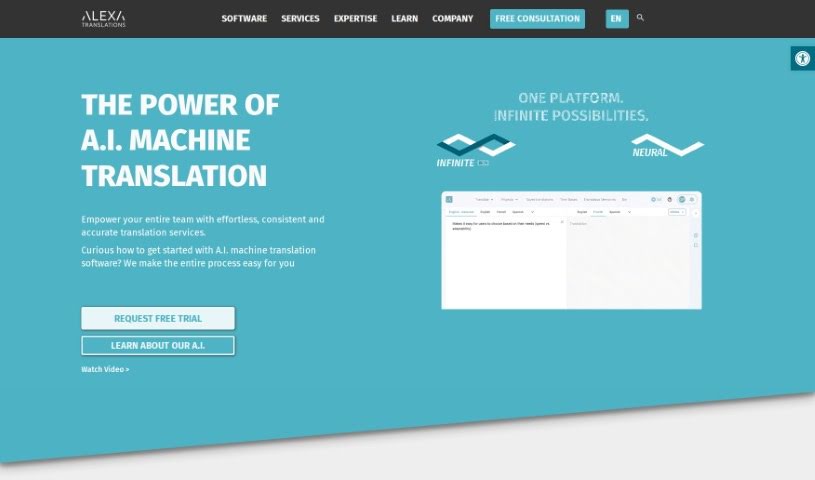
Screenshot of Alexa Translations AI

Alexa Translations AI

Discover what Alexa Translations AI is and how to use it effectively in 2025. We'll explore its features and see how it stacks up against other translation tools.

Screenshot

What is Alexa Translations AI?

Alexa Translations AI is a translation service that Gary Kalaci started back in 2002. Their goal is to offer top-notch translation services. They achieve this by blending their own AI translation engine with human translators, helping businesses overcome language hurdles. Essentially, they aim to boost team productivity while cutting down costs. They offer AI-powered translations, easy integrations with different platforms, specialized Neural Machine Translation (NMT) tools, and they can handle various file types, including PDFs and PowerPoint presentations. Plus, Alexa Translations takes client data security seriously, using protected data practices and holding certifications like SOC 2 Type 2, ISO 17100, and CLIA.

Who created Alexa Translations AI?

Meet the Founder and Get to Know the Company:

Gary Kalaci founded Alexa Translations AI in 2002. He saw a real need for high-quality translation services, especially for legal and professional fields. Gary’s own experience in these areas showed him where existing translation services fell short. That’s why he created Alexa Translations, focusing on dedicated project management for clients and deep expertise in specific industries. The company’s core mission is to help businesses break down language barriers using professional AI-powered translations alongside human expertise. Over the years, Alexa Translations has earned a solid reputation, particularly within the legal, financial, and government sectors, by providing tailored and premium translation services. Innovation, dedication, a keen eye for detail, resourcefulness, and teamwork are all key values that shape how they do business. Gary Kalaci, as the Chief Executive Officer, leads a team committed to delivering what many consider the best enterprise translation solutions available.

What is Alexa Translations AI used for?

Here’s a look at what you can do with Alexa Translations AI:

  • Translate all sorts of documents.
  • Handle translations for Google Docs, Word documents, PDFs, and even training materials.
  • Translate text you select right on your desktop.
  • Connect it with platforms like Google Drive, Microsoft Office, and others.
  • Use specialized Neural Machine Translation (NMT) that’s fine-tuned for legal, financial, and government content.
  • Work with all major file types, including PDFs and PowerPoint files.
  • Edit your translations and format text easily using the built-in CAT Editor.
  • Get translations tailored for specific industries like legal, finance, and human resources.
  • Access professional translators for proofreading or translating sensitive documents entirely.
  • Improve how translation teams collaborate and manage projects.

Who is Alexa Translations AI for?

This service is particularly helpful for:

  • Legal professionals
  • Financial professionals
  • Human Resources professionals
  • Anyone in the finance sector

How to use Alexa Translations AI?

Getting started with Alexa Translations AI is straightforward. Just follow these steps:

  1. Empower Your Team: Give your team access to the AI translation tool. They can then translate any document or text quickly and accurately.
  2. A.I. Optimizer: You can fine-tune your AI translations. Use large language models to adjust grammar, style, and content to your specific needs.
  3. Translate Anywhere: Easily translate text directly on your desktop by simply selecting the content you need translated.
  4. Integrations: Connect Alexa Translations with platforms you already use, like Google Drive or Microsoft Office. You can also build custom integrations using their API.
  5. Specialized NMT: Take advantage of specialized neural machine translation that’s been trained specifically for legal, financial, and government information.
  6. Supports All File Types: You can efficiently translate common file types, including PDFs and PowerPoint presentations.
  7. Built-In CAT Editor: Make edits to translations and format your text swiftly with the user-friendly WYSIWYG editor.
  8. Platform Learning & Optimizations: Help the AI platform improve over time by training it with your own documents. This allows for continuous learning and better results.
  9. Professional Translator Support: If you need it, industry-expert translators are available for projects. They can help with proofreading or even provide full document translation services.
  10. Enhanced Collaboration: Make your translation processes smoother and improve project management with tools designed for better team access and collaboration.
  11. Unlimited Users & Training: A single subscription covers unlimited users and training, which really helps your team grow and learn.
  12. Launch with Support: Get the platform up and running quickly. You’ll have award-winning support and dedicated account managers to help you every step of the way.
  13. Secure Translation: You can feel confident about data security. Their ring-fenced data practices keep your sensitive information safe and sound.

Related AI Tools

Discover more tools in similar categories that might interest you

Stay Updated with AI Tools

Get weekly updates on the latest AI tools, trends, and insights delivered to your inbox

Join 25,000+ AI enthusiasts. No spam, unsubscribe anytime.