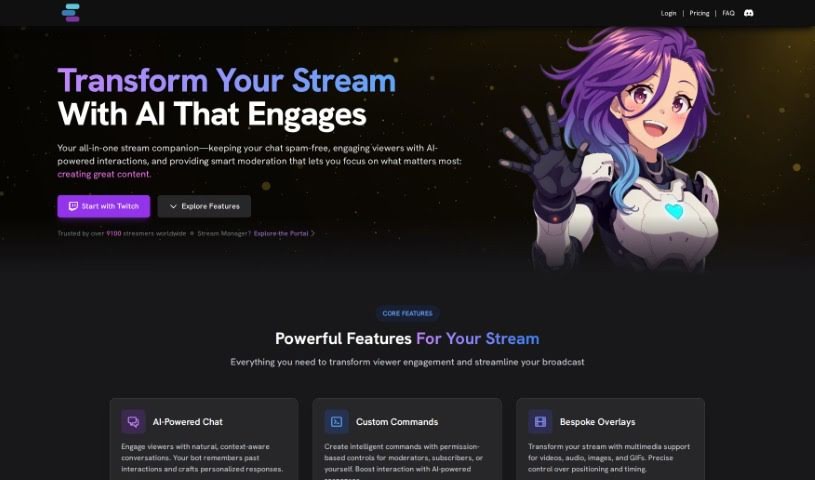
What is Aitwitch?
AiTwitch is a smart Twitch chat bot that uses artificial intelligence to make streaming on Twitch even better for streamers. It’s packed with features that help you connect with your audience. Think interactive chats, custom commands you can set up, quick reactions to what’s happening, and even the ability to create different AI personalities, or ‘Contexts,’ to keep your viewers engaged. The bot can spark lively conversations by using @mentions and sending out regular ‘relate’ messages, remembering what’s been said before, celebrating new followers, and even keeping track of what’s happening in your games. You can create your own commands, tailor reactions to your liking, and add all sorts of interactive fun, like dice rolls. Plus, AiTwitch comes with an easy-to-use web interface where you can manage all the settings and really boost your streaming experience.
Who created Aitwitch?
Aitwitch was developed by StreamChat A.I. Limited. It first launched on May 31, 2023. This chat-bot is all about boosting engagement on Twitch channels. It does this through features like custom commands, reactions that respond to events, and multiple AI bot personalities. The team behind it really values community input, encouraging ideas for future development through Discord. Just so you know, AiTwitch isn’t officially connected with Twitch Interactive, Inc. It’s run by StreamChat A.I. Limited, which is a company registered in the UK (Company No. 14926514).
What is Aitwitch used for?
- It helps boost engagement on Twitch channels.
- It offers interactive chats that create lively conversations, drawing from past chat messages.
- You can create custom commands to make viewer interactions more interesting during your streams.
- It can react quickly to different events as they happen during a stream.
- It uses @mentions and regular ‘relate’ messages to generate responses that feel natural and relatable.
- You can introduce different AI personalities, or ‘Contexts,’ to change how the bot interacts and keep things fresh.
- It can celebrate new followers with custom reactions.
- The bot remembers previous chat messages, which helps conversations flow smoothly and keeps viewers engaged.
- It can track in-game stats, like how many times you’ve died or if the game has crashed, updating this information live.
- It provides flexible browser sources for things like images, videos, GIFs, and audio.
- It sparks lively interactions by using chat history.
- It makes interactive dialogues easy to set up.
- You can create custom commands to get viewers involved.
- It offers reactions that respond to stream events.
- It remembers past chat messages to keep conversations going.
- You can create variables for specific in-game events, such as deaths or crashes.
Who is Aitwitch for?
- Twitch streamers
- Content creators
- Moderators
- Subscribers
How to use Aitwitch?
Here’s how you can get the most out of AiTwitch:
- Interactive Dialogues: To create dynamic and engaging interactions, use @mentions or set up regular ‘relate’ messages that draw from your chat history.
- Creating Custom Commands: Make your streams more interactive by setting up custom commands that give tailored responses to your audience.
- Responsive Reactions: Set up personalized reactions for stream events like follows, subscriptions, raids, and more. This is a great way to keep viewers involved.
- Using @Mentions and ‘Relate’ Messages: You can really engage your audience by using @mentions and sending out recurring ‘relate’ messages to generate responses that feel relatable.
- Utilizing Different Personas (‘Contexts’): Switch up the AI bot’s interaction style by using different personas. This adds variety and can be quite entertaining for your stream.
- Celebrating New Followers: Make new followers feel special by customizing reactions. You can use personalized text messages, sound effects, or even videos.
- Remembering Previous Messages: AiTwitch keeps track of past chat messages, which helps conversations feel continuous and really boosts viewer engagement.
- Tracking In-Game Stats: You can set up variables to track stats from your games, like deaths or crashes. This information can then be displayed live in a browser source for your viewers to see.
- Using Versatile Browser Sources: Make your stream more dynamic by adding images, videos, GIFs, and audio that can be triggered by viewers or specific events.
- Interactive Dice Rolling: Add a fun element to your stream with interactive dice rolling features. It’s a great way to engage viewers through surprises and interactions.
Keep in mind that AiTwitch is always being improved. The development is driven by the community, and they’re always open to new ideas and feedback through Discord. You can easily integrate AiTwitch into your Twitch channel by following the setup guides available on the platform. If you’re curious about pricing, you can find all the details on the official website. They offer both paid plans and a free option for users.