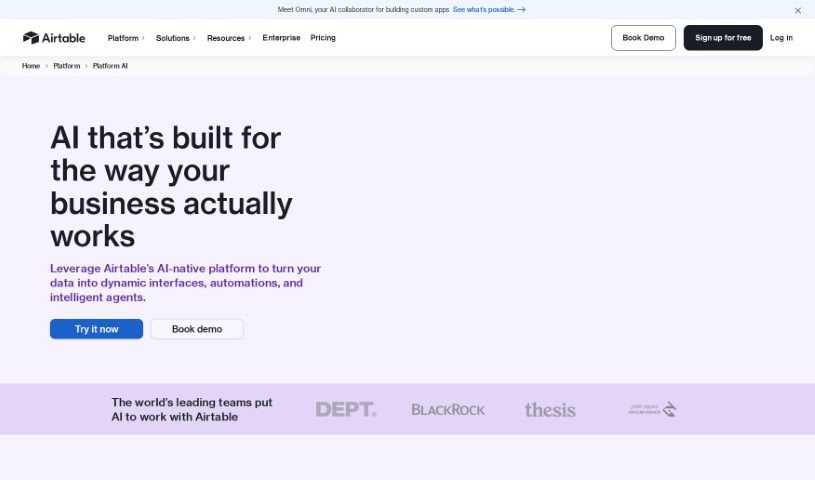
What is Airtable?
Airtable is a platform that makes it easy to build custom business applications with built-in artificial intelligence. You don’t need to be a coder to create tools that integrate AI into your daily operations. It is a way to bring AI into your workflows, helping you centralize and analyze data, track how things are going, automate repetitive tasks to save time, and create custom reports that make sense to you. It’s also great for managing your customer relationship data, keeping your information secure, and connecting smoothly with tools you already use, like Slack, Google Drive, and Salesforce.
Who created Airtable?
Airtable AI was developed by Airtable, a company focused on bringing AI capabilities into everyday applications and workflows. They launched the platform on September 22, 2023. With Airtable AI, you can build your own business applications that include AI features. It helps you connect data from all your different digital tools, creating one central place for information that makes it easier for teams and departments to make smart decisions.
What is Airtable used for?
- Boosting operational efficiency: It helps make your day-to-day work run more smoothly.
- Automating workflows: Product teams can use it to sort through customer feedback and create product specifications automatically.
- Marketing support: Marketing teams can generate creative briefs, research competitors, or even draft blog posts.
- HR and Finance: These teams can use it to create job descriptions, track budget spending, or write company memos.
- Performance tracking: It helps organize and analyze how things are performing, along with customer feedback.
- Better communication: It improves how teams communicate and stay in sync.
- Leveraging CRM data: You can easily use your customer relationship management data.
- Simplifying data tasks: It makes it easier to connect and visualize CRM data across different platforms.
- Embedding AI: You can add AI to your existing workflows without needing big changes.
- Custom AI models: You can tailor AI models to fit exactly what your business needs.
- Informed decisions: It helps you make better choices without losing control of your data.
- Product Development: Categorize customer feedback and generate product specs to guide feature development.
- Marketing Content: Create marketing briefs, gather competitive insights, and draft blog posts.
- Internal Operations: Generate job descriptions, track budget expenses, and draft company memos for HR and finance.
- Data Syncing: Connect and sync CRM data across teams and tools, simplifying tasks.
- Performance Insights: Organize and analyze performance data and customer feedback to inform decision-making.
- Efficiency Boost: Integrate AI into your current processes to increase efficiency and reduce mistakes.
- Tailored AI: Choose and customize AI models to match your specific business requirements.
- Data Control: Make well-informed decisions while maintaining full control over your data and processes.
- No-Code App Building: Create custom business applications with AI features without needing to code.
- Platform Integration: Connect with Slack, Google Drive, Salesforce, and more for smoother communication and workflows.
- Product Team Workflow: Streamline how product teams categorize customer feedback and create product specifications.
- Marketing Workflow: Help marketing teams generate creative briefs, gather competitive intelligence, and draft blog posts.
- HR/Finance Workflow: Assist HR and finance departments in generating job descriptions, categorizing budget spending, and drafting company memos.
- Data Organization: Effectively organize and analyze performance data.
- Workflow Synchronization: Improve how teams communicate and keep their workflows in sync.
- CRM Management: Manage customer relationship data across different teams and tools.
- Task Simplification: Make everyday tasks easier to manage.
- Custom Interfaces: Build user interfaces that are tailored to your needs.
- Decision Support: Get help making informed decisions while keeping control.
Who is Airtable for?
Airtable is a versatile tool that can benefit a wide range of teams and professionals:
- Product Teams: For managing feedback and development.
- Marketing Teams: For campaign planning, content creation, and market research.
- HR Teams: For recruitment, onboarding, and internal communications.
- Finance Teams: For budgeting, expense tracking, and financial reporting.
- Product Managers: To oversee product roadmaps and feature prioritization.
- Marketing Professionals: To manage campaigns, analyze market trends, and create content.
- HR Professionals: To streamline hiring processes and manage employee data.
- Finance Professionals: To handle budgets, track expenses, and manage financial data.
How to use Airtable?
Airtable AI is a powerful platform that seamlessly integrates artificial intelligence capabilities into your workflows and applications. Here’s a step-by-step guide to help you get the most out of it:
- Centralize Your Data: Start by connecting data from all your different digital tools. This creates a single, reliable source of truth, making it much easier to make informed decisions.
- Manage Security: Airtable AI provides tools to control who can access your data, apply security rules, and protect your information effectively, even at a large scale.
- Automate Tasks: Use the built-in automation features to save time on repetitive tasks. You don’t need to know how to code to set these up.
- Visualize Data Your Way: Use the Interface Designer to create custom charts and reports that are tailored to what your team needs to see.
- Use Pre-built Apps: Get started faster by using pre-configured apps as templates. These are ready-made solutions for integrating AI functionalities.
- Integrate with Other Platforms: Connect Airtable AI smoothly with tools like Slack, Google Drive, and Salesforce. This improves communication and keeps your workflows synchronized.
- Work with CRM Data: Make the most of your CRM data by syncing it across teams and tools. This simplifies tasks and improves collaboration.
- Analyze Performance: Use AI to organize and analyze your performance data and customer feedback. This provides valuable insights to guide your decisions.
- Embed AI Seamlessly: Bring AI into your existing workflows without needing to make major changes. This boosts efficiency, cuts down on errors, and optimizes how you work.
- Customize Your AI: You have a lot of flexibility to choose and customize AI models to perfectly match your unique business needs and preferences.
- Make Smarter Decisions: Improve your decision-making by efficiently analyzing data, all while keeping full control over your information and how you make choices.
- Build Custom Apps: Easily create your own business applications that include AI features, even if you don’t have any coding skills.
By following these steps, you can effectively use Airtable AI to streamline your operations, enhance teamwork, and boost productivity across your business processes.