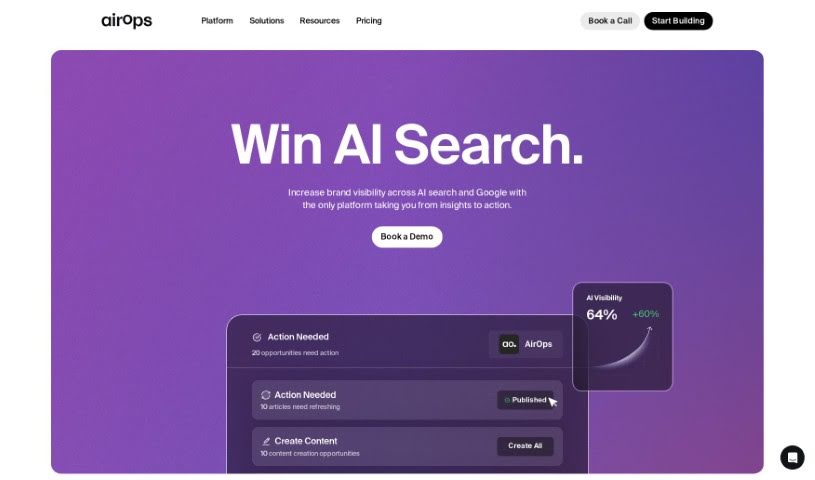
Screenshot of AirOps

AirOps

Discover what AirOps is and how to use it effectively in 2025. We'll explore its features and compare it to other Data Analytics Tools.

Screenshot

What is AirOps?

AirOps is a really flexible tool that lets you dive into your data using AI. You can build reusable datasets and then turn them into live documents, APIs, and all sorts of other things. They offer different pricing plans to fit just about anyone – whether you’re an individual, part of a team, or a large enterprise. These plans come with features like choosing your AI model, handling different types of inputs (even images and audio!), working with large amounts of text, building custom apps, creating apps that pull data from vector databases, linking apps together, getting priority support, using your own API keys, setting up SAML/SSO for security, and managing how your team uses it. You can also get it as a Chrome or Firefox extension, upload CSV files in bulk, connect with Google Sheets, integrate with Snowflake, and even access it via an API. You can pick from plans like Free, Pro, Team, and Enterprise, depending on what you need. Each plan has limits on how many app executions you can do daily and how many tasks are included.

Who created AirOps?

AI Data Sidekick, which is powered by AirOps, was actually created by Colby Howard. He’s the President and Co-Founder of the company. Colby’s really known for using AirOps, their AI-powered growth workflow tool, to run their entire content marketing engine. AirOps has been a game-changer for their clients, helping them scale product SKUs, make website copy much better, and quickly test different ad copy ideas. Colby’s leadership has really helped speed up how companies use AI as a way to get ahead, making AI integration much faster and simpler at places like Rare Candy.

What is AirOps used for?

  • Exploring your data with AI
  • Building datasets you can reuse
  • Turning those datasets into live documents
  • Generating APIs
  • Selecting machine learning models
  • Supporting multi-modal inputs (like text, images, etc.)
  • Working with large amounts of text
  • Developing custom apps
  • Creating apps that retrieve data from vector databases
  • Linking different apps together

Who is AirOps for?

  • Ecommerce Experts
  • Heads of Underwriting
  • Directors of Catalog
  • CEOs

How to use AirOps?

Getting started with AI Data Sidekick is pretty straightforward. Here’s a quick rundown:

  1. Sign Up for a Free Trial: First off, you can grab a 7-day Free Trial on the AirOps platform. You don’t even need to put in your payment details right away.
  2. Explore All the Features: While you’re on the Free Trial, you get access to all the Pro plan features. You can also check out the pre-built templates in AirOps Studio and even build your own Apps and Integrations.
  3. Upgrade Your Plan: If you decide you want more, you can upgrade your plan anytime during the Free Trial. This lets you access more features and adjust your task limits as needed.
  4. Keep Track of Tasks: You can easily monitor how many tasks you’re using through the AirOps Web App. Just keep an eye on your usage during the monthly billing cycle, and you can always add more tasks if you run low.
  5. Payment Details: Once your Free Trial wraps up, you’ll need to enter your payment information and choose either the Pro or Team plan, depending on what suits you best.
  6. Extra Tasks: If you happen to go over your task limit, don’t worry! You can keep using AirOps and just pay for the extra tasks. For Team users, it’s $6 for every 1000 tasks, and for Pro users, it’s $9 per 1000 tasks.
  7. Get Priority Support: If you’re on the Team or Enterprise plans, you’ll enjoy priority support, meaning you’ll get faster responses and help when you need it.
  8. Use Your Own API Keys: You have the flexibility to bring your own API keys for LLM model providers, which can be really handy.
  9. Consider Professional Services: If you have specific project needs, AirOps also offers Professional Services, which start at $200 per hour with a minimum commitment.
  10. Refunds Policy: Just a heads-up, tasks are non-refundable. Any unused tasks can’t be refunded or carried over.

By following these steps, you’ll be well on your way to using AI Data Sidekick effectively to explore your data with AI, build datasets, and then seamlessly integrate them into live documents and APIs.

Related AI Tools

Discover more tools in similar categories that might interest you

Stay Updated with AI Tools

Get weekly updates on the latest AI tools, trends, and insights delivered to your inbox

Join 25,000+ AI enthusiasts. No spam, unsubscribe anytime.